GE
D
IRECTION GB091046, REVISION 2 VIVID E9 / VIVID E7 BT’13 SERVICE MANUAL
Chapter 3 - System setup 3 - 31
3-6-3-5 Add Printer
NOTE: This function may be unavailable for some software versions and it will not always function due
to that usually, a special Installation Wizard is to be used. Please follow instructions in the
respective printer installation procedure for correct printer installation. See 3-6-4 "Optional
Peripherals/Peripheral Connection" on page 3-33 for more information.
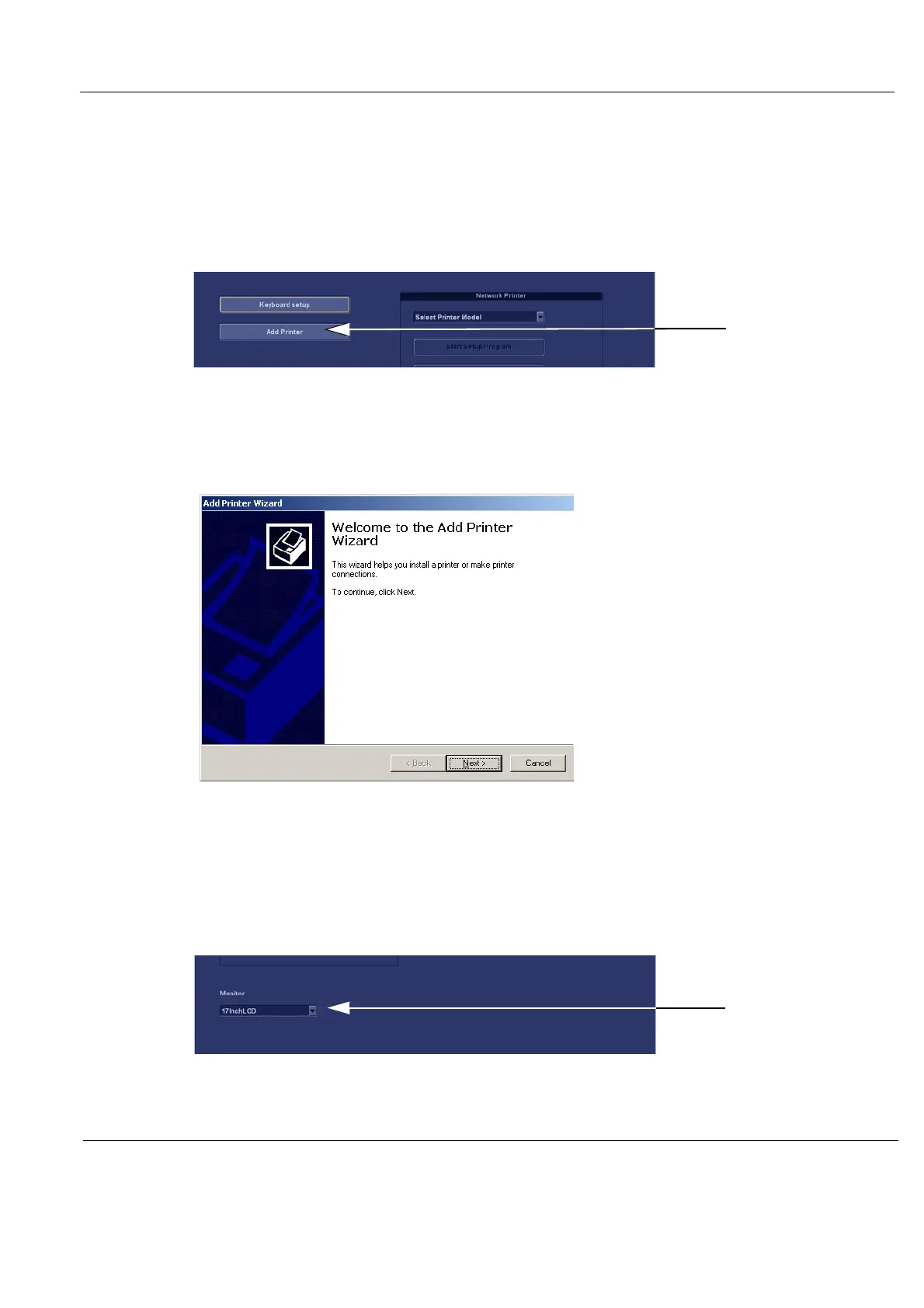
1.) Select Add Printer to start the Add Printer (Installation) Wizard.
2.) Follow the instructions in the Wizard to install a new printer.
3-6-3-6 Monitor Selection
Some characteristics are different for the different LCD monitors.
Select the Monitor model in the Monitor pull-down menu.
Figure 3-17 Add Printer
Figure 3-18 Add Printer Wizard
Figure 3-19 Select Monitor model



 To Next Page