GE
D
IRECTION GB091046, REVISION 2 VIVID E9 / VIVID E7 BT’13 SERVICE MANUAL
8 - 286 Section 8-14 - Peripherals replacement
8-14-2-3 BEP6 - Digital Video Recorder removal procedure
Follow these steps to remove the Digital Video Recorder from a BEP6:
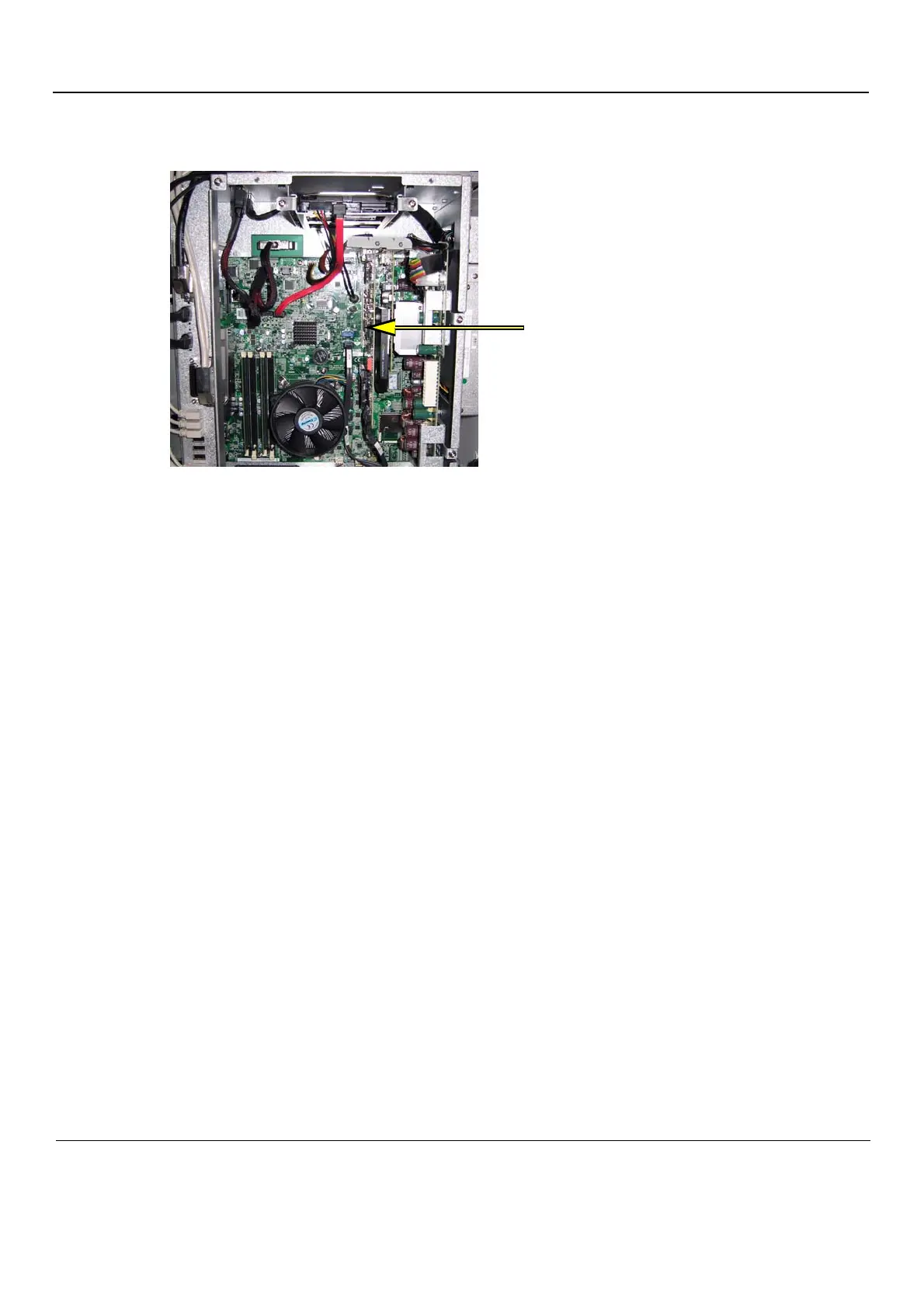
1.) Locate the DVR Board inside the BEP6.
2.) Unscrew the fixing screws from the connector at top of the DVR.
- The flex between the Graphics Adapter and the DVR board uses finger screws.
- The flex from the motherboard is fixed with Hex screws.
3.) Disconnect the audio jack and the two flex cables where they attach to the DVR Board.
4.) Disconnect the DVR to SATA Cable.
5.) Remove the fixing screw for the DVR board.
6.) Pull out the DVR board.
Next:
• 8-14-2-4 "BEP6 - Digital Video Recorder installation procedure" on page 8-287.
Figure 8-205 DVR board position in BEP6



 To Next Page