GE RAFT VOLUSON™ P8/VOLUSON™P6
DIRECTION 5775469, R
EVISION 3 DRAFT (JULY 19, 2018) BASIC SERVICE MANUAL
8-74 Section 8-23 - Replacement of LCD Cable
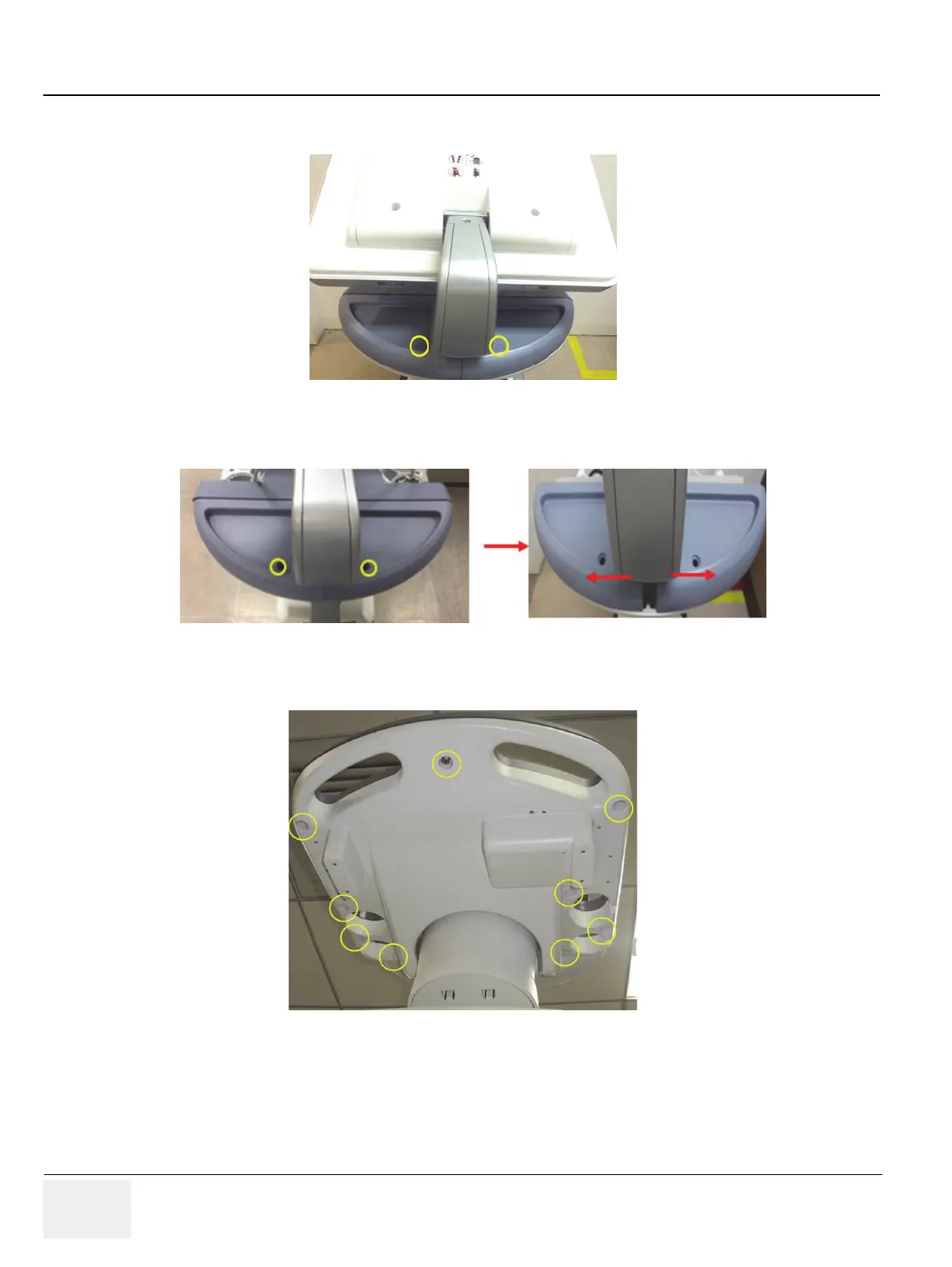
5.) Remove 2 RUBBER CAPS on SPEAKER COVER LEFT/RIGHT. Refer to the figure below.
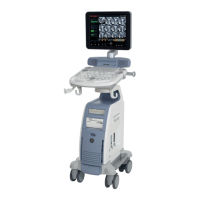
6.) Unscrew 2 screws, and then remove SPEAKER COVER LEFT/RIGHT. Refer to the figure below.
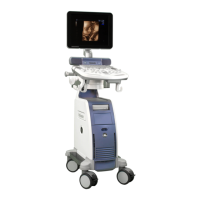
7.) Unscrew 9 screws at the bottom of the OPIO. Refer to the figure below.
Figure 8-105 Removing 2 RUBBER CAPS on SPEAKER COVER LEFT/RIGHT
Figure 8-106 Unscrewing 3 screw to remove SPEAKER COVER LEFT/RIGHT
Figure 8-107 Unscrewing 9 screws at the bottom of the OPIO


 To Next Page