1919
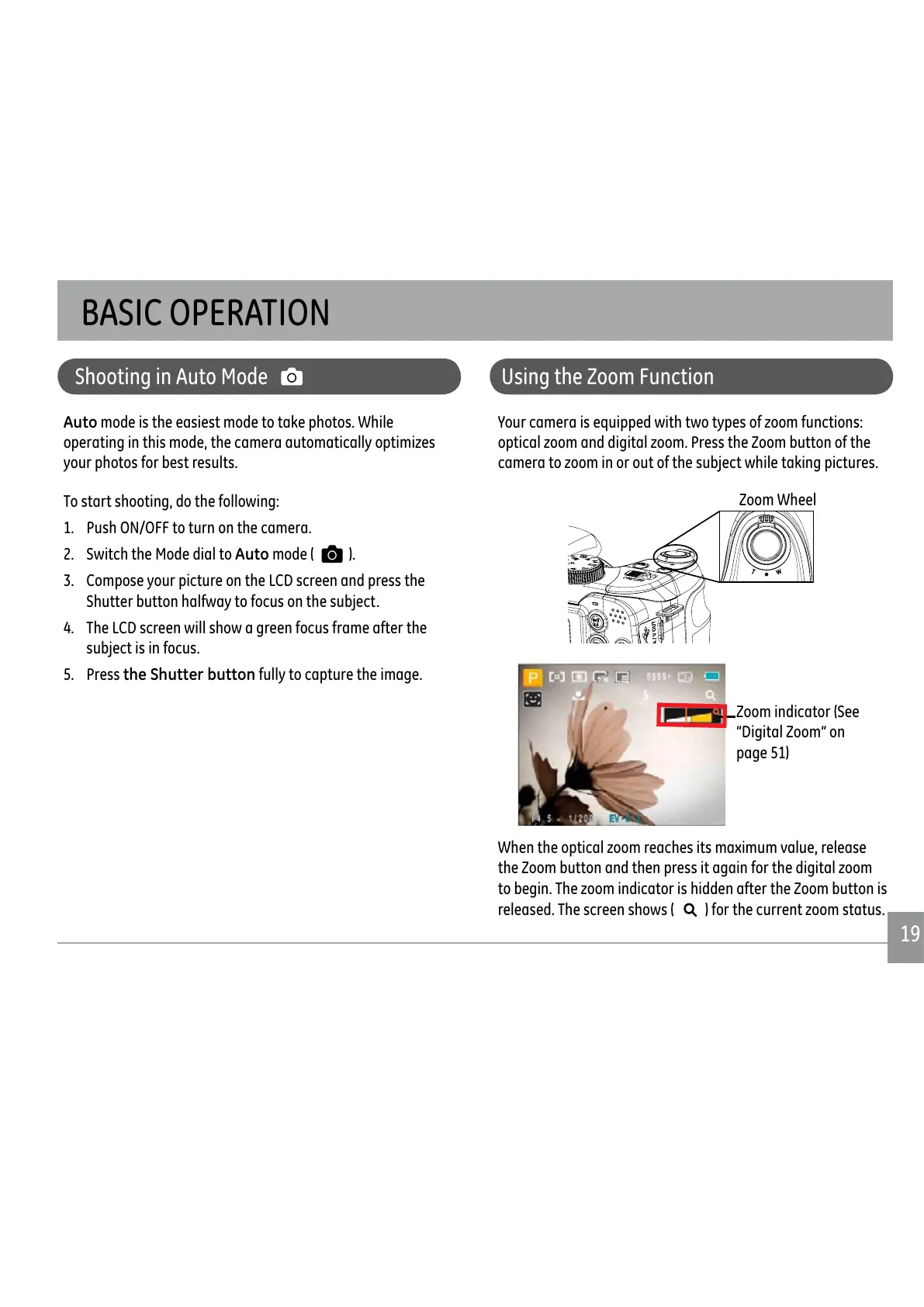
<RXUFDPHUDLVHTXLSSHGZLWKWZRW\SHVRI]RRPIXQFWLRQV
RSWLFDO]RRPDQGGLJLWDO]RRP3UHVVWKH=RRPEXWWRQRIWKH
FDPHUDWR]RRPLQRURXWRIWKHVXEMHFWZKLOHWDNLQJSLFWXUHV
Zoom indicator (See
“Digital Zoom“ on
page 51)
:KHQWKHRSWLFDO]RRPUHDFKHVLWVPD[LPXPYDOXHUHOHDVH
WKH=RRPEXWWRQDQGWKHQSUHVVLWDJDLQIRUWKHGLJLWDO]RRP
WREHJLQ7KH]RRPLQGLFDWRULVKLGGHQDIWHUWKH=RRPEXWWRQLV
released. The screen shows (
IRUWKHFXUUHQW]RRPVWDWXV
Shooting in Auto Mode
Auto mode is the easiest mode to take photos. While
RSHUDWLQJLQWKLVPRGHWKHFDPHUDDXWRPDWLFDOO\RSWLPL]HV
your photos for best results.
To start shooting, do the following:
1. Push ON/OFF to turn on the camera.
2. Switch the Mode dial to Auto mode ( ).
3. Compose your picture on the LCD screen and press the
Shutter button halfway to focus on the subject.
4. The LCD screen will show a green focus frame after the
subject is in focus.
5. Press the Shutter button fully to capture the image.
Using the Zoom Function
BASIC OPERATION
Zoom Wheel



 To Next Page
 Loading...










