84
Troubleshooting
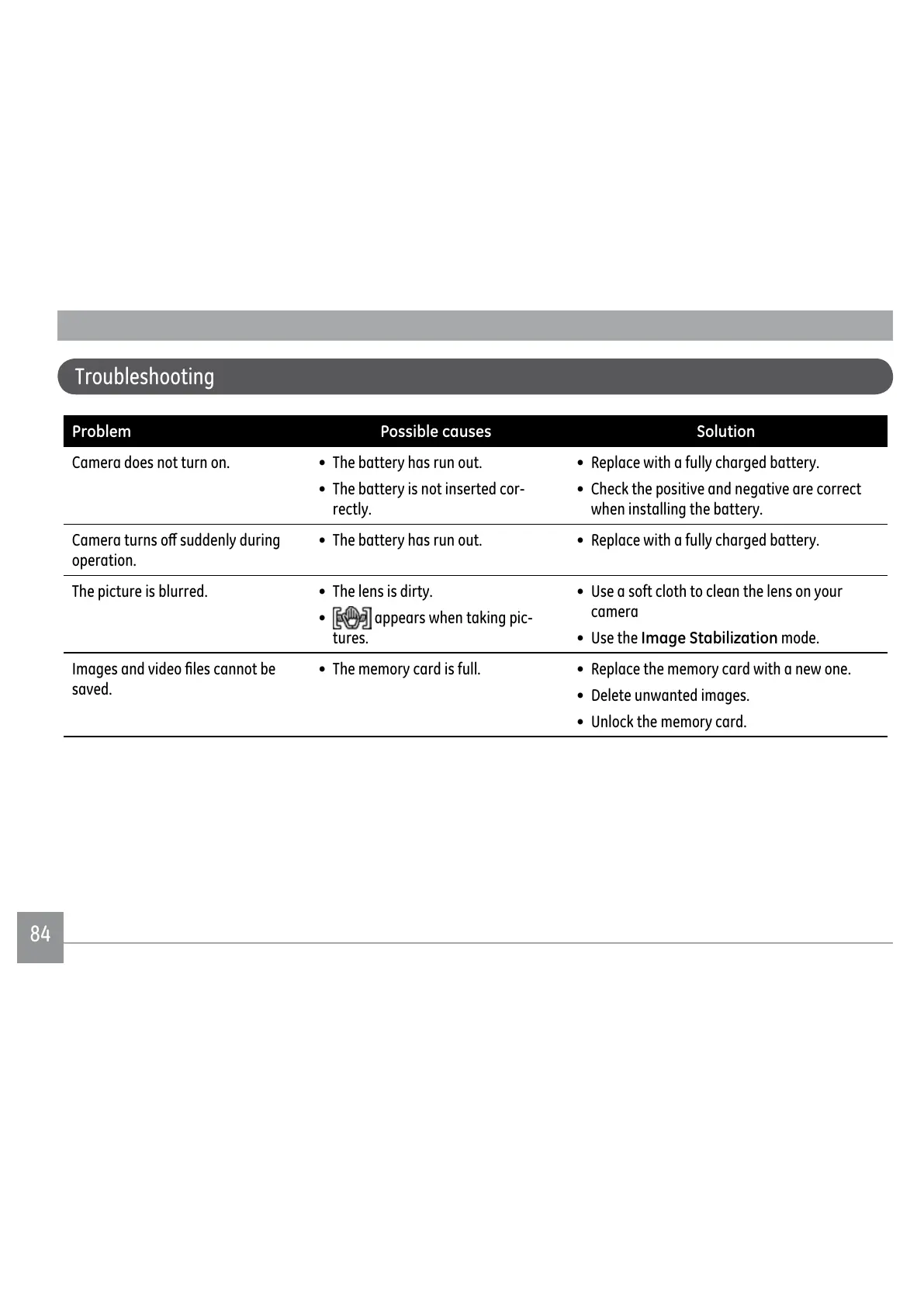
Problem Possible causes Solution
Camera does not turn on. • The battery has run out.
• The battery is not inserted cor-
rectly.
• Replace with a fully charged battery.
•
Check the positive and negative are correct
when installing the battery.
&DPHUDWXUQVRȖVXGGHQO\GXULQJ
operation.
• The battery has run out. • Replace with a fully charged battery.
The picture is blurred. • The lens is dirty.
•
appears when taking pic-
tures.
• Use a soft cloth to clean the lens on your
camera
• Use the Image Stabilization mode.
,PDJHVDQGYLGHR½OHVFDQQRWEH
saved.
• The memory card is full. • Replace the memory card with a new one.
• Delete unwanted images.
• Unlock the memory card.



 To Next Page
 Loading...










