EasyManua.ls Logo

Gefen EXT-AVCINEMAAA - Main Screen Display and Input Port Mapping

Gefen EXT-AVCINEMAAA
60 pages
Print Icon
To Next Page IconTo Next Page
To Previous Page IconTo Previous Page
Loading...
12
U
SING THE A/V CINEMA SCALER PRO - MAIN LC
D
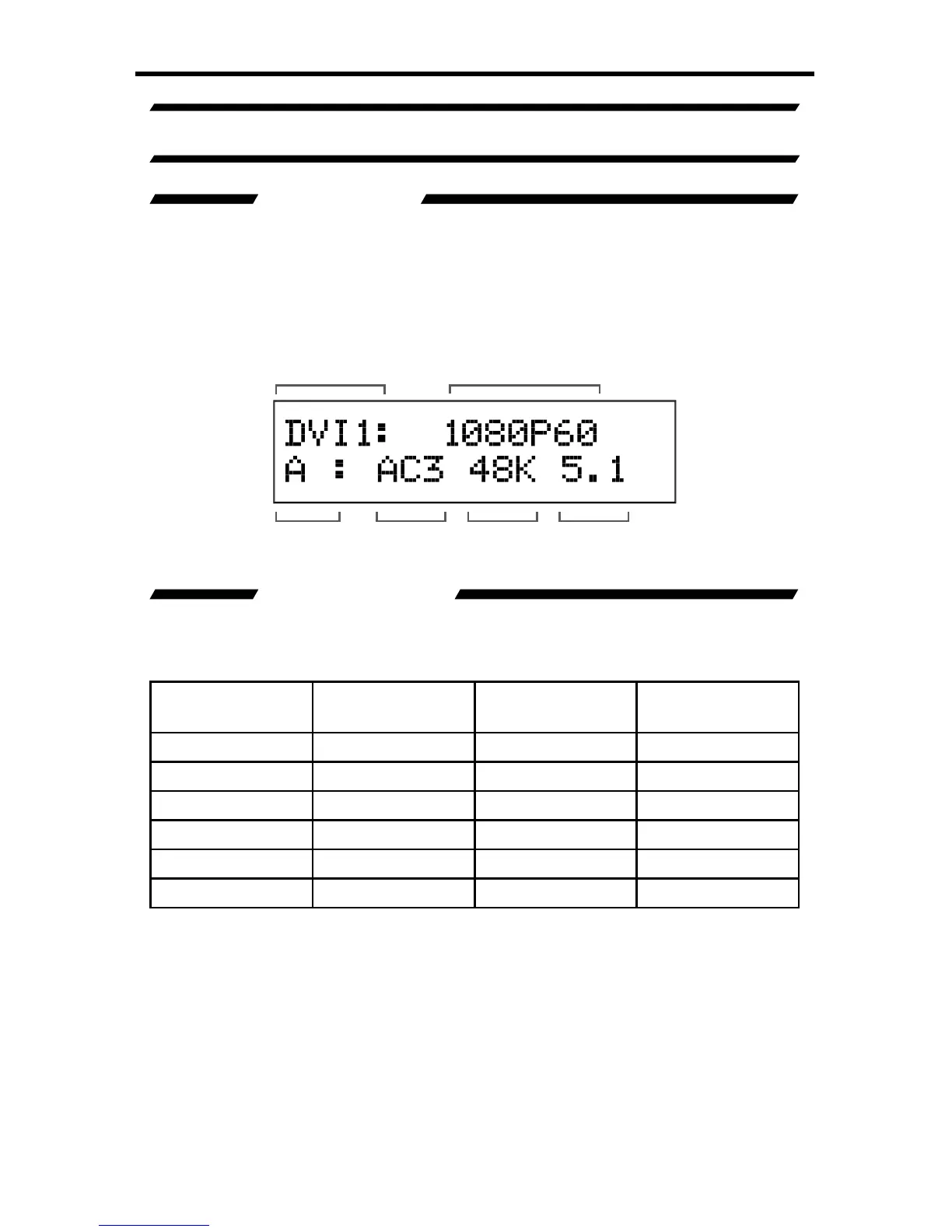
A/V CINEMA SCALER PRO - MAIN SCREEN
MAIN DISPLAY
Th
e
M
ain Screen will displa
y
use
f
ul in
f
ormation to the user. It displa
y
s the
c
urrentl
y
selected input port and audio input
f
ormat. The currentl
y
used output
f
ormat can also be displa
y
ed b
y
pressin
g
the
button. Pressin
g
the or
bu
tt
o
n
s
whil
e
o
n thi
s
sc
r
ee
n will h
a
v
e
n
o
effec
t. Pl
ease
see
be
l
o
w
fo
r th
e
M
ain
Screen
l
a
y
out.
SELECTED INPUT
This portion o
f
the screen will displa
y
the currentl
y
selected input. The available
inputs, labels, and associated buttons are listed below
:
L
CD Displa
y
Nam
e
Actual In
p
u
t
L
ocation
Front Panel
Button
CO
MP
1
C
omponen
t
Fr
o
nt P
a
n
e
l
CO
MP
1
P
C
VG
AFr
o
nt P
a
n
e
lV
G
A
DVI-D1
/
DVI-A
1
DVI-
I
Fr
o
nt P
a
n
e
l DVI
1
H
DMI
H
DMI Fr
o
nt P
a
n
e
l
H
DMI
CO
MP
2
C
omponen
t
B
ac
k P
a
n
e
l
CO
MP
2
DVI-D
2
DVI-D B
ac
k P
a
n
e
l DVI
2
Selected Input
Input Audio
Type
Audio
Format
Sampling
Rate
Number of
Channels
Input Resolution
M
ain Screen

Table of Contents

Related product manuals