EasyManua.ls Logo

Gefen EXT-AVCINEMAAA - Picture Adjustment: Mode and Contrast; Picture Mode and Contrast Settings

Gefen EXT-AVCINEMAAA
60 pages
Print Icon
To Next Page IconTo Next Page
To Previous Page IconTo Previous Page
Loading...
23
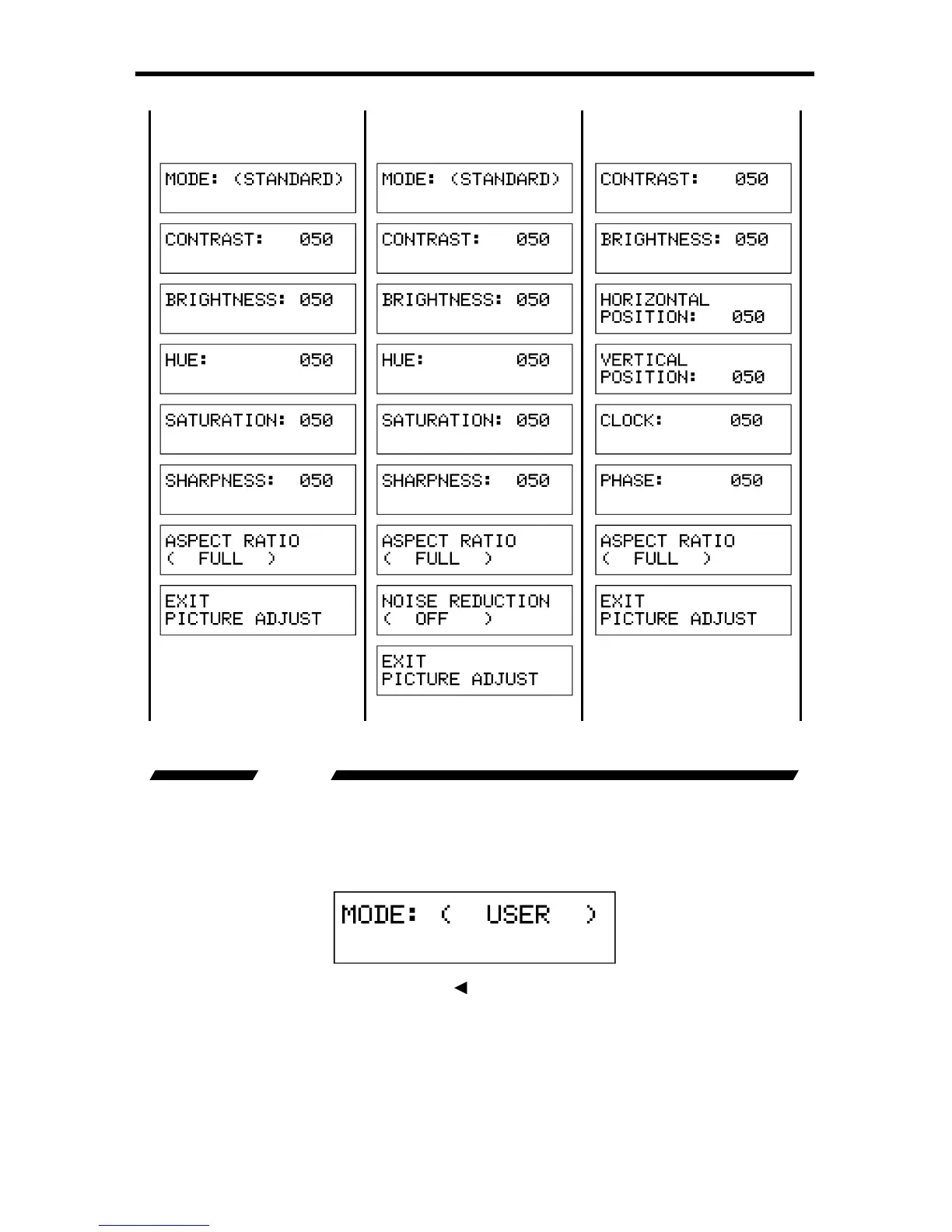
A/V CINEMA SCALER PRO - CONFIGURATIO
N
M
enu for HDMI, DVI-D and
D
VI-I
(
Di
g
ital Portion
)
Inputs
M
enu for Com
p
onent In
p
uts
M
enu for VGA and
D
VI-I
(
Analo
g
Portion
)
Inputs
MODE
The preset picture modes are selectable with this option. Preset contrast,
bri
g
htness, hue, saturation, and sharpness settin
g
s are stored
f
or each mode.
Wh
e
n th
e
m
ode
i
s
s
wit
c
h
ed
t
o
U
se
r
all individual options will be available for
r
ad
j
ustment.
To c
y
cle between the modes, use the
or
or Select buttons. The chan
g
e will
be immediate and no other buttons need to be pressed to con
rm the chan
g
e.
The modes and c
y
cle order is listed on the next pa
g
e.

Table of Contents

Related product manuals