EasyManua.ls Logo

Gefen EXT-AVCINEMAAA - Aspect Ratio Modes and Noise Reduction; Aspect Ratio Mode Explanations; Noise Reduction Filter

Gefen EXT-AVCINEMAAA
60 pages
Print Icon
To Next Page IconTo Next Page
To Previous Page IconTo Previous Page
Loading...
26
A/V CINEMA SCALER PRO - CONFIGURATIO
N
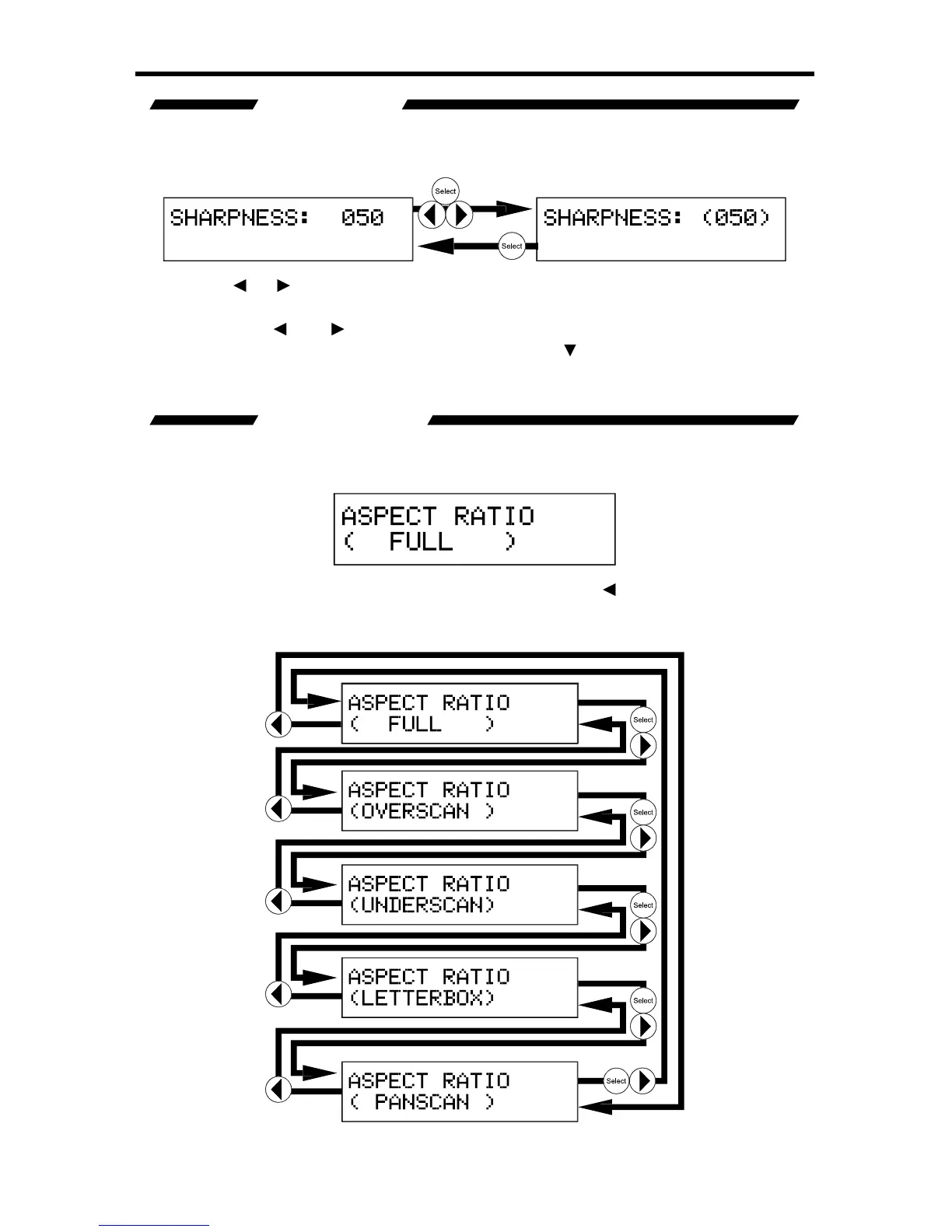
SHARPNESS
This option will set the sharpness level
f
or the output video si
g
nal. This option will
n
ot be available when the V
G
A or DVI-I
(
Analo
g
portion
)
input is selected.
Pr
ess
th
e
or
or
Select buttons to be
g
in ad
j
ustin
g
this option. A < and >
c
haracter will surround the numerical value to si
g
ni
fy
that user ad
j
ustment can
be
g
in. Use the
a
n
d
to ad
j
ust the value o
f
this option. When ad
j
ustments are
c
omplete, press the Select button to save.
U
se the
bu
tt
o
n t
o
se
l
ec
t th
e
n
e
xt
option. Use the
option to return to the previous option.
ASPECT RATIO
The aspect ratio o
f
the output video is set with this option. There are 5 aspect
ra
ti
o
n m
odes
t
o
c
h
oose
f
r
o
m.
To c
y
cle between the aspect ratio modes, use either the
or
or Select
buttons. The chan
g
e will be immediate and no other buttons need to be pressed
to con
rm the chan
g
e. The aspect ratio modes and c
y
cle order is listed below.

Table of Contents

Related product manuals