EasyManua.ls Logo

Gefen EXT-AVCINEMAAA - HDMI EDID Type and Audio Input Type

Gefen EXT-AVCINEMAAA
60 pages
Print Icon
To Next Page IconTo Next Page
To Previous Page IconTo Previous Page
Loading...
19
U
SING THE A/V CINEMA SCALER PRO - MAIN LC
D
NOTE
:
This option will simpl
y
set the supported audio
f
ormats to include either
5
.1 or 7.1 LP
C
M audio
f
ormats. The source must still be able to output these
formats for this option to have an
y
effect.
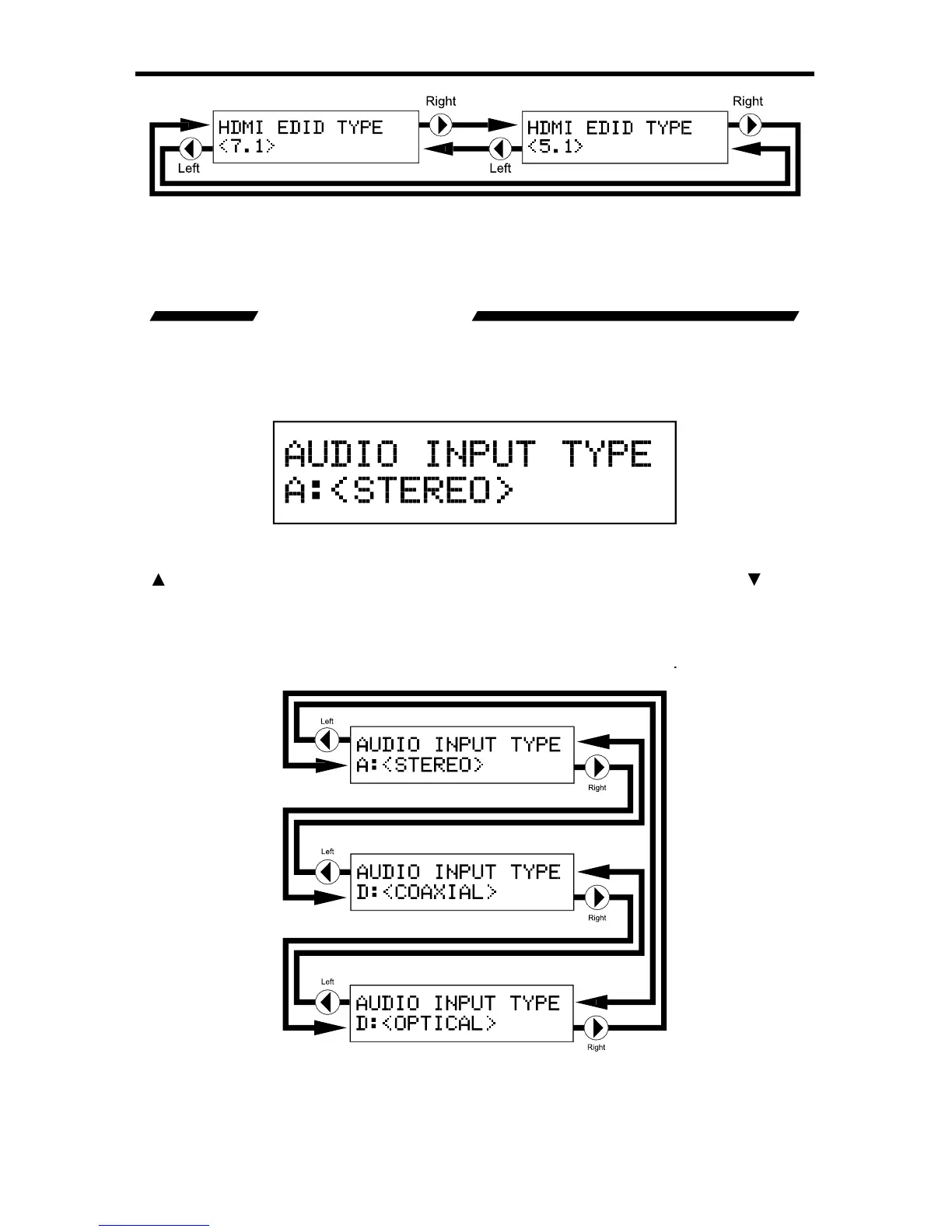
AUDIO INPUT TYPE
Each input, excludin
g
the HDMI input, supports multiple audio input t
y
pes. This
option will allow the user to select the desired audio t
y
pe
f
or each input. For a
c
omplete listin
g
o
f
the supported
f
ormats
f
or each input, please see pa
g
e 14.
This screen will displa
y
the currentl
y
selected Audio Input T
y
p
e
.
Pressin
g
the
bu
tt
o
n will r
e
t
u
rn th
e
use
r t
o
th
e
HDMI EDID T
y
pe
s
creen. Pressin
g
the
will
cy
cle the user to the
P
roduct Title
screen
.
The user has the option o
f
chan
g
in
g
the Audio Input T
y
p
e
f
rom this screen.
U
se
th
e
or buttons to immediatel
y
chan
g
e the Audio Input T
y
p
e
.
NOTE
:
This option is not available on the HDMI and B
y
pass inputs. The
C
omponent 2 input does not have an
O
PTI
C
AL audio input.

Table of Contents

Related product manuals