page | 23
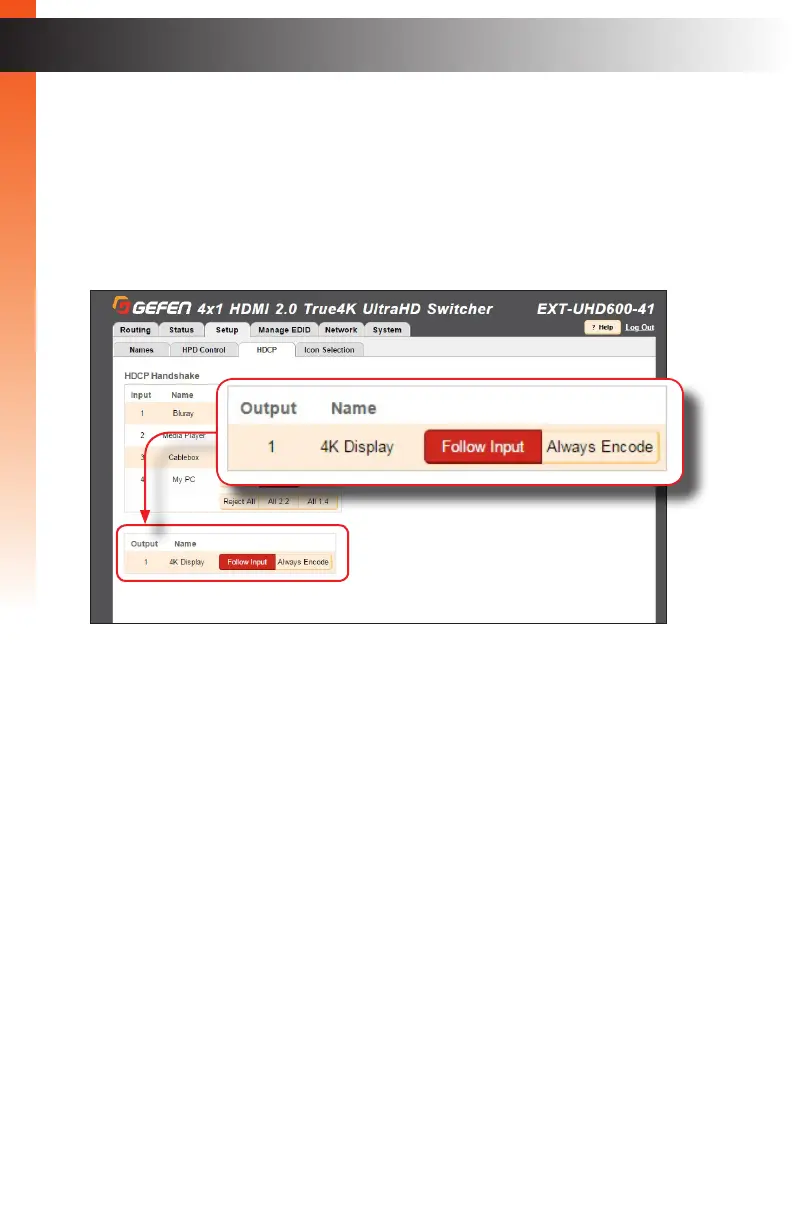
4. For the output, select either Follow Input of Always Encode.
► Follow Input - Click this button to have the output follow the setting used on the
input. Click the Follow All button to set all outputs to Follow Input.
► Always Encode - Encodes the output signal with HDCP, regardless of the input
signal. Use this feature for displays that require HDCP-encoded content.
Click the All Encode button to set all outputs to Always Encode.
Basic OperationBasic Operation
The Web Interface


 To Next Page