20
14 - HOW TO PROGRAMME THE 5 BUTTON TIMER
(MINI MODELS)
14.1 PROGRAMMING FOR TECHNICAL ASSISTANCE SERVICE
14.1.1 Start programming
To enter programming reserved to Technical Assistance Service, press
and hold the S and P buttons at the same time until “Set language” is
displayed
Press P button to confirm.
14.1.2 Set unit of measure
Display shows:
Press P button to confirm the unit of measure “Met.” (which stands for
Metric System).
14.1.3 Set history
The “historical” value is to register the installation date, the amount of
water treated and the number of regenerations carried out from the
installation date. Displays shows:
Press P button to confirm.
14.1.3.1 Set software version
Display shows:
DO NOT CHANGE THIS VALUE, press P button to confirm.
14.1.3.2 Set installation date
Display shows:
Press C button to change the selected figure and S button to move cursor
to the other figures; press P to confirm installation date.
14.1.3.3 Set number of people
Display shows:
Press C button to change the selected figure and S button to move cursor
to the other figures; press P to confirm number of people.
14.1.3.4 Set hardness value of raw water
Display shows:
Press C button to change the selected figure and S button to move cursor
to the other figures; press P to confirm hardness value.
14.1.3.5 Set iron value of raw water
Display shows:
Press C button to change the selected figure and S button to move cursor
to the other figures; press P to confirm iron value.
14.1.3.6 Set manganese value of raw water
Display shows:
Press C button to change the selected figure and S button to move cursor
to the other figures; press P to confirm manganese value.
14.1.3.7 Set sulphides value of raw water
Display shows:
Press C button to change the selected figure and S button to move cursor
to the other figures; press P to confirm sulphides value.
14.1.3.8 Set pH value of raw water
Display shows:
Press C button to change the selected figure and S button to move cursor
to the other figures; press P to confirm pH value.
14.1.3.9 Set iron bacteria
Display shows:
Press C button to change the value; press P to confirm the presence or
absence of iron bacteria.
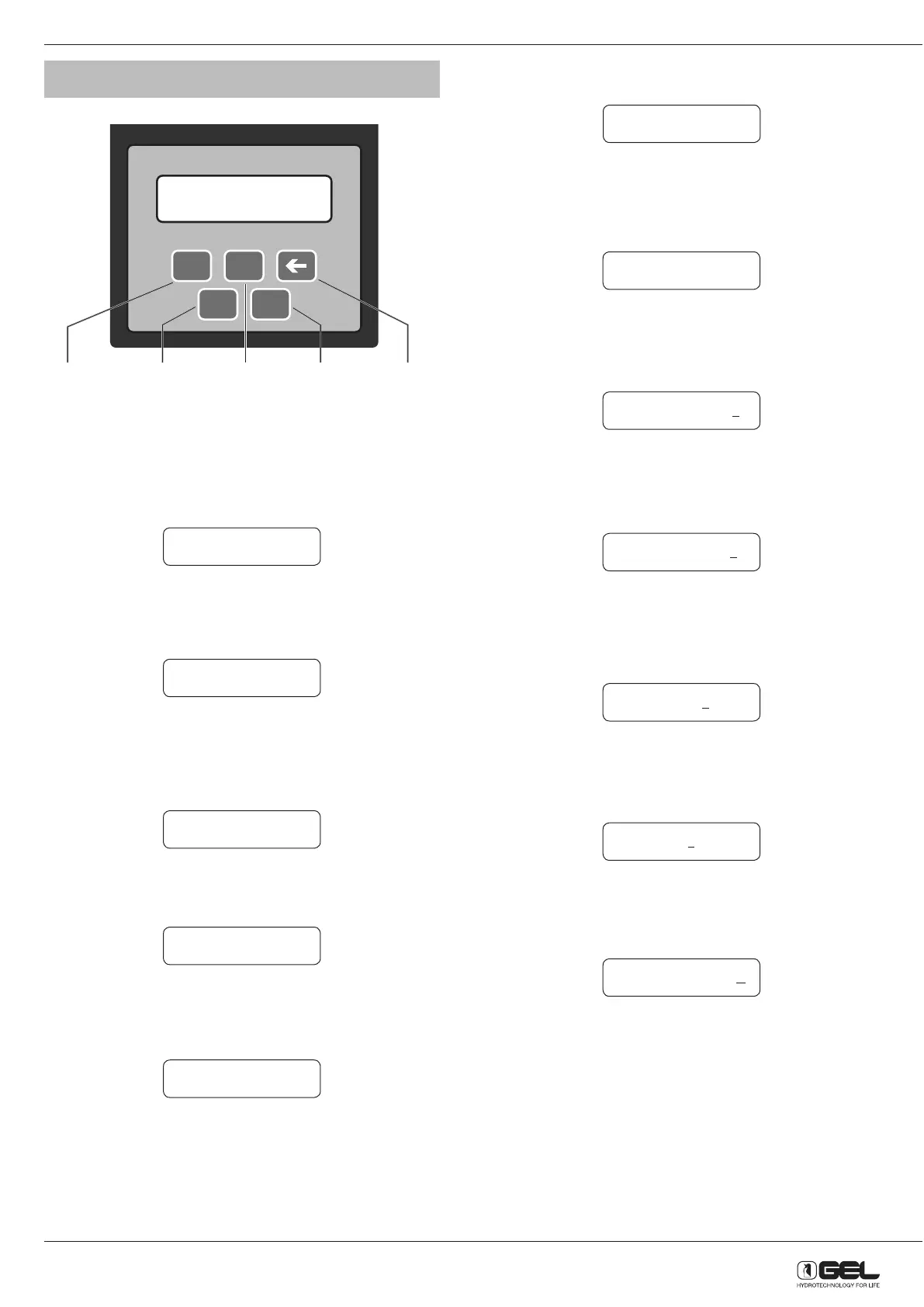
P C
S R
Display Selects
settings
Reset to
scroll back
Manual
regeneration
Changes
settings
Set language Eng
Units of measure Met.
History? Yes
H-Soft. V.#2.00
H-Date ddmmyy
H-People 00
H-Hardness mg 00 00
H-Iron mg/L 00
H-Mang mg/L 00
H-S mg/L 000
H-pH 00.0
H-Iron Bacteria No



 To Next Page