21 / 40
3030
mFlow
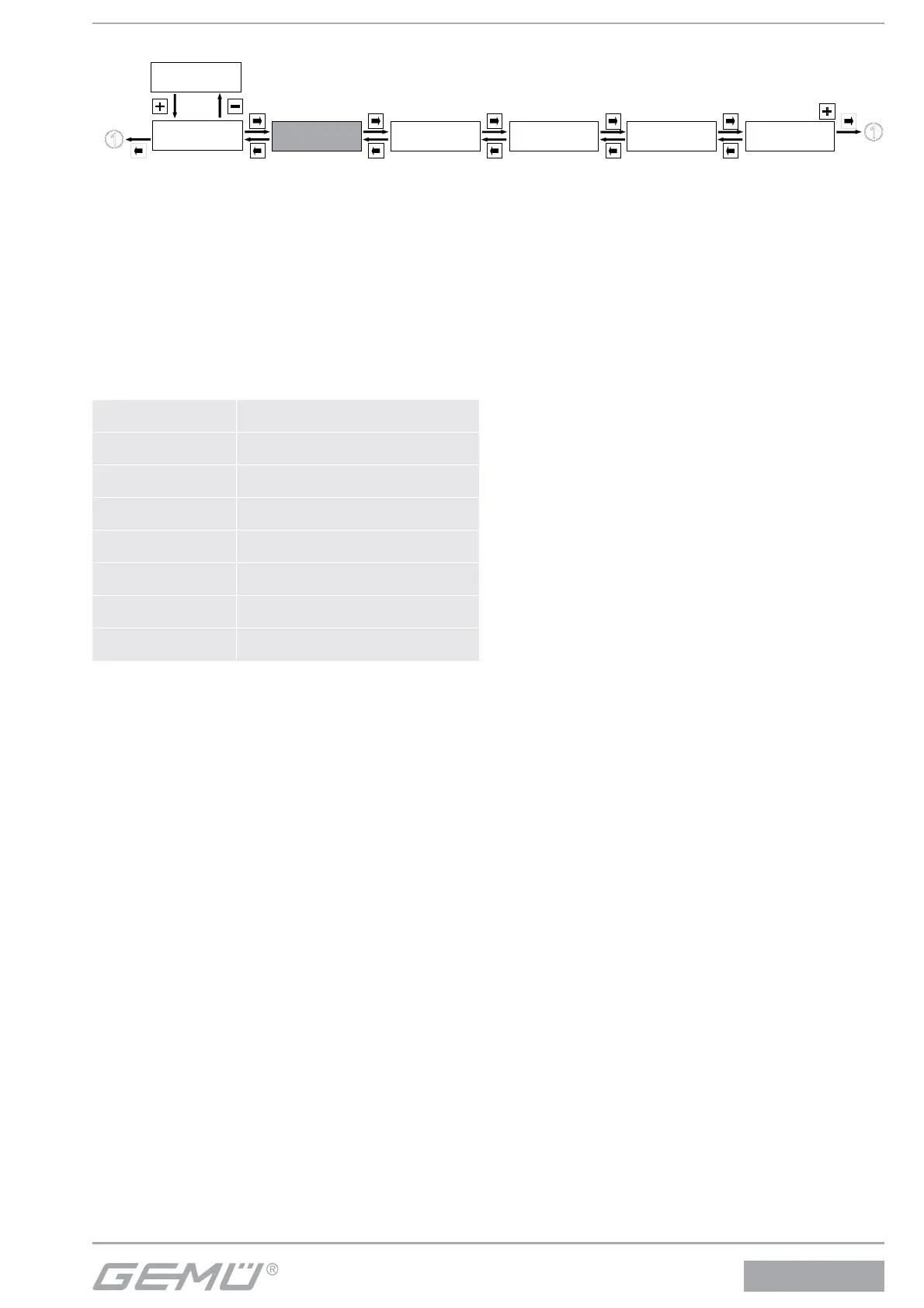
12.2 2 SetBasics
Service
1
SetBasics
2
SetFunction
3
SetCalibration
4
Return
6
SETUP
Communication
5
12.2.1 Reset
Default:
Used to reset the fl owmeter to the factory settings. All values
changed by the operator are consequently deleted.
Only the parameter set currently stored in the working memory
is reset, however. Stored parameter sets remain unchanged
(see chapter 13.3.7).
12.2.2 Select display indication
Display mode:
Select the measured values to be displayed in the fi rst and
second line of the display under normal working conditions.
Q+v 1st display line fl ow rate
2nd display line fl ow velocity
Q+TQ1 1st display line fl ow rate
2nd display line total fl ow rate, totalizer 1
Q+TQ2 1st display line fl ow rate
2nd display line total fl ow rate, totalizer 2
v+TQ1 1st display line fl ow velocity
2nd display line total fl ow rate, totalizer 1
v+TQ2 1st display line fl ow velocity
2nd display line total fl ow rate, totalizer 2
TQ1+TQ2 1st display line total fl ow rate, totalizer 1
2nd display line total fl ow rate, totalizer 2
Q+T
(only for device version MT2)
1st display line fl ow rate
2nd display line temperature value
v+T
(only for device version MT2)
1st display line fl ow velocity
2nd display line temperature value
12.2.3 Set the units of measure
Unit:
Set the unit of measure for the fl ow rate.
Decimalpoint:
Determines the number of digits displayed after the decimal
point (only active at current fl ow rate Q).
12.2.4 Set measuring range
Range:
Set the required measuring range.
The AUTO setting automatically switches to the required
measuring range. The measuring range should be selected as
small as possible to achieve the maximum possible resolution.
Low Flow:
Set the leak fl ow rate suppression as a % of the measuring
range. No measurement signal is output in the set range.
Filter:
Input the fi lter constants for value smoothing.
F.Line:
Input the mains frequency.
12.2.5 Making the display settings
D .Refresh:
The time for display refresh can be changed.
DLight:
The features of the display lighting can be switched between
the following settings:
OnKey – Display lighting is activated by pressing a key. The
display lighting remains activated after the last key is pressed
for the period set using AutoReturn.
On – The display lighting is permanently activated.
AutoReturn:
The time for the automatic return to the working level after last
activating a key can be set. This time setting is also e ective for
the display lighting ( DLight).
HelpLanguage:
The help text language may be selected between D-German
and GB-English.
HelpText:
The help texts that appear as a default in the second line of the
display can be masked.
If the help texts are masked, the key assignment is displayed.


 To Next Page