18 / 40
3030
mFlow
12 Explanation of parameters
12.1 1 Service
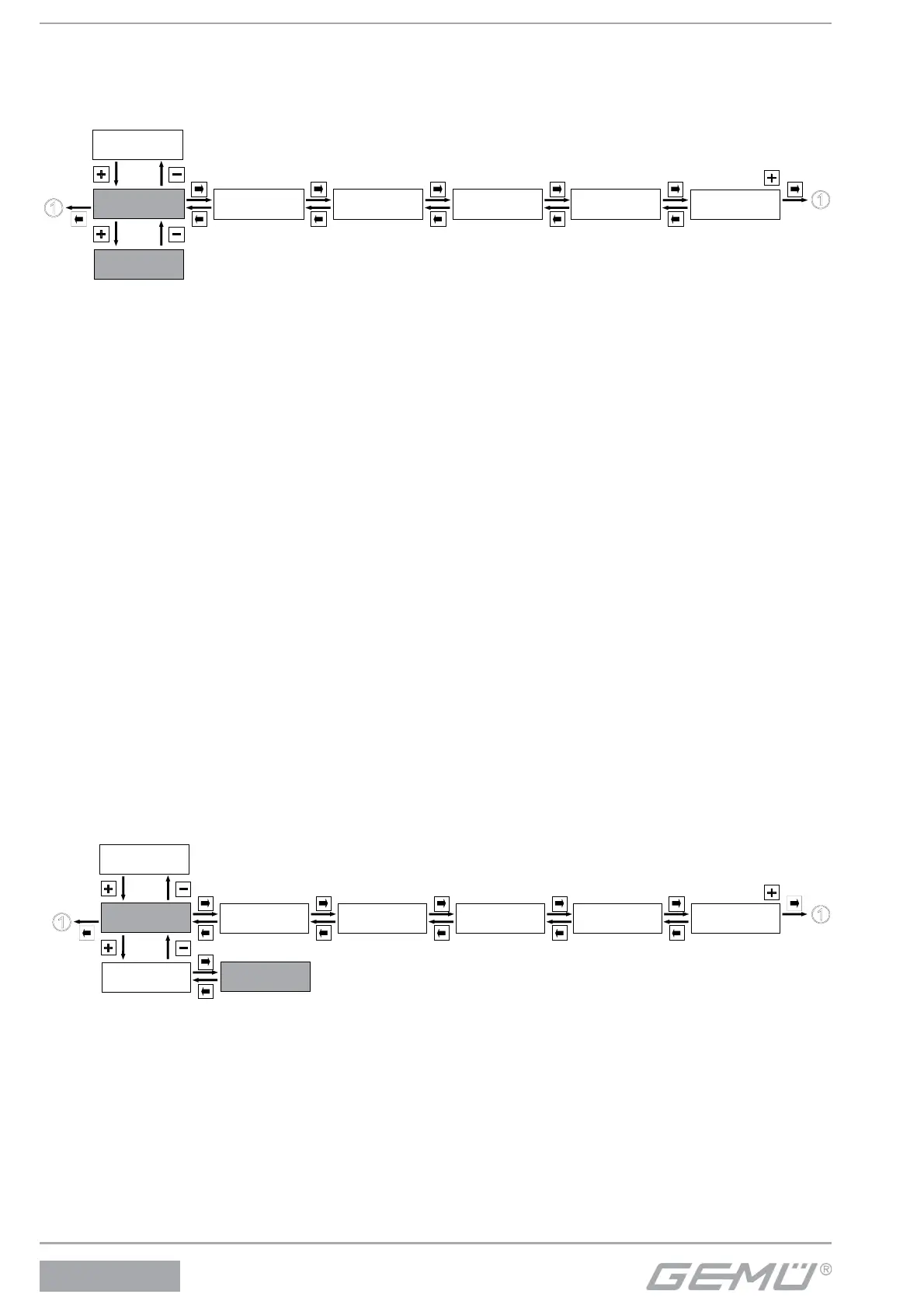
12.1.1 Scanning the input and output signals
Service
1
SetBasics
2
SetFunction
3
SetCalibration
4
Return
6
SETUP
Communication
5
I / O Status
1.1
v:
Shows the current fl ow velocity.
Q:
Shows the current fl ow rate.
T (only for device version MT2):
Shows the current temperature.
Min - T - Max (only for device version MT2):
Shows the minimum (left in display) and maximum (right in display) temperature value that is reached.
Reset Min - T - Max (only for device version MT2):
Reset the temperature values in the parameter "Min - T - Max".
Dir:
Shows the current fl ow direction.
Output:
Shows the current status of the internal relays K1, K2, K3 (• = relay switched).
TQ1
Activate totalizer 1.
TQ1
Display the total flow rate of totalizer 1.
TQ2
Activate totalizer 1.
TQ2
Display the total flow rate of totalizer 2.
12.1.2 Activating or deactivating the user access
Service
1
SetBasics
2
SetFunction
3
SetCalibration
4
Return
6
SETUP
Communication
5
I / O Status
1.1
Login
1.2
In certain areas, various codes are used to protect the confi guration level on the GEMÜ 3030 mFlow against improper changing of
parameters.
All menu items are marked by symbols indicating their write and read protection.


 To Next Page