15
output for 5 seconds using the
A3
command. This programming option has not
been evaluated by UL.
(3) Follow Keypad Sounder
- The following
keypad sounds will activate the PGM output:
Entry Sounder, Keypad Pulsing Sounder,
Keypad Output on Alarm, Chime, Fault Find.
(
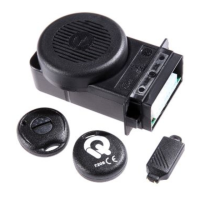
4) Keyfob/Keyswitch Chirp
- Program to
chirp the Bell Output when the system is
armed or disarm by a GEM-KEYF KeyFob or
by keyswitch. It will chirp the bell output (1)
one time when the panel is armed or (2) two
times when the panel is disarmed.
[24]Programmable Output
Features 2
(1) Fire
- Program to activate the PGM on a
Fire alarm.
(2) AUX
- Program to activate the PGM on a
AUX alarm.
(3) Panic
- Program to activate the PGM on
a Panic alarm.
(4) Test Timer
- Program to activate the
PGM during a Test Timer report.
[25]Programmable Output Features 3
(1) AC Fail
- Program to activate the PGM on
the loss of AC. (15 minute delay)
(2) Low Battery
- Program to activate the
PGM on a Low Battery condition.
(3) *Trouble
- Program to activate the PGM
on a Trouble condition.
(4) Armed
- Program to activate the PGM
when the panel is Armed. The PGM output
will flash when the panel has gone into
alarm.
*
Includes Bell Cut, Fire Trouble, Receiver
Fail-to-Respond, Receiver Tamper,
Receiver JAM, Wireless Smoke Low
Battery, Wireless Smoke Supervisory Fail.
[26]Miscellaneous Features 2
(1) Momentary Keyswitch Arming
- For
Keyswitch Arm/Disarm, connect a normally-
open momentary Keyswitch across Zone 6
zone AND its 2.2K EOLR.
(2) Reserved
(3) Inhibit Fail-to-Communicate Display -
This option prevents the keypad from either
indicating or sounding when a Fail to
Communicate has occurred.
(4) Inhibit Low Battery Display
- Program
to inhibit the Low Battery Display at the
keypad. Low Battery Reporting is not
inhibited. The programming option is not
permitted for UL installations.
[27]Keyswitch Polarity
(1) Keyswitch Polarity
- program to
convert keyswitch operation from Normally
Closed style to Normally Open.
[29]Programmable Chime Time
(1) Chime Time -
Program chime in 1/4
second increments. For 1 second, program
4, for 2 seconds, program 8, etc.. Valid
entries are 2 - 9. 0 defaults to 1 second.
Telephone 1 Programming
[30]Subscriber ID Number
For 4/2 format enter a 4 digit number. If 3/1
format is required, enter a 3 digit number,
then press the
F
key to blank the last
digit.
[31]Telephone Number 1
Program the phone number to be dialed for
Telephone Number 1. Program the number
directly, just as it is entered on a TouchTone
phone. A fixed
Dial Tone Detection (E) is
included prior to the Dialing Prefix (Block
Number 44). Programming an E is not
required for Telco 1, Telco 2 and Telco 3. If
dial tone detection is not desired select No
Dial Tone Detection in Communicator
Features [46-1]. Use the
F
key to blank
out remaining digits in the phone number.
[32]Receiver Format
Select the receiver format to be used to
report for Telephone Number 1: Program a
0 to disable reporting to Telco 1.
[0] Disabled [4] Universal High Speed
[1] Ademco Slow [5] Reserved
[2] Radionics Slow [6] Point ID
[3] Silent Knight Fast [7] Pager
[33]Receiver Options
(1) 2300 Hz HS/Kissoff
- Select 2300 Hz
Handshake and Kissoff.
(2) Sumcheck
- Only used for the following


 To Next Page