上海鲍麦克斯电子科技有限公司 AS系列数控交流伺服系统说明书
12
Err-13
Motor HALL failure
Turn off the system power, check if the motor sensor plug is loose
or dropped off, restore it and restart the system. If it still does not
work, please replace the controller and inform the manufacturer.
Err-14
DSP Read/Write
EEPROM failure
Err-15
Motor over-speed
protection
Err-16 Motor reversion
Err-17
HMI Read/Write
EEPROM failure
Err-18
Motor overload
Turn off the system power, restart the system after 30 seconds, if it
still does not work, please replace the controller and inform the
manufacturer.
Err-19
Lack of oil alarm
Add oil to the needle rod, and set the P22 parameter at 4000,
resume the working time after the last oil adding; or you can
press button P to close the alarm and continue to use.
4 Special function operating instructions
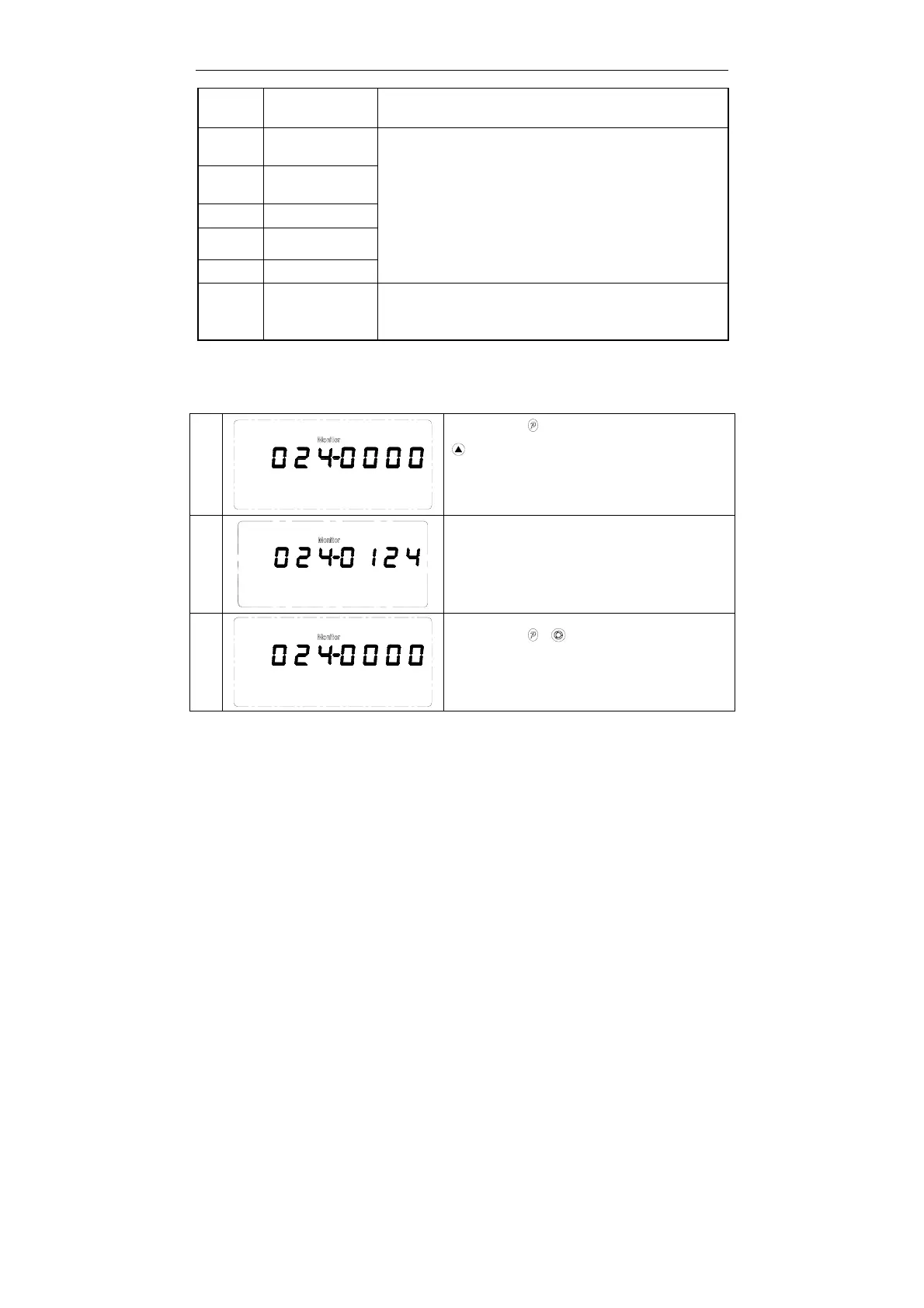
4.1 Upper stop position adjust
1
Step 1: Press key,.Parameter 100 is shown,press
key, Adjust to 024 monitoring parameters,as for
0°,which means the default up needle stop position in
angle.
2
Step 2: Turn the hand wheel and adjust to the right
position as up needle stop, and the needle position
angle is shown simultaneously.
3
Step 3: Press + key, the new up needle
position is preserved and the parameter is set to
zero.



 To Next Page