上海鲍麦克斯电子科技有限公司 AS系列数控交流伺服系统说明书
4
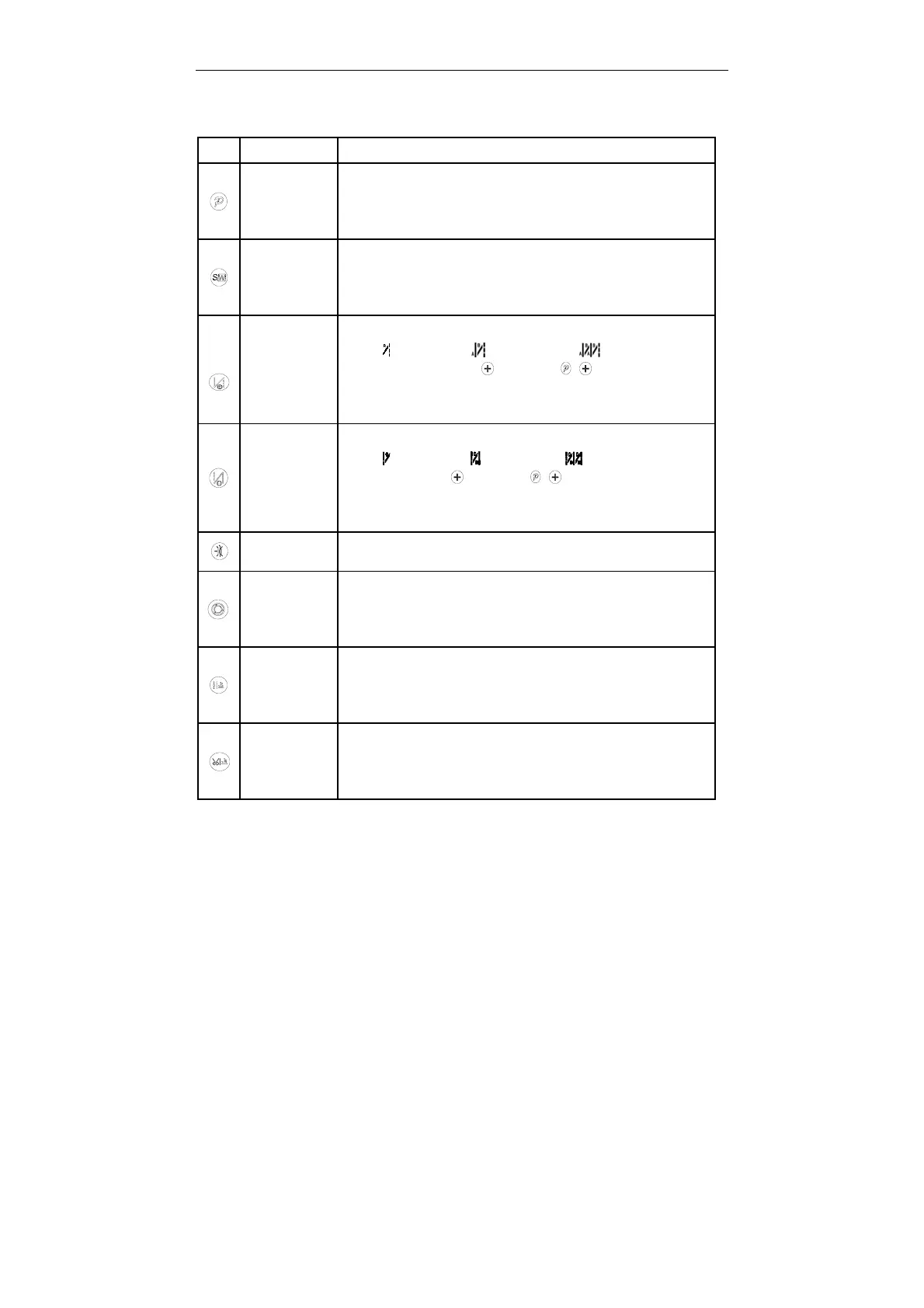
2.2 The operation panel keys of description
Table 2-2 Each key function introduction
Key Name Description
Enter
parameters
and return key
Use the key to switch to the parameter mode.The key is parameters
confirm key, and back to the previous menu until the operator sewing
mode state. In addition, work with other key to achieve a combination
of function.
Mode SW. and
save changes
key
Under normal mode interface, press the key to SW. the cycle freely
seam, W seam, multi-seam. Under the parameter mode, the modified
parameters, press the key to save the parameters, and then a return
to normal mode.
Start back
tacking
setting key
Switch during all start tacking type when pressing. (No tacking, Once
tacking , double tacking , 4 repeat tacking ). Tacking stitches
A、B can be set using the key and the + key. Interlock mode
press this key can not set the start function. Parameters of interface,
press once, the parameter NO. plus 1
End back
tacking
setting key
Switch during all end tacking type when pressing. (No tacking, Once
tacking , double tacking ,4 repeat tacking ). Tacking stitches C、D
can be set using the key and the + key. Interlock mode press
this key can not set the start function. Parameters of interface, press
once, the parameter NO. minus 1
Clamp setting
key
Clamp function is enabled (icon on) or disabled.
One-Shot-Sew
ing Selection
In Constant-stitch sewing:a. One shot to the pedal, automatic
performed number of stitches of every section.
b. Toe down the pedal again and again to finish rest the sections until
it finish pattern.
Intermediate
presser foot
lifting mode
a. Press the key, indicating that the automatic presser foot valid
parking during sewing.
b. Click the icon off, show off sewing stop automatic presser foot lift
function.
Trimmer
presser foot
lifting mode
a. Press the key, indicating that automatic presser foot lift after
thread trimming effectively.
b. Click the icon off,show off thread trimming stop automatic
presser foot lift function.



 To Next Page