上海鲍麦克斯电子科技有限公司 AS系列数控交流伺服系统说明书
13
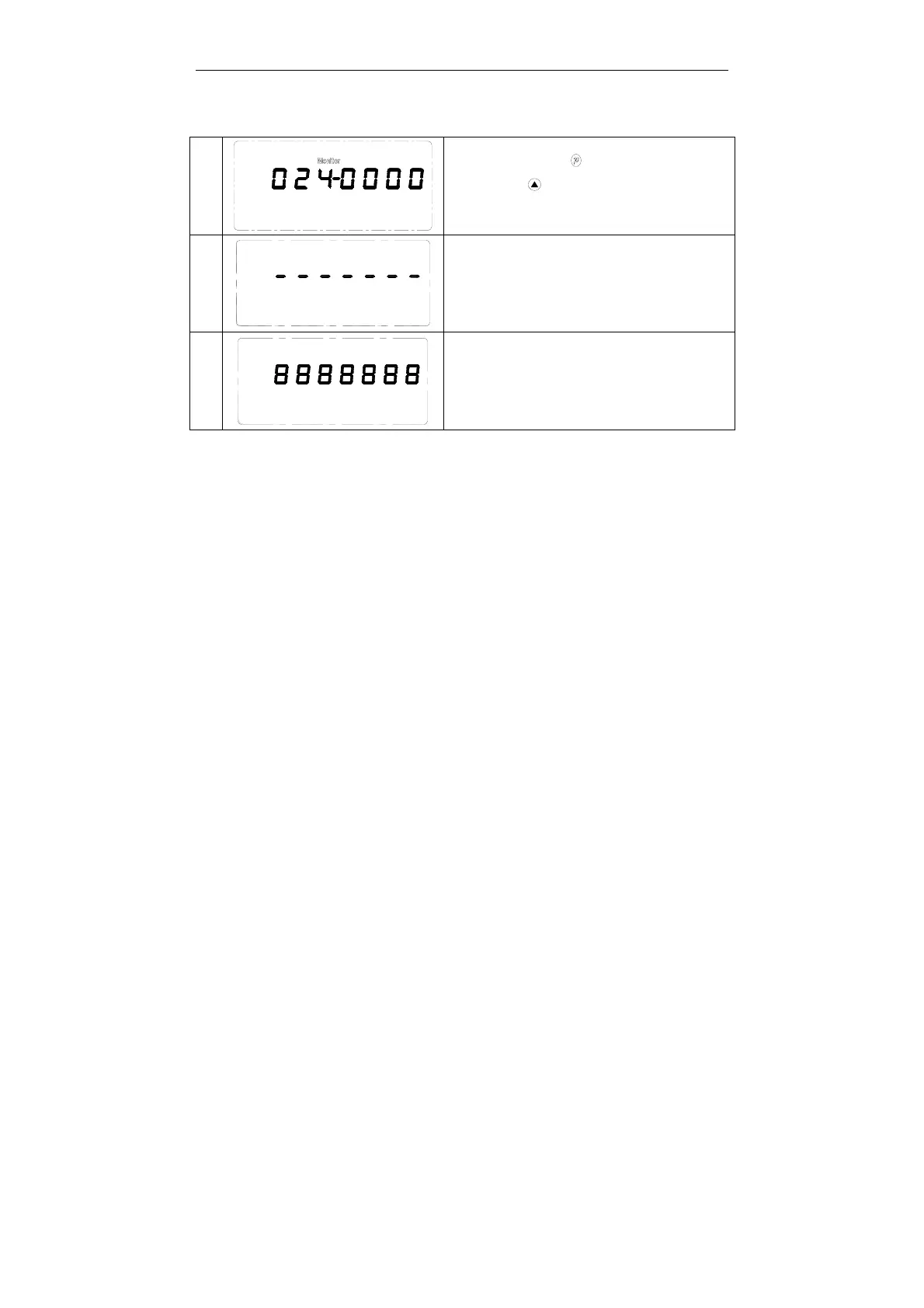
4.2 A key recovery machine manufacturers parameter value
1
Step 1: Press key,.Parameter 100 is
shown,press key, Adjust to 024 monitoring
parameters.
2
Step 2: Press stop needle key for about 3seconds,
then Default Factory Setting is recovered displaying
as left LCD.
3
When the LCD is displayed as 8888888, the recovery
is accomplished. The machine is recovered back to
the initial state in delivery.
4.3 Pedal sensitivity adjustment
Pedal movement by the initial position of the (parameter 136) began, slowly forward
step to the (parameter 137) began to low-speed sewing, before continuing on to the
(parameter 138) began to accelerate, and then on to the deep (parameter 139) reach
maximum speed. In the period of maintenance of sewing speed, stepless speed
regulation process between the segment;
1、n the pedal from the initial position to the (parameter 136) began to slow, after
stepping on to the (parameter 135) when the presser foot lift automatically;
2、hen the pedal from the initial position to the (parameter 136) began to slow, after
stepping on to ⑥ (parameter 134) automatically complete shear line.
A value of
3、the parameter settings are required to ensure that
(parameter 134) < (parameter 135) < (parameter 136) < (parameter 137) < (parameter
138) < (parameter 139)



 To Next Page