46
8
Serial Port Control
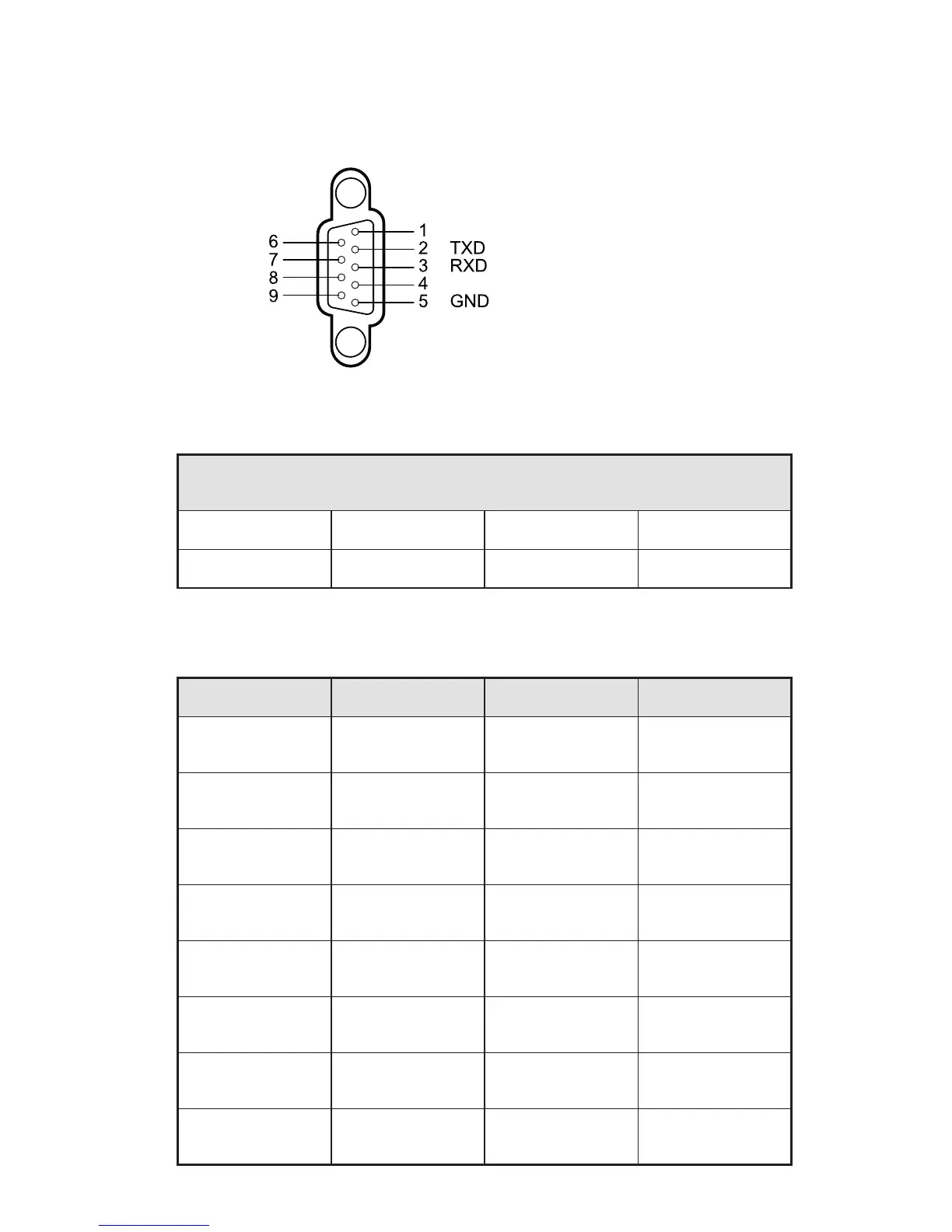
The RS-232 port of the interactive display is defined as follows:
Connect RS-232 port to the PC or controlling device. Enable RS-232 serial port
connection and complete the following configuration.
Port Number: COM 1 (Set the value according to the port number of the PC or
controlling device.)
Baud rate 19200 Odd/even check None
Data bit8 Stop bit 1
The following table lists button controlling codes. The buttons share same
functions with corresponding buttons on the remote controller.
Function Controlling Code Function Controlling Code
Power on
7F 08 99 A2 B3 C4
02 FF 01 00 CF
1
7F 08 99 A2 B3 C4
02 FF 01 21 CF
Power off
7F 08 99 A2 B3 C4
02 FF 01 01 CF
2
7F 08 99 A2 B3 C4
02 FF 01 22 CF
Mute
7F 08 99 A2 B3 C4
02 FF 01 02 CF
3
7F 08 99 A2 B3 C4
02 FF 01 23 CF
Sound mode
7F 08 99 A2 B3 C4
02 FF 01 05 CF
4
7F 08 99 A2 B3 C4
02 FF 01 24 CF
Signal source
7F 08 99 A2 B3 C4
02 FF 01 06 CF
5
7F 08 99 A2 B3 C4
02 FF 01 25 CF
One button start
7F 08 99 A2 B3 C4
02 FF 01 07 CF
6
7F 08 99 A2 B3 C4
02 FF 01 26 CF
Display status
7F 08 99 A2 B3 C4
02 FF 01 09 CF
7
7F 08 99 A2 B3 C4
02 FF 01 27 CF
HDMI 1
7F 08 99 A2 B3 C4
02 FF 01 0A CF
8
7F 08 99 A2 B3 C4
02 FF 01 28 CF



 To Next Page