23
3.5 Software Positioning
To work normally, the handwriting of the projected image on the touch LED
display should coincide with the actual one to calibrate accurately. The following
situations need calibration.
•
The first time you use the interactive handwriting LED.
•
Re-install the driver program.
•
The handwriting display is connected to another PC.
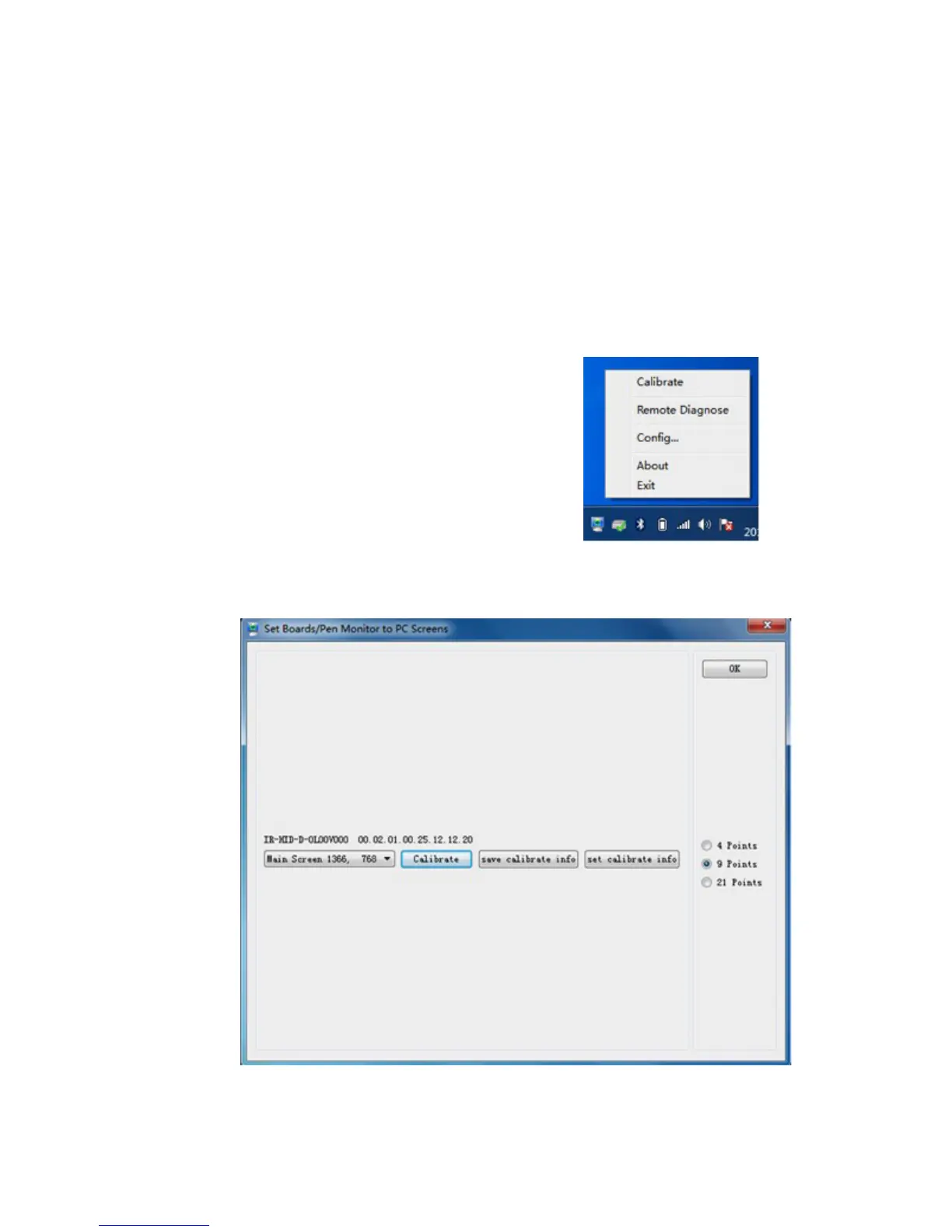
The handwriting display adopts nine-point positioning method. The positioning
process is described as follows:
Step 1 Connect the display and run the driver program.
Step 2 Click the handwriting driver icon on the
bottom right of the screen. The following
figure is displayed.
Step 3 Select nine Points, click Calibrate and the following figure is displayed.
3 BASIC OPERATION



 To Next Page