14
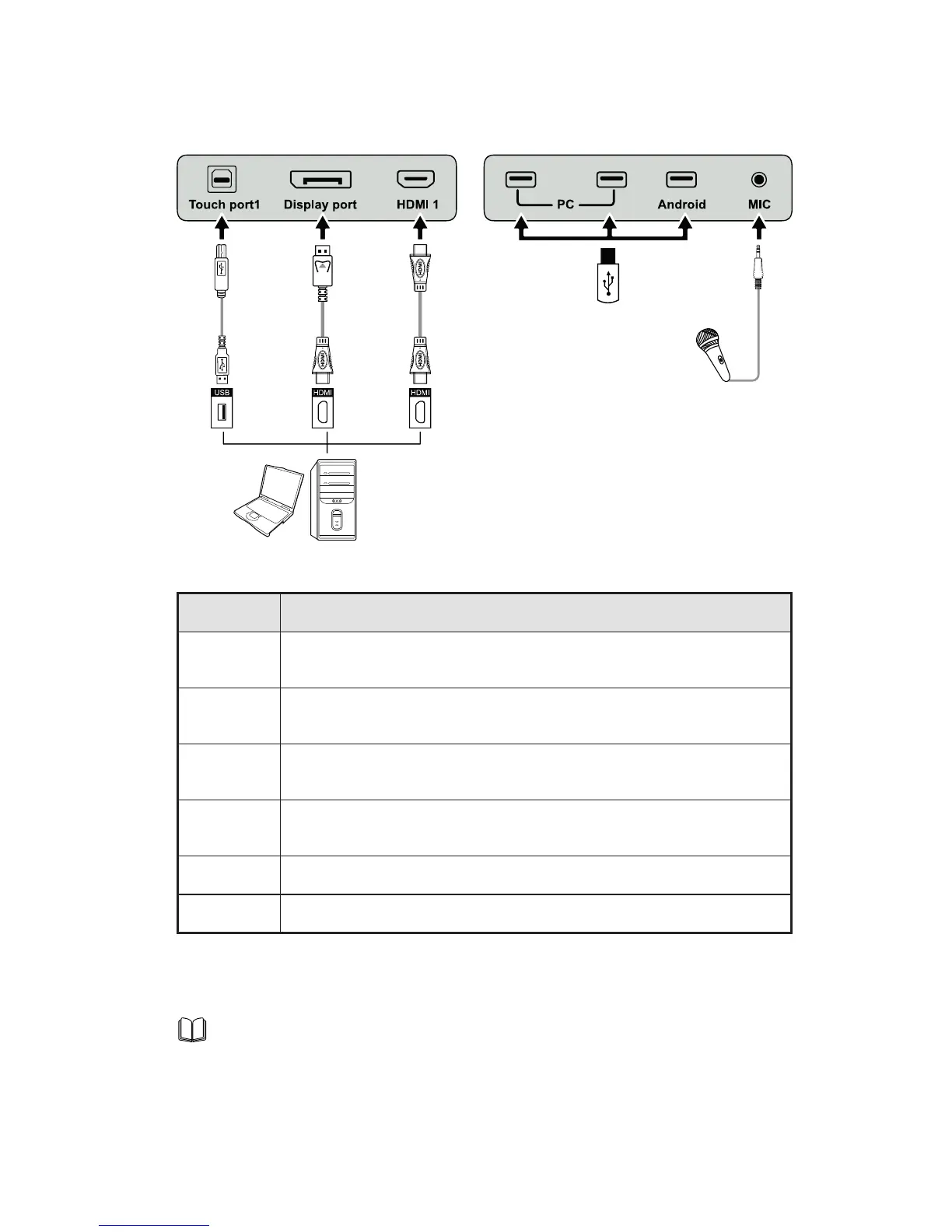
Connection Panel 1
Name Function Description
Touch
Port 1
PC connecting port 1 for touch control.
Display
Port
HD digital display port.
HDMI 1
The input terminal 1 for high definition signal, which is used with the
Touch Port 1 to operate PC in the way of touch control.
PC
The USB 2.0 (Rated output: 5V/0.5A) and USB 3.0 (Rated output:
5V/0.9A) ports for the OPS.
Android Android USB port.
MIC The external microphone port.
Note
Touch Port 1 to HDMI 1 , Touch Port 2 to HDMI 2 , Touch Port 3 to HDMI 3 , Touch Port 4
to HDMI 4 and VGA .
2 INTRODUCTION



 To Next Page