53
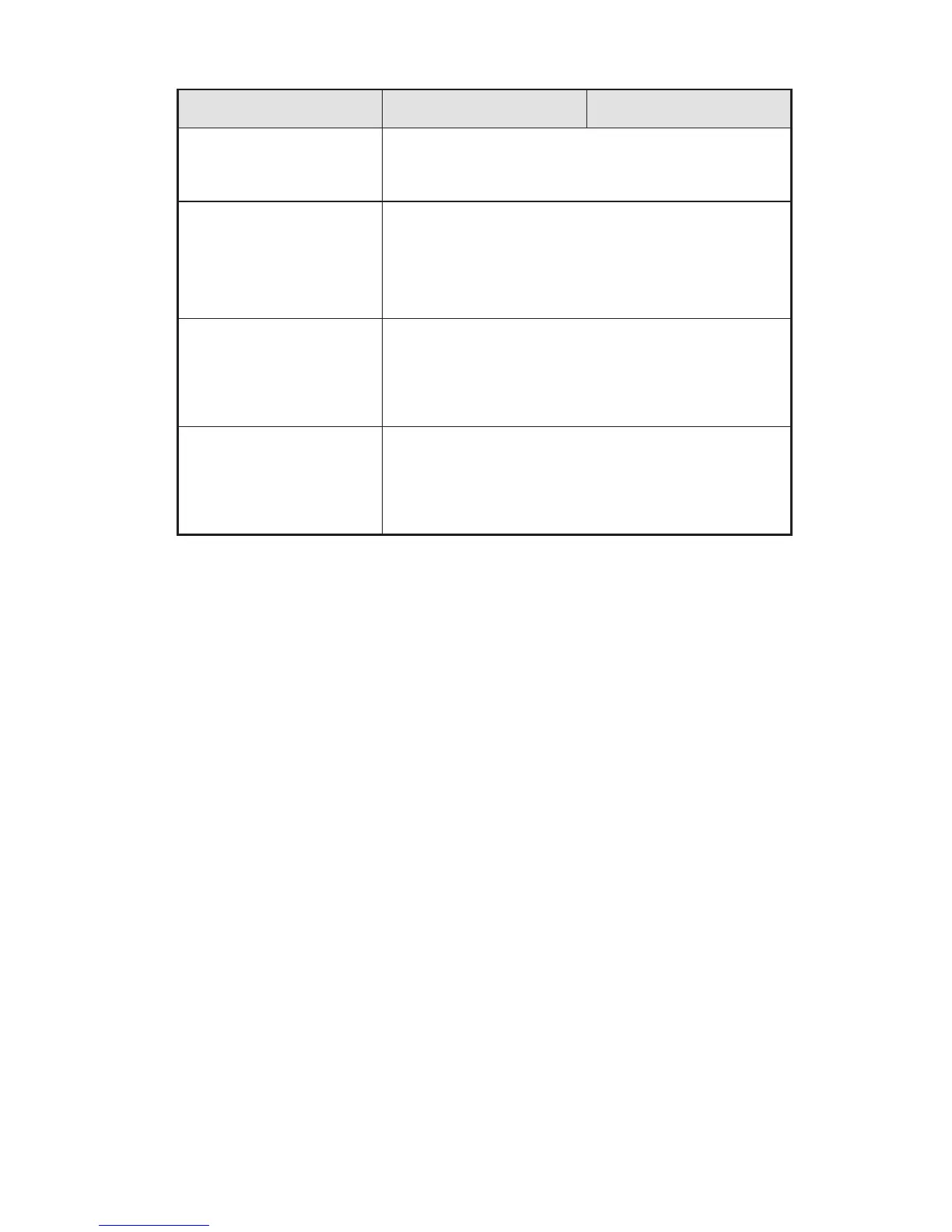
Symptom Possible Cause Solution
No image is displayed or
the image is black and
white.
•
Modify the color settings.
•
Check the color system.
The image or sound is
interrupted.
•
Find out the electric appliance that causes the
interference and move it away from the interactive
display.
•
Do not share the power socket of the display with the
electric appliance that causes interference.
The remote controller fails.
•
Change the batteries.
•
Clean the signal emitter at the top of the remote
controller. (Check whether it is blocked.)
•
Check contacts of the batteries.
The PC cannot be
started. (This scenario is
applicable only to display
models operating with
the PC.)
•
Check whether the PC adapter is correctly connected
and whether the PC is powered on.
•
Check whether the PC is connected correctly to the
interactive display.
The following symptoms are not faults:
•
A few of bright or dark pixels, such as tiny red, blue, green or dark points, may
exist on the LED. This symptom is not a fault and does not affect running
functions of the display.
•
Slight sound may occur due to the backlight adjustment or ventilation. This is a
normal symptom.
•
The image and sound are normal. However, you can sense static electricity
when you touch the LED and metal back cover. This is a normal symptom.
11 COMMON FAULTS AND SOLUTIONS



 To Next Page