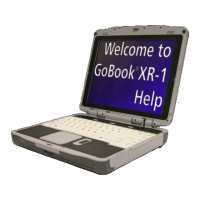
Front View
Hover the mouse over each number on the picture to see a description
#
Feature Description
1 Display Latch The display latch holds the display when closed
2 Pen / Stylus
Slot
Two custom touch screen pens (styluses) are stored in slots on
each side of the display
3 Keyboard Standard keyboard with embedded numeric keypad
4 Fingerprint
Scanner
The optional swipe style fingerprint scanner can be used for all
standard security uses
5 Touchpad
Buttons
Use like the buttons on a mouse
6 Internal
Microphone
Integrated, weatherized microphone can be used with various
software applications that require audio input
7 Touchpad
Use for navigation
8 Button and
LED strip
Area above the keyboard with the power button, radio on/off
switch, application launch button and LED status indicators
9 Display
12.1-inch, Enhanced XGA, outdoor-viewable, color display with
an integrated touch screen
10 Speakers
Integrated stereo speakers for audio output
Pa
e 8 of 92GoBook X
-1 Hel
8/3/2006file://C:\Documents and Settin
s\harwoodm\Local Settin
s\Tem
\~hh2D1C.htm


 To Next Page
 Loading...