12
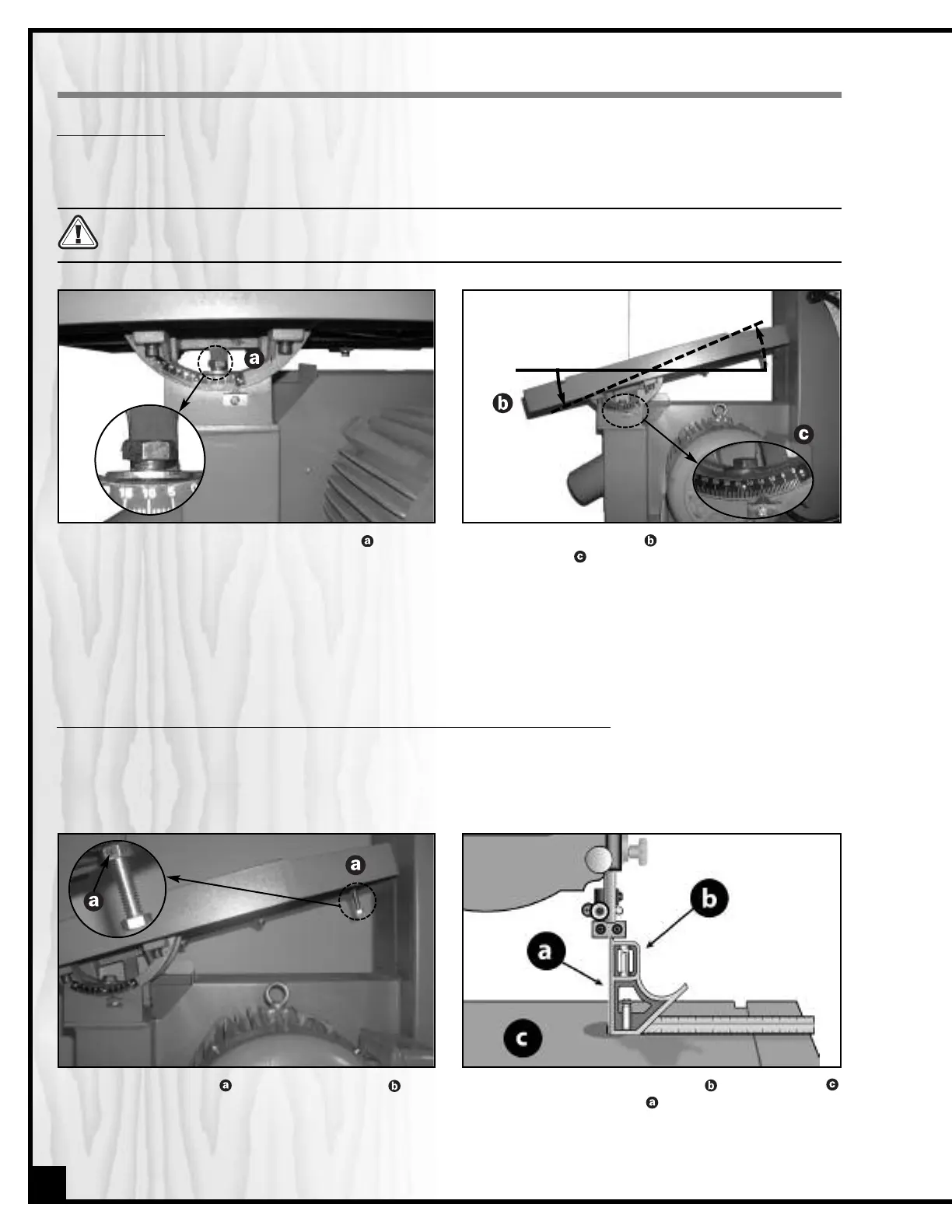
1. Loosen the bolt underneath the table (only a
few turns), using the 19 mm combination wrench
provided.
Note: Be careful not to loosen the bolt too much or the
table tilt trunnion may become dislodged from the trunnion
support when you tilt the table.
RECOMMENDED ADJUSTMENTS
Before making any adjustments, make sure that the switch is in the “OFF” position and that the power cord is
unplugged.
The table can be tilted to any angle from 0 to 45 degrees to the right, to allow for any type of bevel (or angle) cut-
ting. The table tilt angle indicator is located on the back of the trunnion. To tilt the table:
2. Manually tilt the table to the desired angle. Refer
to the scale under the table.
3. Tighten the bolt to secure the table in position.
TILTING THE TABLE
45°
ADJUSTING THE 90 DEGREE TABLE STOP AND RE-ALIGNING THE ANGLE POINTER
1. Loosen the jam nut on the table stop bolt .
2. Place a combination square on the table
against the saw blade .
To ensure that your 90 degree cuts are square and that angled cuts are accurate with the angle indicator scale,
the table default position must be set to 90 degrees to the blade and the angle indicator pointer must be set to read
0 when the table is in the default (90 degree) position.
To adjust the 90 degree stop:


 To Next Page