INSTALLING THE TABLE
3. Re-install the table aligning pin in the hole on
the front of the table.
This bandsaw table is heavy. Do not over-exert. The help of an assistant will be needed for the following step.
90° CW
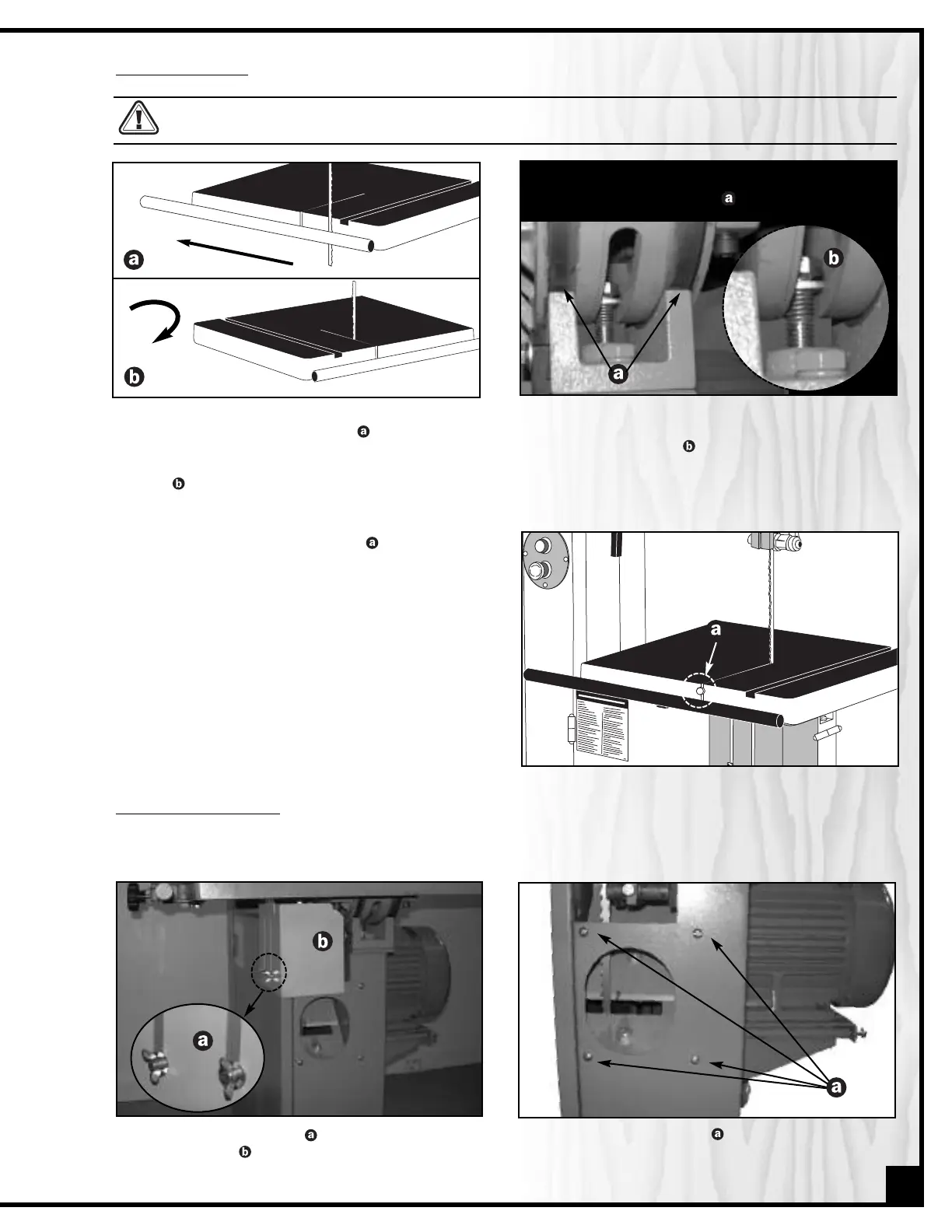
1. Guide the gap between the rail and the edge of
the table over the saw blade then rotate 90°
clockwise so the slot is parallel to the blade, and
guide the table so the blade is at the end of the
slot .
2. Put the flat washer down on the table tilt trunnion
then slip the table tilt trunnion bolt through the hole in
the trunnion bracket and tighten with the 19/21 mm
combination wrench provided.
INSTALLING THE DUST PORT
1. Unscrew both wing nuts then remove the yellow
blade guard . Set it aside, along with the two
wing nuts and two flat washers.
2.
Remove the four screws already mounted on
the side panel.
The dust port has a 4" opening
to accommodate connection to a dust collector (not included). Install the dust out-
let on the right side of the band saw as follows:
9
Note: Make sure that both table tilt trunnion grooves
align in the trunnion bracket .


 To Next Page