24
For Help, call 1-800-35-GENIE or visit www.geniecompany.com
Programming for 2 or 3 Door Openers
(Continued)
A Operating 2 or 3 Door Openers:
• To move one of the doors.
• Enter your PIN.
• Press .
• Press door opener number ( or or ).
SEE NOTE AT TOP OF PREVIOUS COLUMN
MOUNTING INSTRUCTIONS
The Keypad must be mounted in sight of the door(s), at least 5 feet
above the ground and clear of any moving door parts.
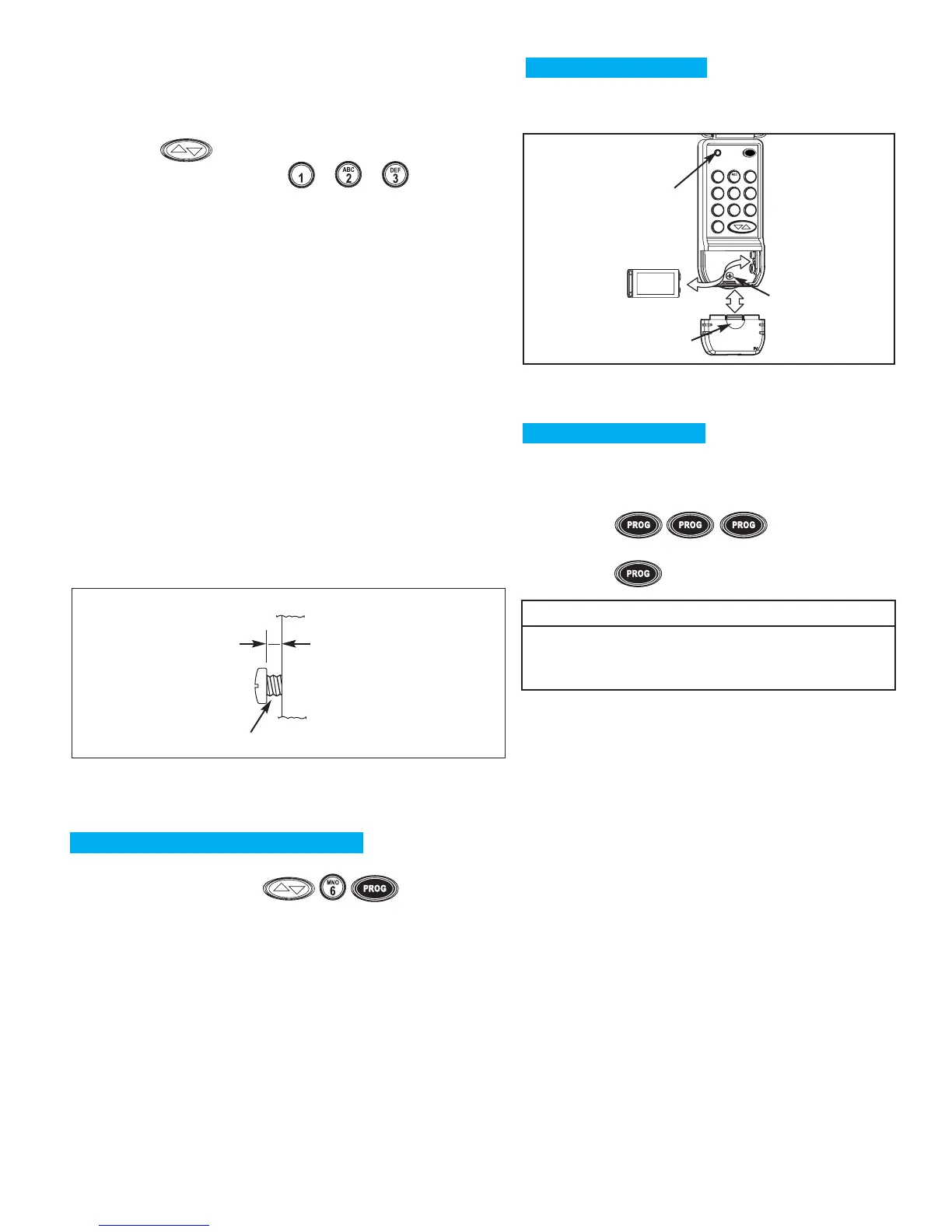
A Mount Keypad. (Mounting screws located inside
battery compartment.)
• Remove Battery Cover. See Figure 3.
•
Drill a 1/16”pilot hole for the top mounting screw.
• Install a screw into the drilled hole,
leaving a 1/8" gap between the
screw head and the wall.
See Figure 2.
• Hook the Keypad over the screw.
• Mark, drill pilot hole and fasten
bottom screw.
• Reinstall Battery Cover.
Wall
screw head gap
Figure 2
1"
8
BASIC ADDITIONAL INSTRUCTIONS
FORGOT YOUR PIN OR CHANGING YOUR PIN.
A
Erase old PIN :
• Press and hold in order .
–Red LED will blink once and turn off.
• Release all buttons.
B Programming Door Opener(s).
• Return to “Programming for 1 Door Opener”or
“Programming for 2 or 3 Door Openers.”
USING A TEMPORARY PIN.
A temporary PIN allows temporary access to your home by
repair persons, meter readers, etc.
A
Enter your PIN
•
Press .
B
Enter the Temporary PIN (from 3 to 8 characters).
• Press .
NOTE
•
DO NOT reprogram the Door Opener(s).
•
Temporary PIN remains active until the next time your
normal PIN is entered.
BATTERY CHANGES.
If the red LED does NOT blink during use,the battery
needs to be changed.


 To Next Page