12
English
When removing the lighter adapter, connections are the fol-
lowing:
red (or white) +(+12V)
black - (ground)
Battery pack
The battery pack of the GEONAV allows
you to use it as a portable unit. Use 4
alkaline cells or rechargeable batteries,
AA size (if possible, high-capacity batter-
ies, 2000mAh or higher).
Make sure that the unit is off and dry
when replacing the batteries.
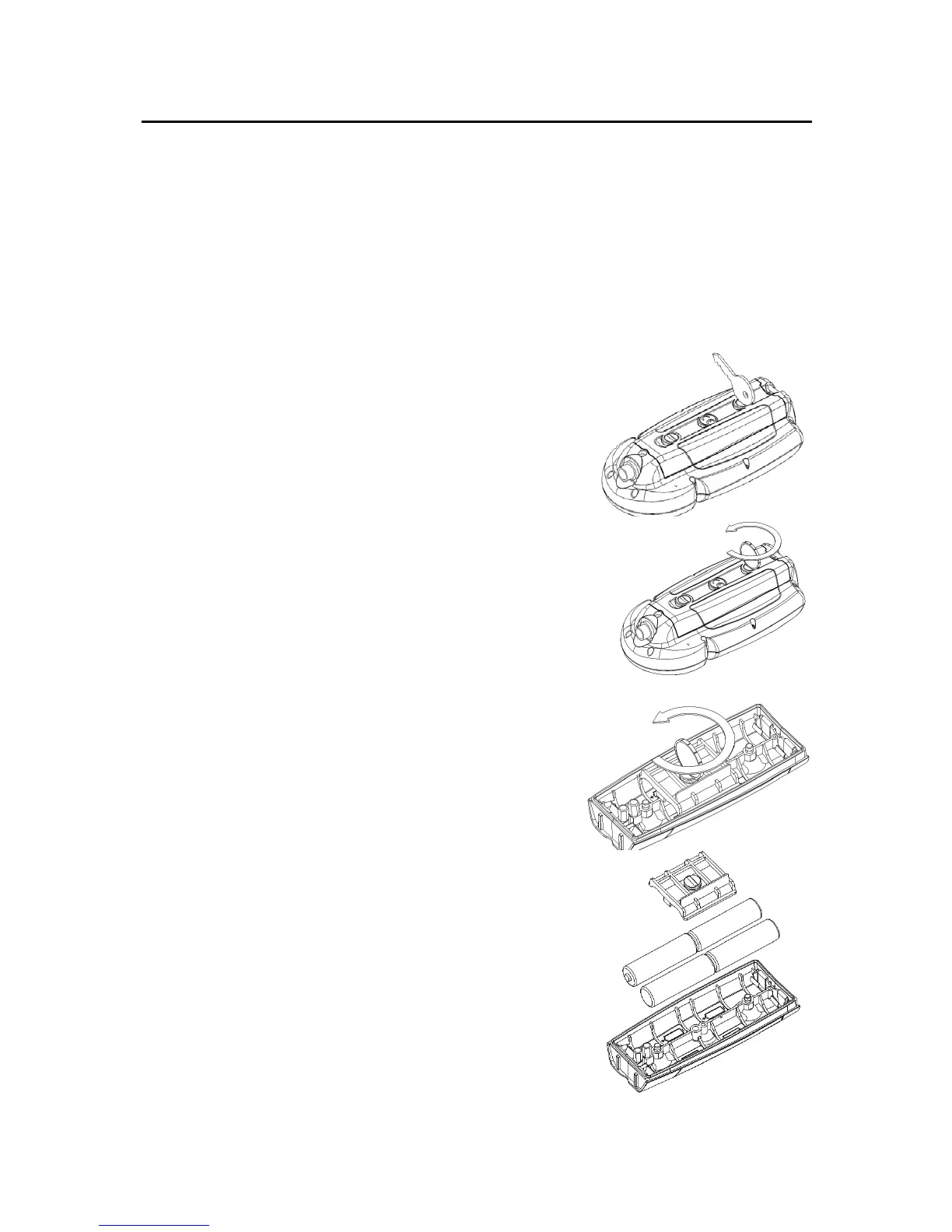
To access the battery slot, loosen the lock-
ing screws by means of a coin or the round
side of a key, as shown in the figure.
Extract the battery pack, flip it over and
loosen the cover locking screws.
Remove the cover and insert the batteries
according to the polarity indicated.
Make sure that the “Battery type” selec-
tor located in the cartridge slot is posi-
tioned correctly, according to the type
of battery used (“Rechargeable” position,
for rechargeable batteries; “Alkaline” po-
sition, for alkaline batteries).
To change the selection, move the small
lever by means of a sharp object.
WARNING: All the units are supplied with the battery
selector set to “Alkaline”. When using alkaline batter-
ies, the selector has to be set to “Alkaline”. You are
warned NEVER to use alkaline-type batteries if the
selector is set to “Rechargeable”. In this case the unit
can be seriously damaged. This kind of damage is not
covered by the warranty. When using rechargeable
Connections



 To Next Page