19
English
NAVIONICS ELECTRONIC CHARTS
The GEONAV includes a built-in world map. Additional car-
tography details relative to a specific area of navigation are
available from the CompactFlash™ cartridges storing
NAVIONICS Platinum™ or Gold™ electronic charts.
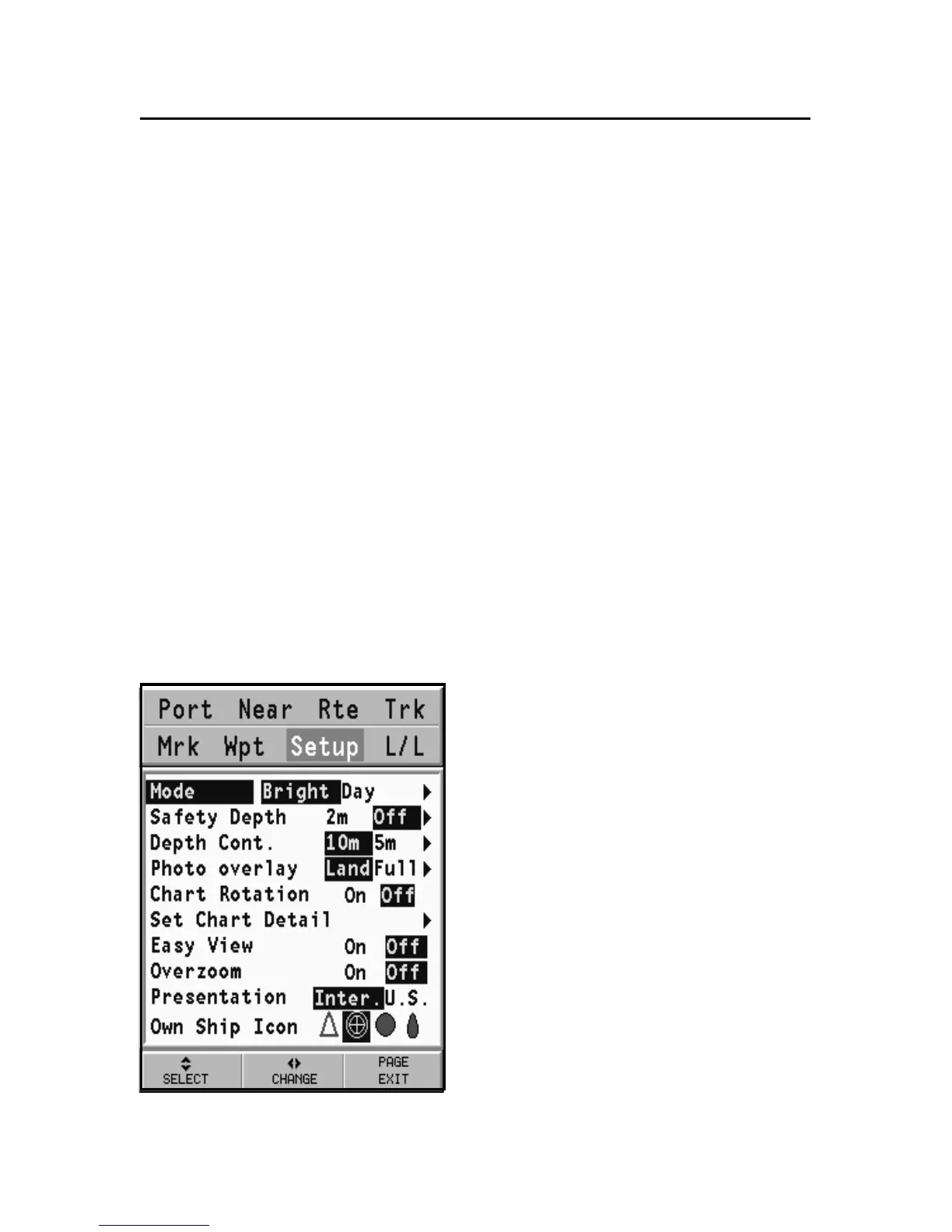
To display chart boundaries, press the GOTO key to display the
menu, select SETUP, SET CHART DETAIL and then, by the
CURSOR key, select the USER or ALL mode. A small square
will locate the area covered by the cartridge installed.
Increasing/decreasing the chart range
Press the -ZOOM+ key. The current chart range is indicated in
a small window located in the upper left-hand side of the
screen. Chart ranges can go from 4096 NM down to 1/8 NM
in Overzoom mode. The range units are shown in the range
window.
Displaying depth and safety contours,
geographical names, spot soundings
and light sectors
Press GOTO to display the menu,
select SETUP, DEPTH UNITS
and enable the option desired
(Depth Cont., Safety Cont., Spot
Soundings, Names or Light Sec-
tors) by using the CURSOR key.
Converting depth values into the units
set
Press GOTO to display the menu,
select SETUP, DEPTH UNITS
and then set the unit desired to
meters, feet or fathoms.
The GEONAV will convert all the
NAVIONICS Electronic Charts



 To Next Page