17
English
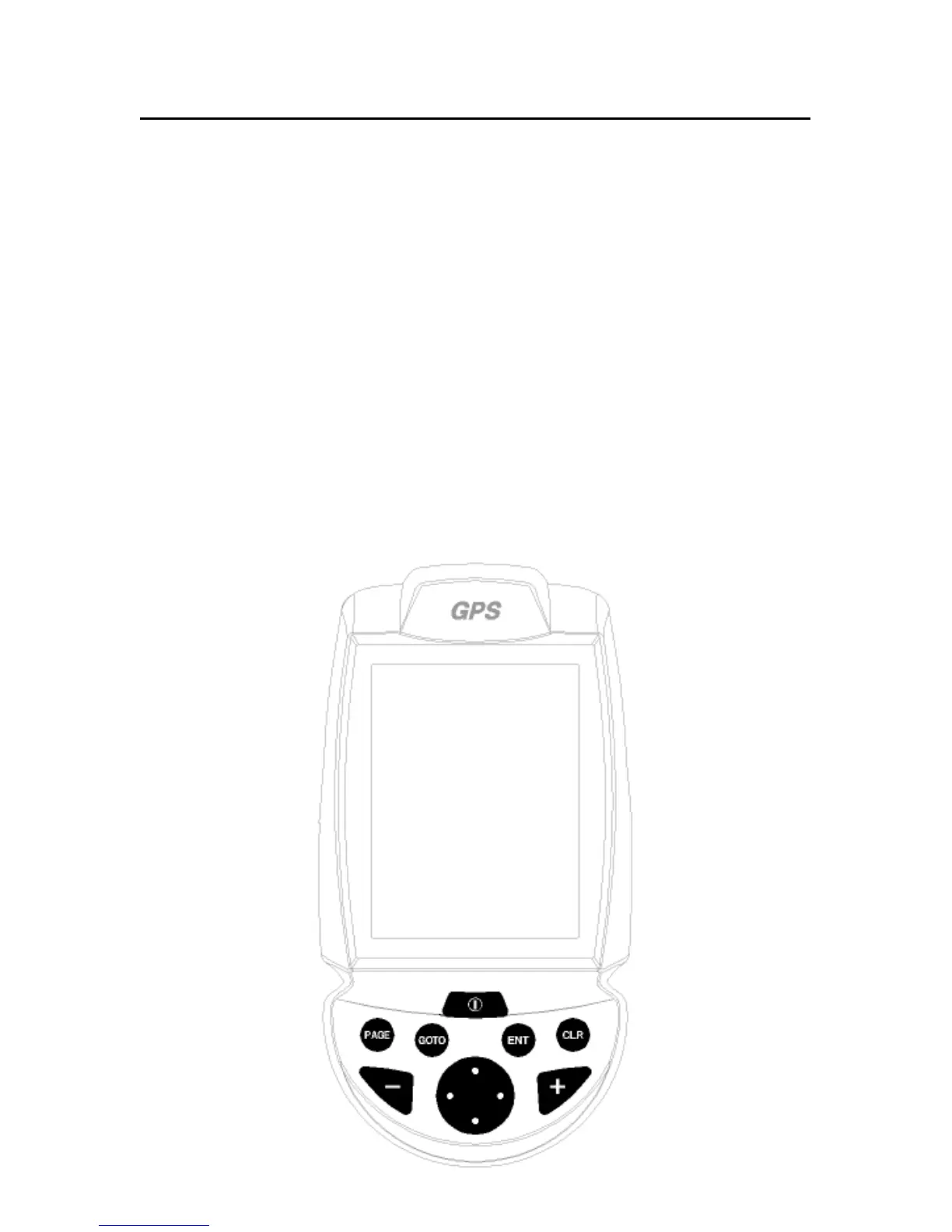
CLR
• Navigation mode:
Deletes the current
route.
• Cursor mode:
Deletes the last
waypoint or the marker
pointed by the cursor.
CURSOR
• Moves the manual cur-
sor across the screen.
• Allows switching from
Navigation mode to Cur-
sor mode.
• Allows selecting from
the options in the menu
/submenu.
• At start-up, allows ad-
justing the screen con-
trast.
PWR
• Switches the GEONAV
on/off.
• Allows adjusting the
screen backlight.
KEYBOARD
ZOOM+/ZOOM-
Increases/decreases the
the chart range.
The ZOOM+ key enables the
Autozoom function.
It can be enabled whenever
an electronic chart is dis-
played.
ENT (ENTER)
Enters a waypoint or a
marker, or confirms a selec-
tion from the menu.
PAGE
• Navigation mode:
Turns navigation data
pages.
• Cursor mode:
Allows switching from
Cursor mode to Naviga-
tion mode.
GOTO
Allows plotting a route to-
wards a manual cursor po-
sition, desired marker, port,
nearest port service or
specified position (lat/lon)
and accessing the main
menu.
Keyboard



 To Next Page