60
English
GOTO NEAREST
NOTE: This option is available only with the NAVIONICS cartridges containing the
Port Services features. It allows finding and heading for the nearest port featuring the
service desired. The NAVIONICS Platinum™ cartridges offer a wide choice of ser-
vices, whereas, when using NAVIONICS Gold™ cartridges, the functions supported
will be those provided by plotters employing Gold™ charts only.
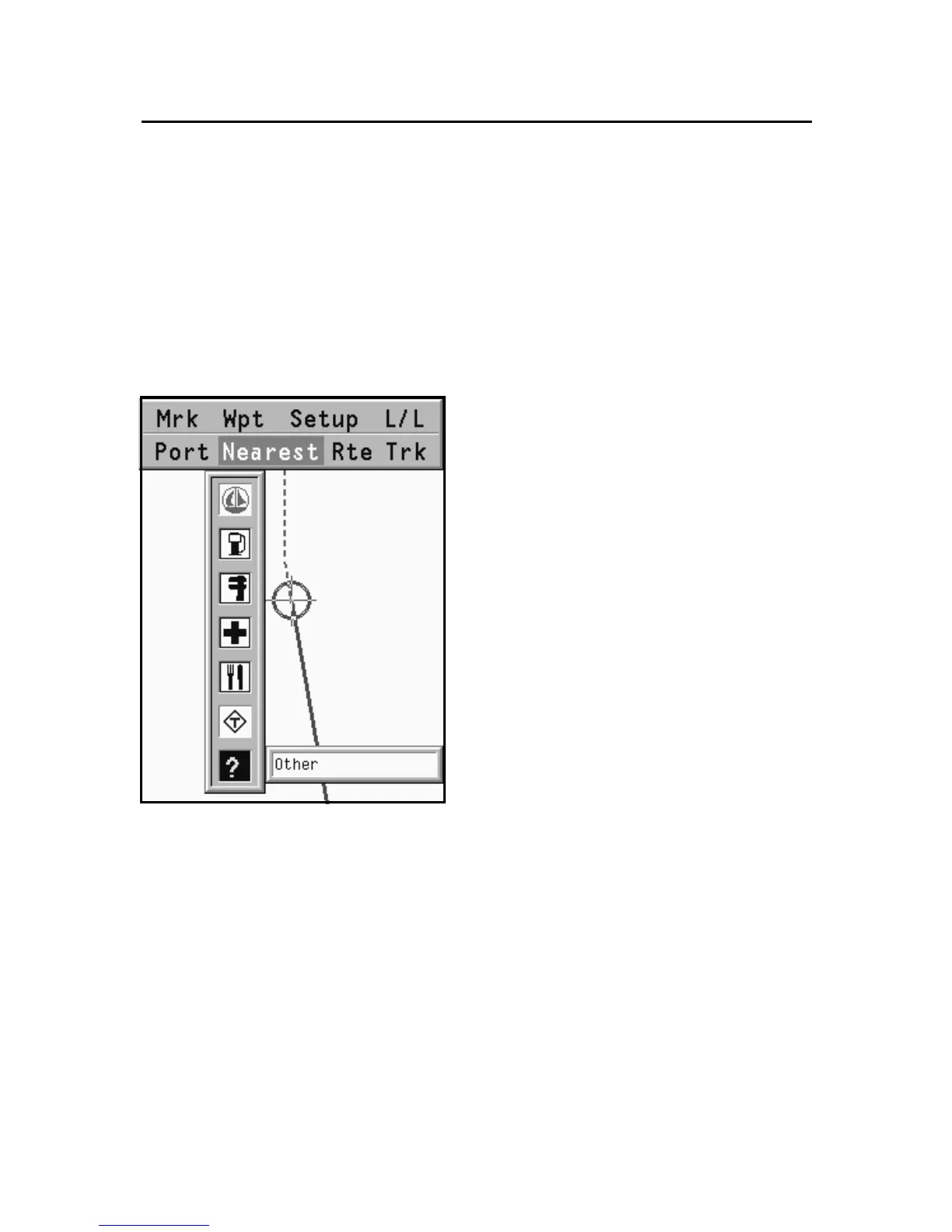
Press the GOTO key, select NEAR
by the CURSOR key, choose the
desired service and press ENTER
to confirm, or CLR to cancel the
operation.
The GEONAV will show the
three destinations closest to the
boat’s position (if in Navigation
mode), or to the cursor’s position
(if in Cursor mode), and position
automatically on the closest des-
tination (flashing).
Select one port at a time by us-
ing CURSOR; a window will show
the distance and time to arrive
(estimated on the boat’s current speed). Press ENTER to confirm
the selection.
The GEONAV will insert a waypoint in the port selected, de-
lete automatically the existing route (if in Navigation mode), or
append the waypoint to the existing route (if in Cursor mode),
then go back to Navigation mode and enable automatically the
Autozoom function.
Besides the specific set of services shown in the figure, a
generic set is available. It gathers several additional services
(such as hotels, restaurants, airports, shops, etc.) that can be
searched for and located thanks to this function.
Goto Nearest



 To Next Page