49
English
EDITING A ROUTE (NAVIGATION MODE)
If the manual cursor is displayed, press the PAGE key to enter
Navigation mode.
Changing the target waypoint
Use the “Route to a waypoint” function.
WARNING: The route will be modified and the new target waypoint selected will be
the first waypoint in the route.
Deleting all waypoints
Press the CLR key to show the “DELETE ROUTE? ENTER =
YES” message. Press the ENTER key to confirm the deletion or
another key to exit.
FUNCTIONS IN THE ROUTE MENU
Route info
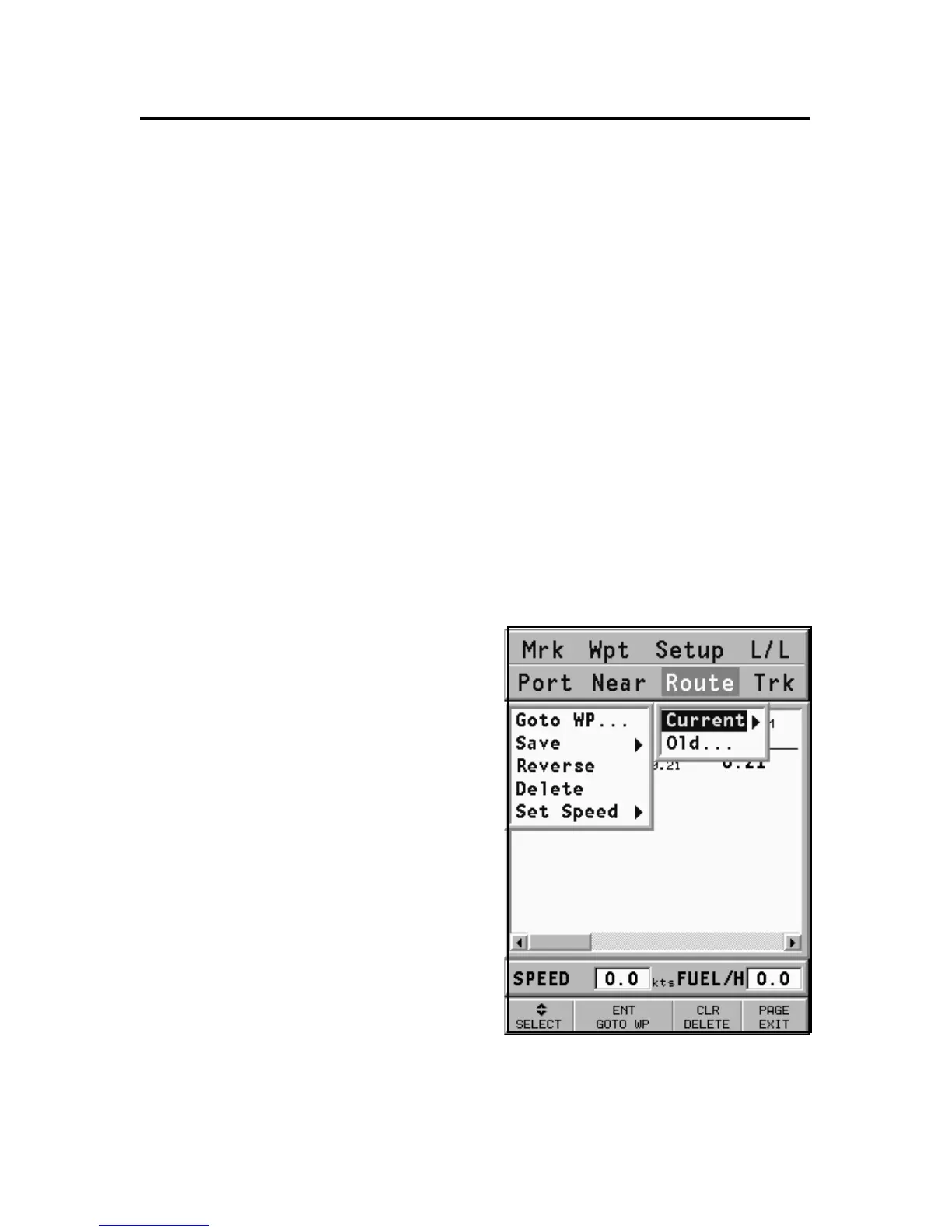
Route information is displayed in
two pages; the first shows gen-
eral route information, whereas
the second contains the geo-
graphical coordinates of all
waypoints. Press the GOTO key to
display the menu bar, select
ROUTE, CURRENT, GOTO WP
and then confirm by ENTER.
A window will show the follow-
ing information:
WP NO.: Waypoint ID
DISTANCE: Distance from START to
current waypoint
TIME: Estimated time from START to current waypoint



 To Next Page