Flow Fail
The ‘Flow Fail’ option enables the operator to adjust the instrument flow fail detection point should it
fail in normal operation with a clean filter.
The instrument’s internal pump can be stalled when pulling against a vacuum or through a blocked
filter. This is indicated by a flashing pump icon and a red screen; to prevent damage to the pump,
the pump will switch off after a few seconds.
Press the ‘Pump’ key again to remove the flashing pump icon.
Note: Dirty or discoloured filters should be changed before use. Filters that have drawn in water
should be changed immediately to prevent damage to the instrument.
From the ‘Main Read Screen’ press the ‘Menu’ key on the instrument panel.
Press ‘Key 2’ to display the ‘Utilities’ menu.
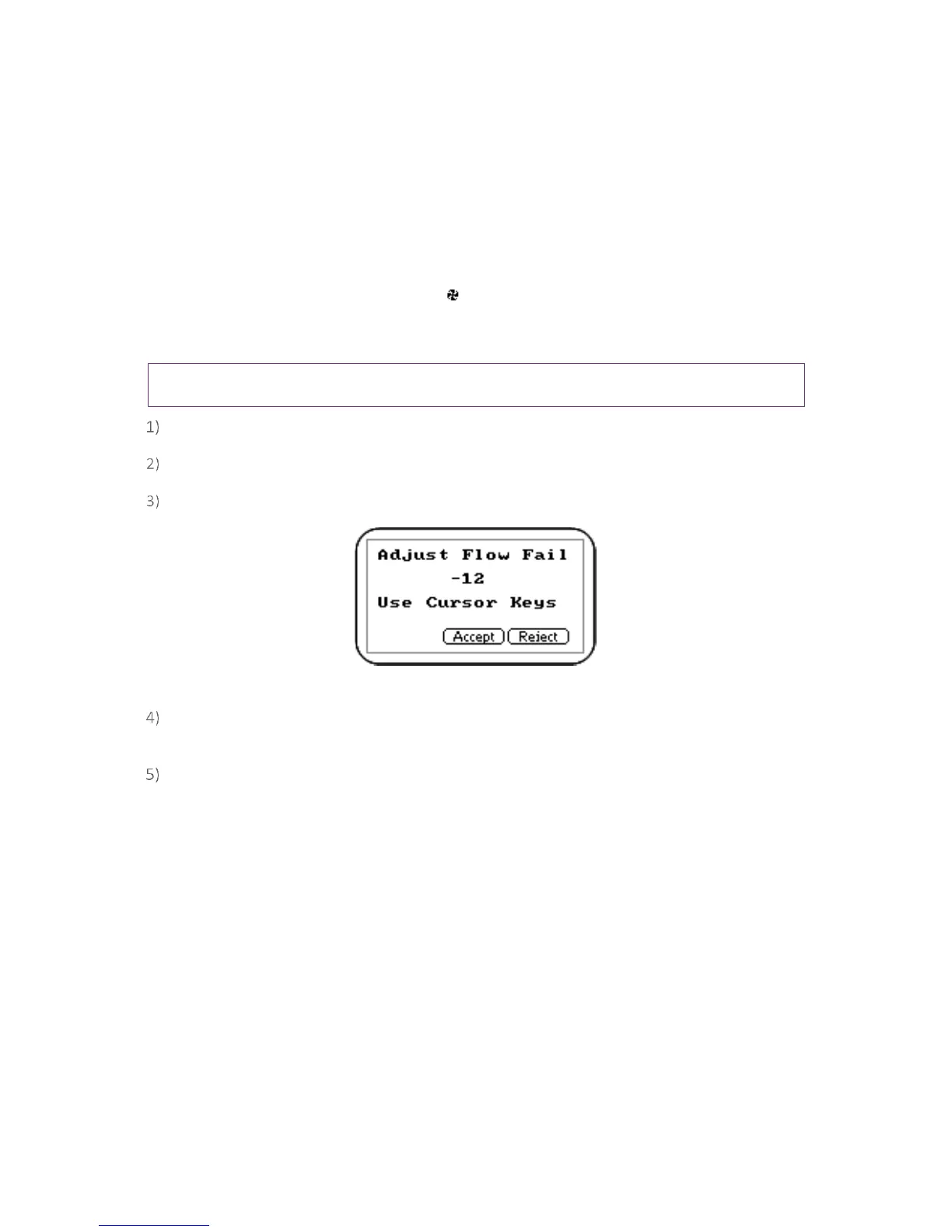
Press ‘Key’ 5 to select flow fail and the following screen is displayed:
Screen 8 - Adjust flow fail
Use the ‘Scroll’ keys to adjust the value displayed. The larger the value, the less sensitive the
flow fail detection is.
Press soft-key ‘Accept’ or ‘Reject’ accordingly.



 To Next Page