15
C. Gerhardt GmbH & Co. KG
6. Control panel
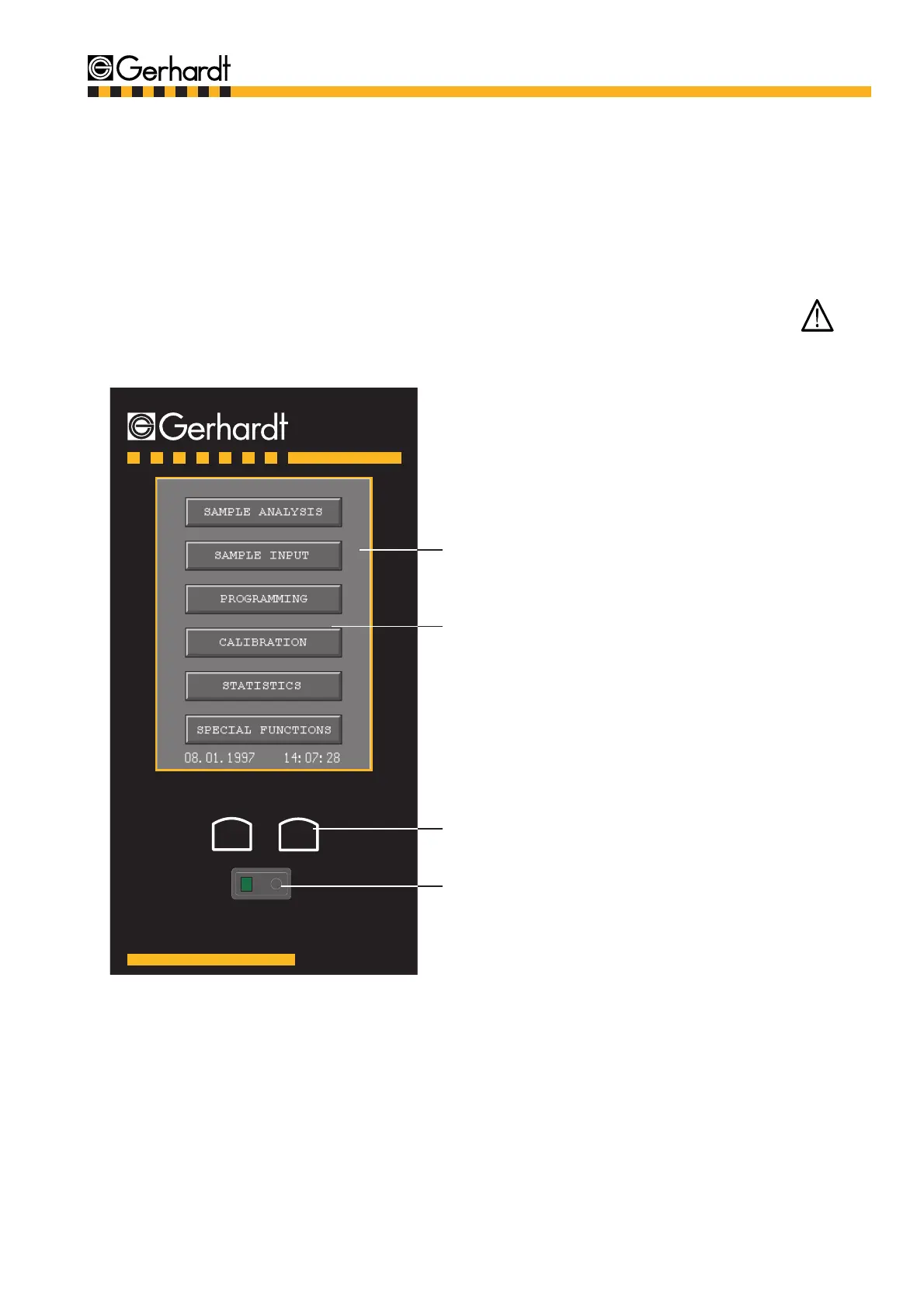
The VAPODEST 50 can be programmed and controlled through the "Touch Sensitive Screen" of the
control panel. Please note, that the contrast adjustment of the display depends on the light conditi-
ons in the laboratory. The unit should be placed under constant lightning conditions and the display
should not be exposed to direct sunlight as this can reduce the contrast of the display so making it
unreadable.
The functions can be activated by gently pressing the corresponding sections of the panel.
Attention!
To operate the Touch-Sensitive-Screen please always use the pen. Never use sharp or pointed
objects to operate the touch sensitive screen as this will damage the screen.
Fig. 6.1: Graphic user interface - Control panel
CONTROL PANEL
Graphic User Interface
Displays current menu
Touch-Sensitive-Screen:
Shows only those functions that are available
for the relevant operation
Function Keys:
Contrast adjustment
Mains switch
V a p o d e s t
C o n t r a s t
1 0



 To Next Page