28
C. Gerhardt GmbH & Co. KG
10. Sample input
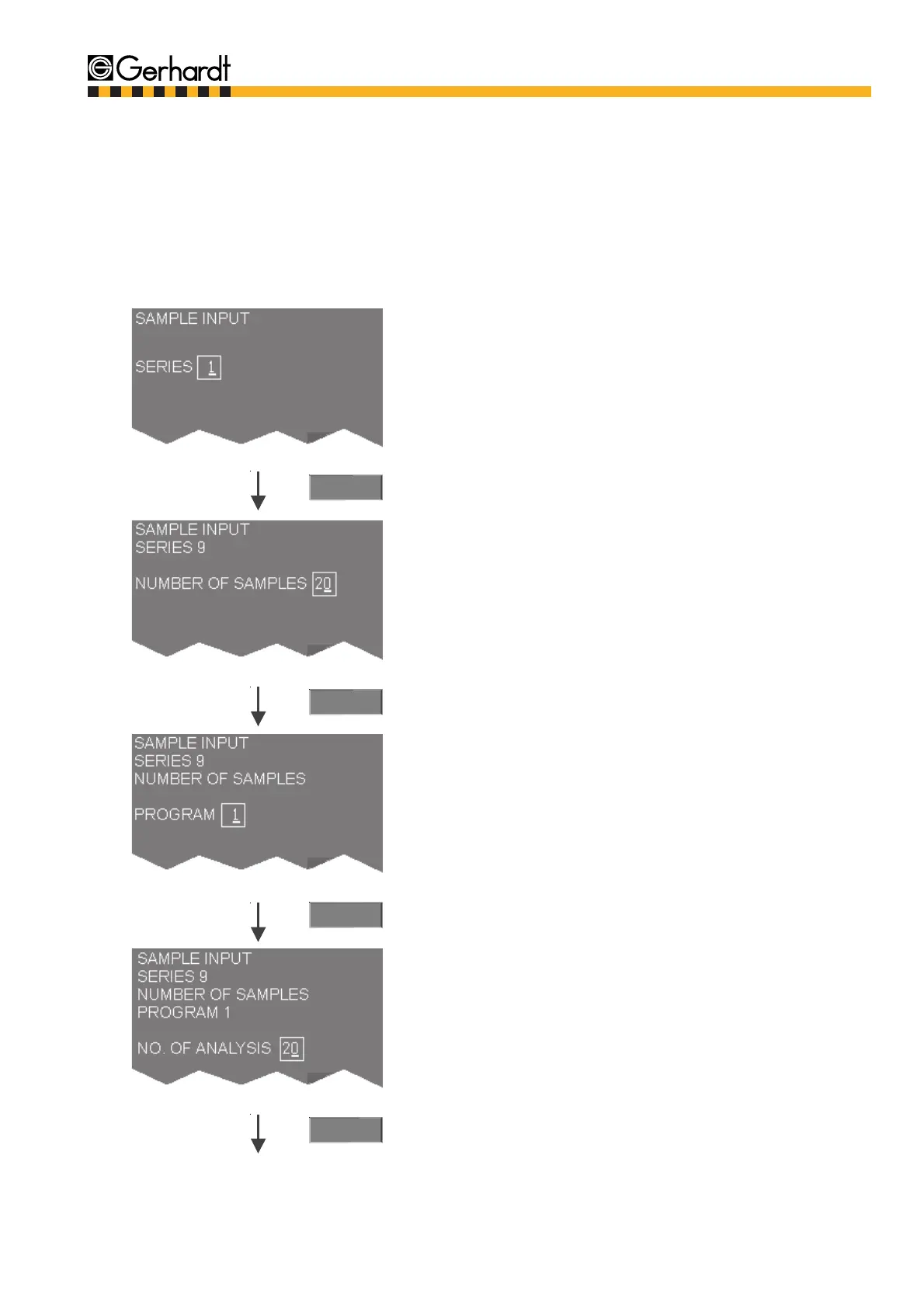
In this main menu the samples (weights / volumes) can be entered in so-called series. A series
contains a maximum of 20 samples. In total, there are 99 series available. A series can contain
samples and blank samples, which can be worked through with one or more programs.
10.1. Procedures for sample input
1. Press the "Sample Data" key
The first available series is automatically selec-
ted. This default decision can be overwritten by
selecting another available series.
Range 1 - 99
Enter the number of determinations (samples and
blank samples) to be dealt with in this series.
20 entries are always the maximum.
Range 1-20
Select the program for the distillation of at least a
part of the samples.
Range 1 - 20
Enter the number of samples and blank samples
for the program selected.
The amount of samples cannot exceed the
amount of determinations.
Range 1 - 20
Enter
Enter
Enter
Enter
2.
3.
4.
5.
SAMPLE INPUT



 To Next Page