38
C. Gerhardt GmbH & Co. KG
12. Statistics
All data is stored on the built in hard disk in order to have maximum control of all procedures which
are relevant for the analysis. They can be activated at any time for documentation and checking. If
there is no more storage capacity on the hard disk some data has to be deleted. It can be printed
before deletion, transfered to an external PC, or checked on the monitor. A maximum amount of
1000 calibration data and up to 10.000 analyis data can be stored.
The results can be corrected or recalculated subsequently and they are documentated as corrected
values.
12.1. How to use statistics
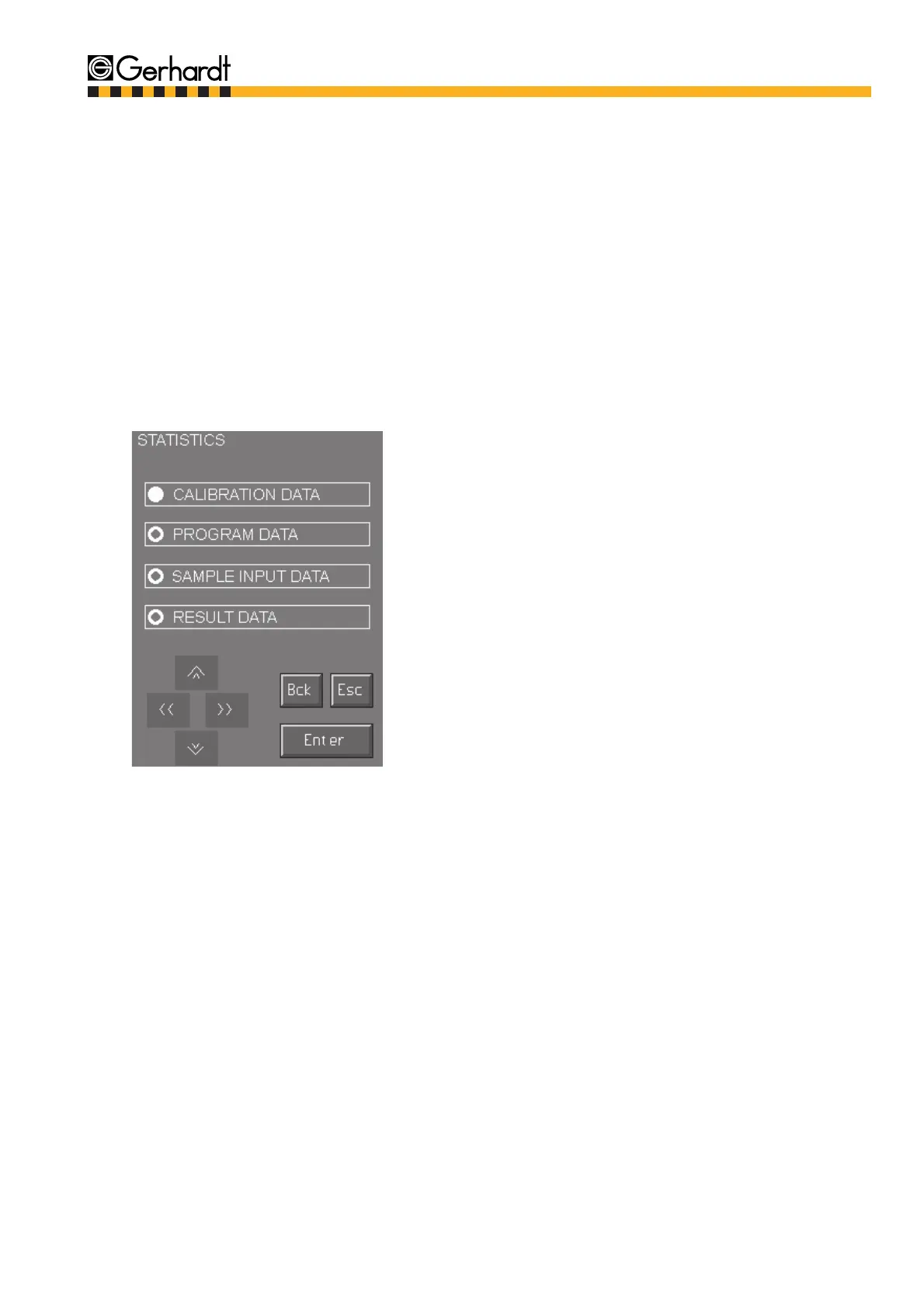
1. Press key "Statistics" in the main menu.
Select the data wanted and confirm by pressing
"Enter".
Regardless of the selection the following options are given for all statistical data:
- Print out
The data selected is printed on a printer
- Display
The data selected is shown on the display
- Delete
The data selected is deleted
- Data transfer
It is possible to transfer the selected data to an external PC. This is necessary eg. if the stora-
ge capacity of the hard disk is full. In order to be able to transfer data the LPT1 interface has to
be connected to the parallel interface of the external PC.
- Correction (only if "Results" is selected)
The data selected is corrected.
STATISTICS



 To Next Page