36
C. Gerhardt GmbH & Co. KG
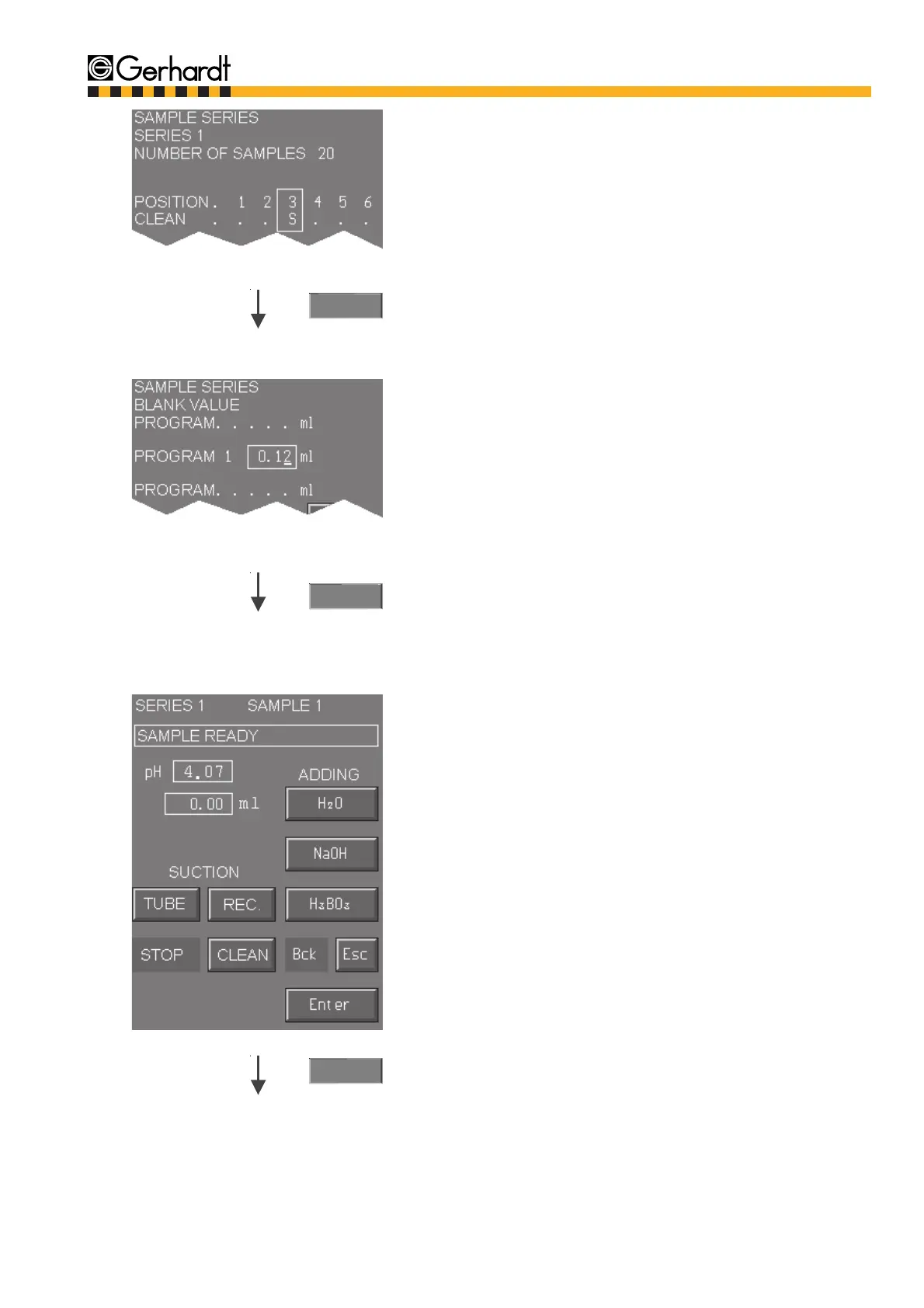
To clean the distillation system it is possible to
start a cleaning process.
Mark which positions should be cleaned. Use key
"left" resp. "right" to move cursor and mar the cle-
aning position with key "up". Delete with key
"down".
S = Cleaning position
If a running analysis is left by pressing "Esc" the
positions for cleaning have to be marked again.
The cleaning is done with the program selected
for the marked position.
Enter
10.
Enter
11.
If blank samples with blank value transfer have
been defined during the sample input it is shown
in the display with "auto". This means that the
average calculated for all blank samples is used
for the calculation and is assigned to the corre-
sponding program. If no new blank value calcu-
lation is selected the display shows the last de-
termined blank value that has been assigned to
the program. This value can also been overwrit-
ten.
Range 0 - 9.99 ml
If the series has been defined with several diffe-
rent programs the blank value for all programs
has to be entered. To switch between programs
press keys "up" or "down".
As long as the analysis is not in process you can
activate the following functions manually:
- Suction of sample and receiver
- Adding H
2
O, H
3
BO
3
, and NaOH
Press "Enter" to start analysis.
ANALYSIS
Enter
12.



 To Next Page