40 NRR 2-52, NRR 2-53, URB 55 - USA- Installation & Operating Manual - 850698-00
Operation and navigation
Automatic functions
If you do not input anything on the display for 10 minutes, the brightness is automati-
cally dimmed and you will be logged off.
■
If you do not input anything on the display for one hour, the program automatically
returns to the home screen.
■
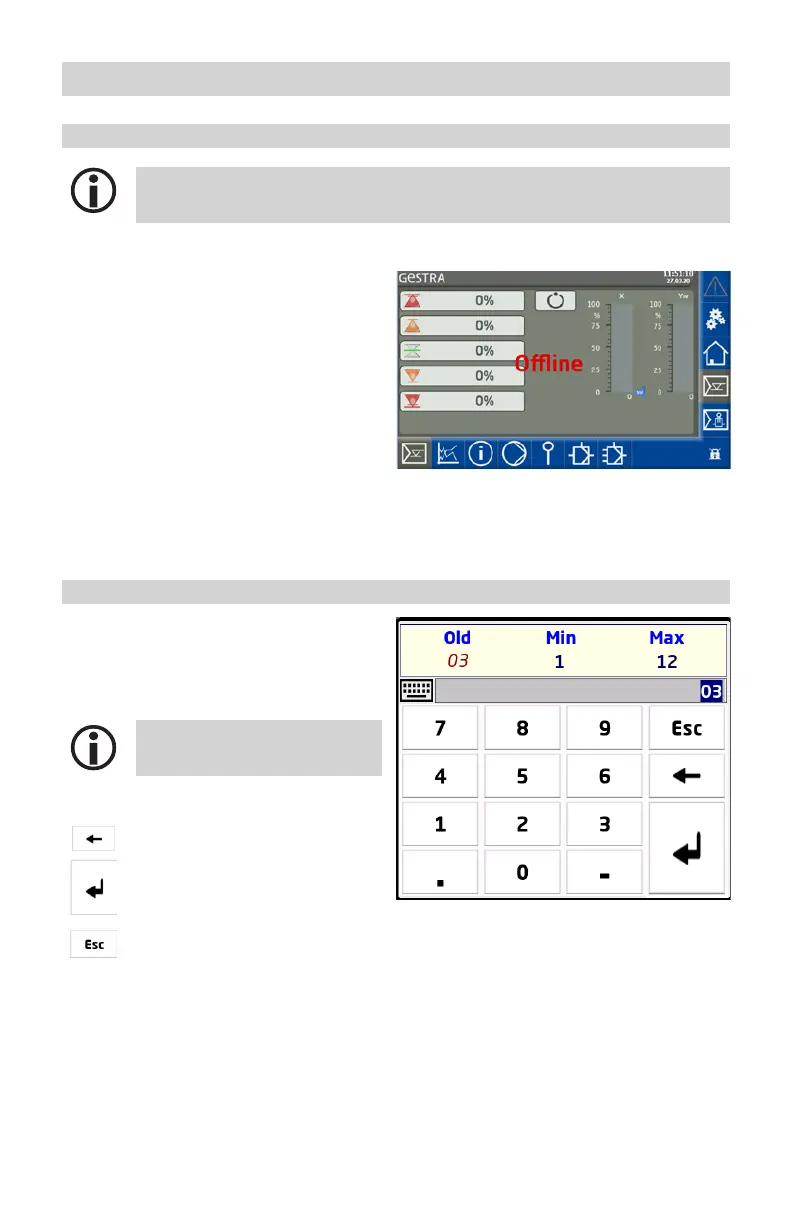
If communication to the
controller is disrupted, the
message “Offline” appears
in the general display area.
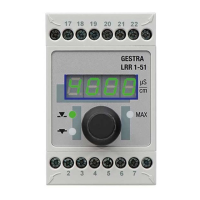
Entering parameters using the virtual keypad
Tapping an input field opens a numeric virtual
keypad.
The keypad shows the old value (Old) and the
limits (Min/Max).
Your entries must remain within
these limits.
Function keys:
Delete last digit.
Confirm entry.
Discard entries and close
keypad.



 To Next Page