41NRR 2-52, NRR 2-53, URB 55 - USA- Installation & Operating Manual - 850698-00
Operation and navigation
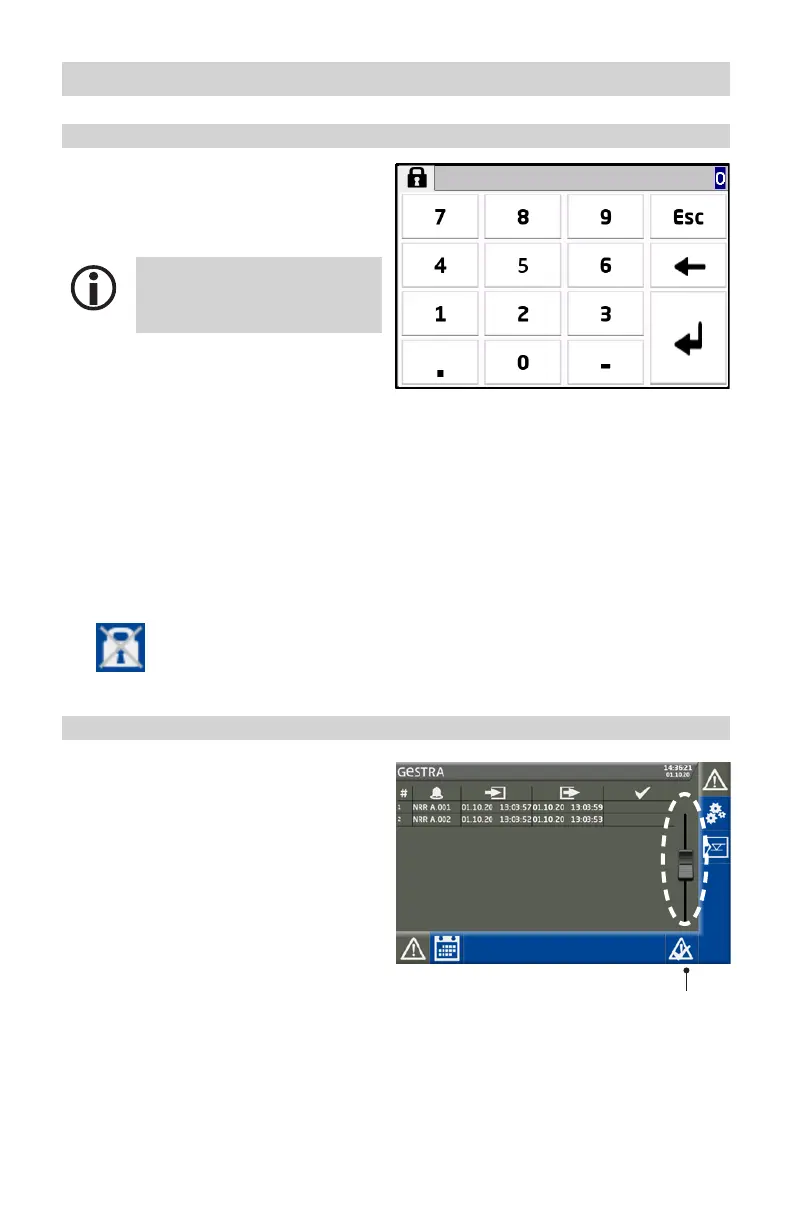
Entering parameters with password protection
Password protection prevents parameters and
settings from being changed by unauthorized
persons. The password prompt appears auto-
matically when you tap an input field.
If you do not input anything for
10 minutes, you will be logged off
again.
Factory-set password:
■
Password = 111
Recommendation for initial setup
Log on using the factory-set password, then
safeguard your system by creating your own
password.
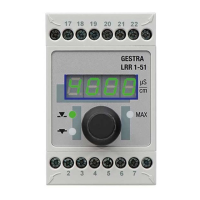
Scroll bar for long lists and menus
You can use the scroll bar to navigate up and
down long lists and menus in order to select
the desired parameters.
Scroll bar
Disabling parameter entry after successful login
■
Parameter entry can be disabled by tapping the struck-through padlock icon
at the bottom right. The icon appears after you have logged in successfully.



 To Next Page