50 NRR 2-52, NRR 2-53, URB 55 - USA- Installation & Operating Manual - 850698-00
Network settings
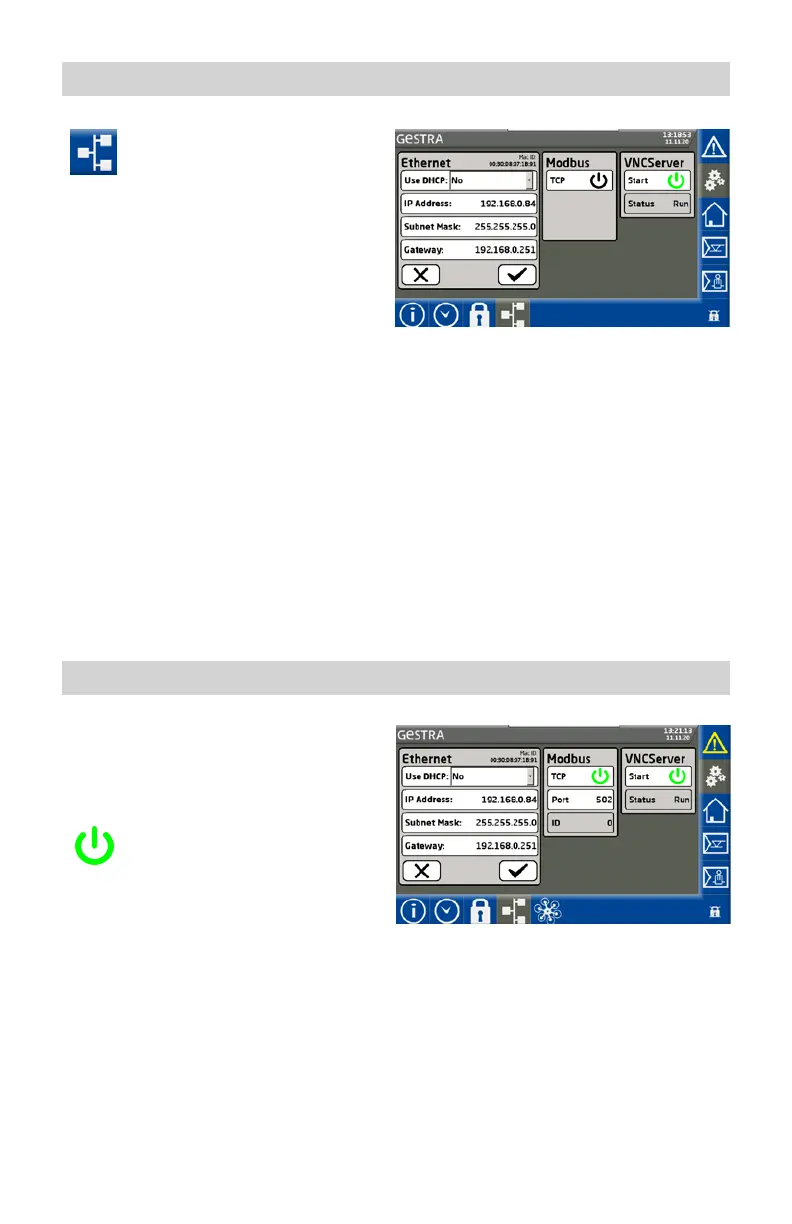
Open the “Network settings” menu.
Set the network to suit your local requirements
and, at the end, confirm your settings.
Description of display:
■
Use DHCP:
◆ No: Static IP address
◆ Yes: The IP address is obtained
via DHCP
■
IP Address
The IP address of the URB 55.
■
Subnet mask
The current subnet mask.
■
Gateway
The IP address of the gateway.
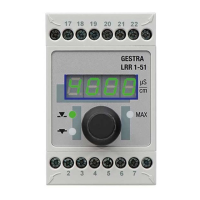
Data exchange via Modbus TCP
The URB 55 visual display and operating unit has
a Modbus TCP server. This enables all values to
be forwarded to a higher-level control system
or control center.
For Modbus communication, switch
on the connection using the TCP On
button.
Parameter:
■
Modbus ID: 0
■
Port: 502
■
Modicon Modbus: 1-based



 To Next Page