1-5-B:USB Driver installation
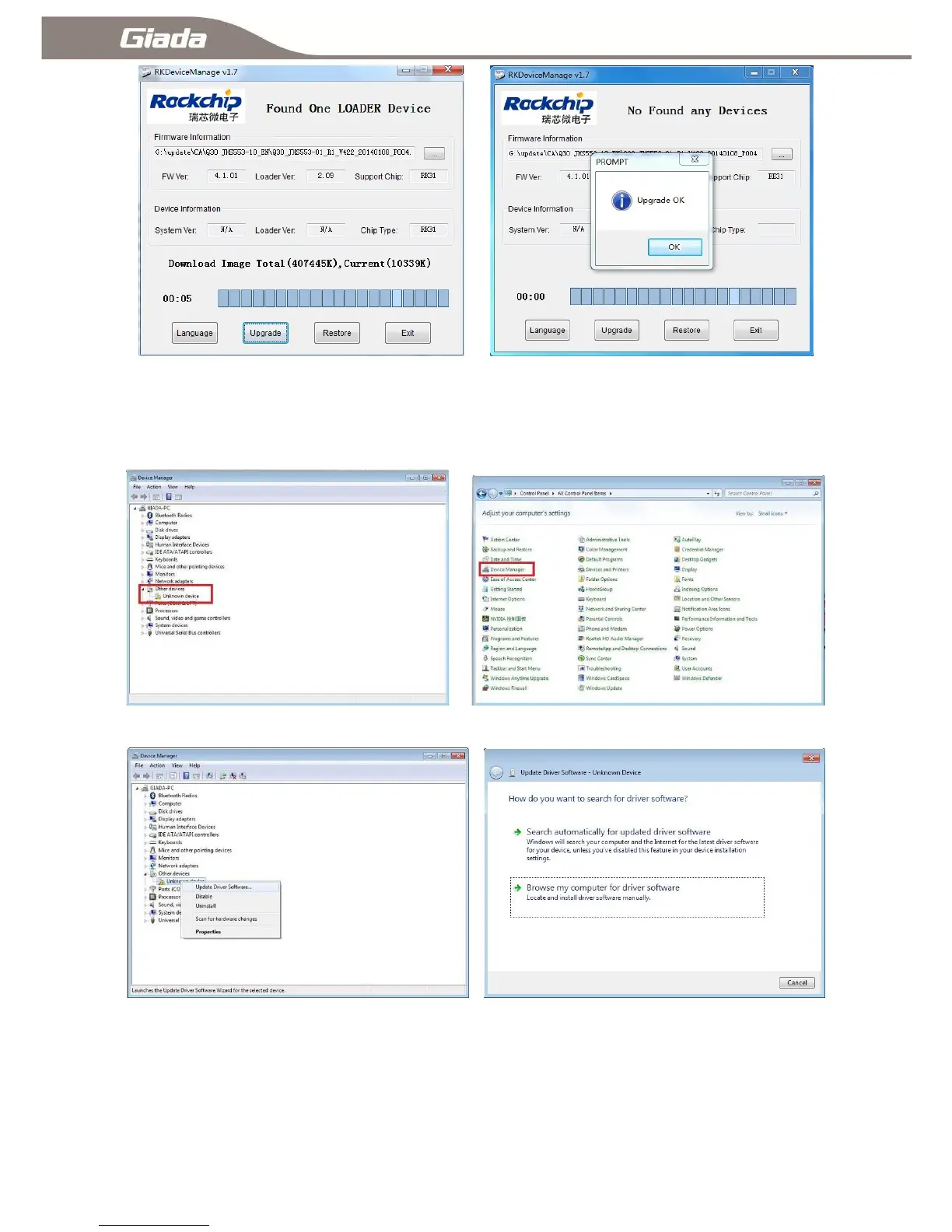
If you have not installed ARM PC USB driver on Windows PC, USB driver installation dialog will pop up.
Enter ―Control Panel‖ then select ―Device Manager‖. Interface will appear as following:
Select ―Other devices-Unknown device‖ right click to select ―Update Driver Software‖ as following:
Select ―Browse my computer for driver software‖,Click [Browse...], find corresponding driver for different
systems under document RKDeviceManage V1.7>Driver,click [Next] and [Install] to continue
as following:



 To Next Page