Note:Recovery operations, the Data partition data will be restored. In order to protect your data
from loss, when the System Recovery, when installing APK or writing data, please do not write into
the / Data partition!
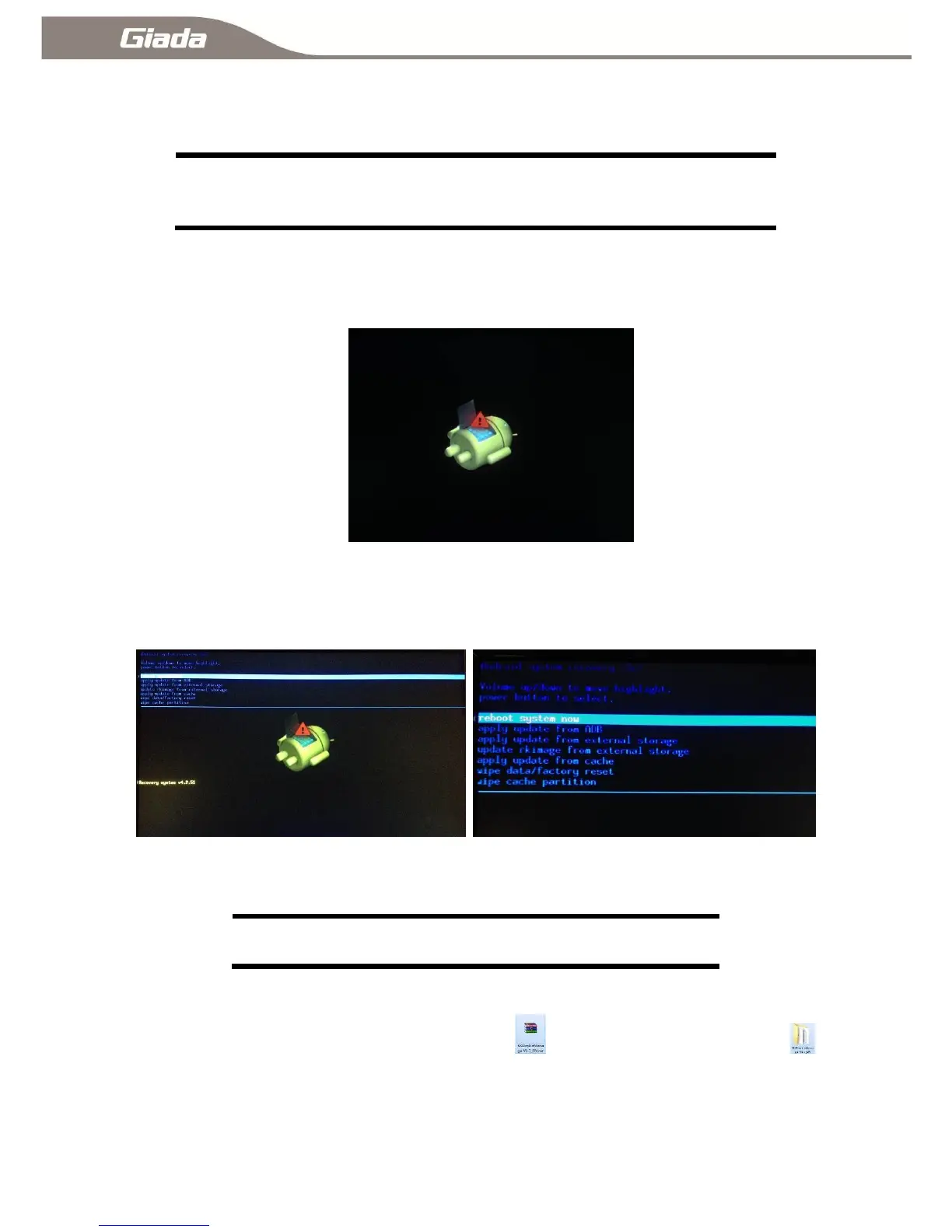
When the ARM PC system can not enter the system, you can manually restore the system.
A:Under ARM PC powered off, press and hold the Recovery, power on, press and hold the
Recovery, until the following interface.
B:Recovery can loosen when the above screen appears,Press the Recovery again , the following
screen appears, hit the ↑↓ button in the keyboard or choose ‗wipe date/ factory reset‗ by a remote
controller to confirm and enter to the next step, choose ‗deleted all user date‘, it will enter the system
recovery automatically, the / Data partition data will be restored, the other partition data will be retained.
1-5:System Burning:
Note: It will format the whole Flash space, if the new system is going to be
burning, Please make a backup before burning!
1-5-A:RKDevice Manage installation:
A: Unzip or extract RKDeviceManage V1.7_EN.rar ,enter RKDeviceManage V1.7
folder, then run ―RKDeviceManage V1.7_EN.exe‖, it will show following interface;



 To Next Page