Page 12
Gateway
3. Working with the Device
3.1 MAC (Media Access Control) ID:
A Media Access Control address (MAC address) is a unique identifier assigned to network
interfaces for communications on the physical network segment. MAC addresses are most
often assigned by the manufacturer of a network interface card (NIC) and are stored in its
hardware, the card's read-only memory, or some other firmware mechanism. The MAC
address usually encodes the manufacturer's registered identification number.
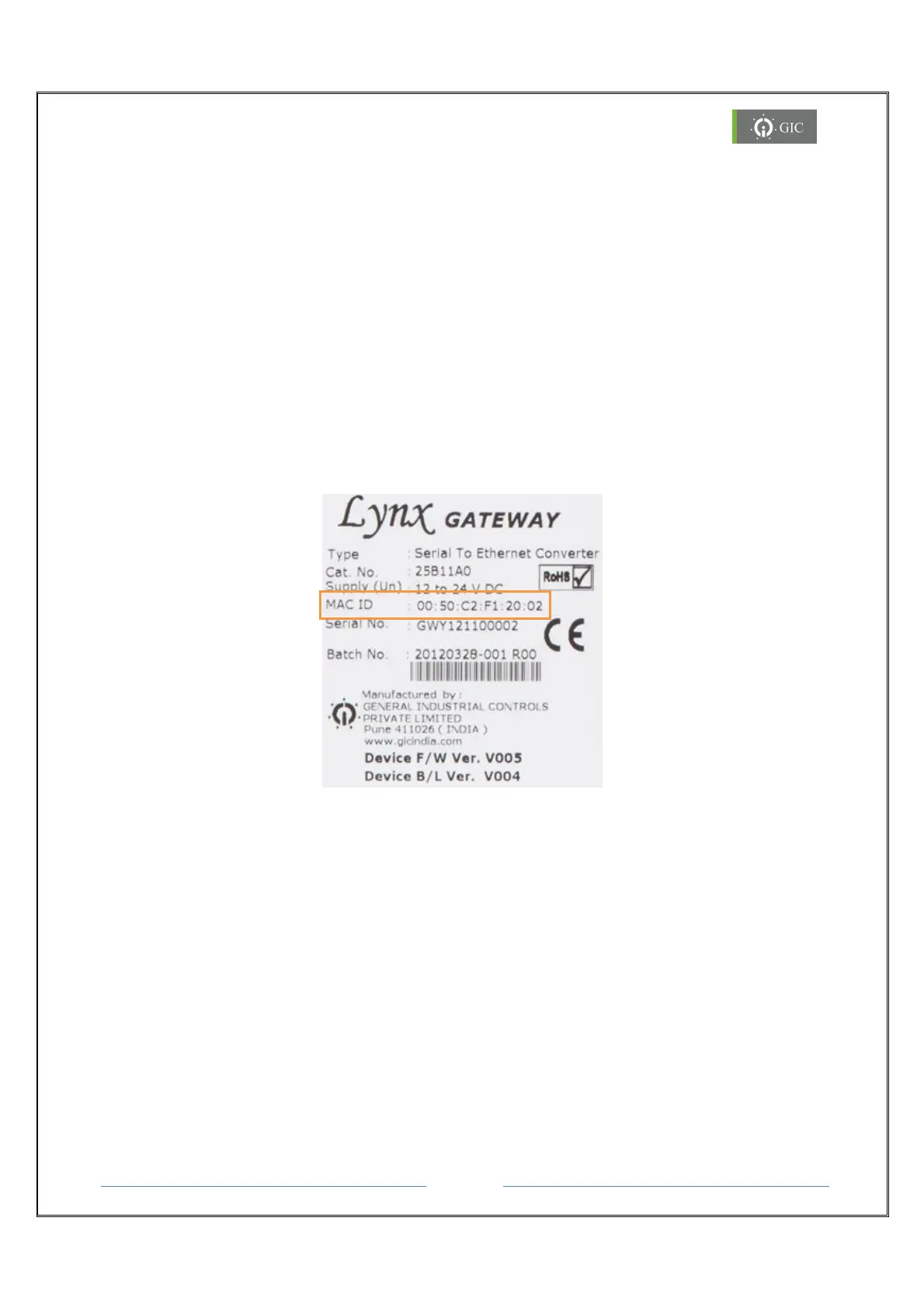
Locating the MAC (Media Access Control) ID:
The MAC ID of the Lynx Serial to Ethernet converter is printed on the label attached to the
device. Please refer this MAC ID while assigning IP address to the device through DHCP
server or while configuring the device.
3.2 IP Address
Each TCP/IP node on a network host has a unique IP address. This address provides the
information needed to forward packets on the local network and across multiple networks.
IP addresses are specified as x.x.x.x, where each x is a number from 1 to 254; e.g.,
192.0.1.99. The Device Server must be assigned a unique IP address to use TCP/IP network
functionality.
When the Lynx Gateway is powered ON for the first time and connected to an active
network, no IP address in assigned to the device. The device is in Factory Default Mode
which is indicated by continuous blinking of ERROR LED (100ms ON & 100ms OFF).
Device is in DHCP mode


 To Next Page