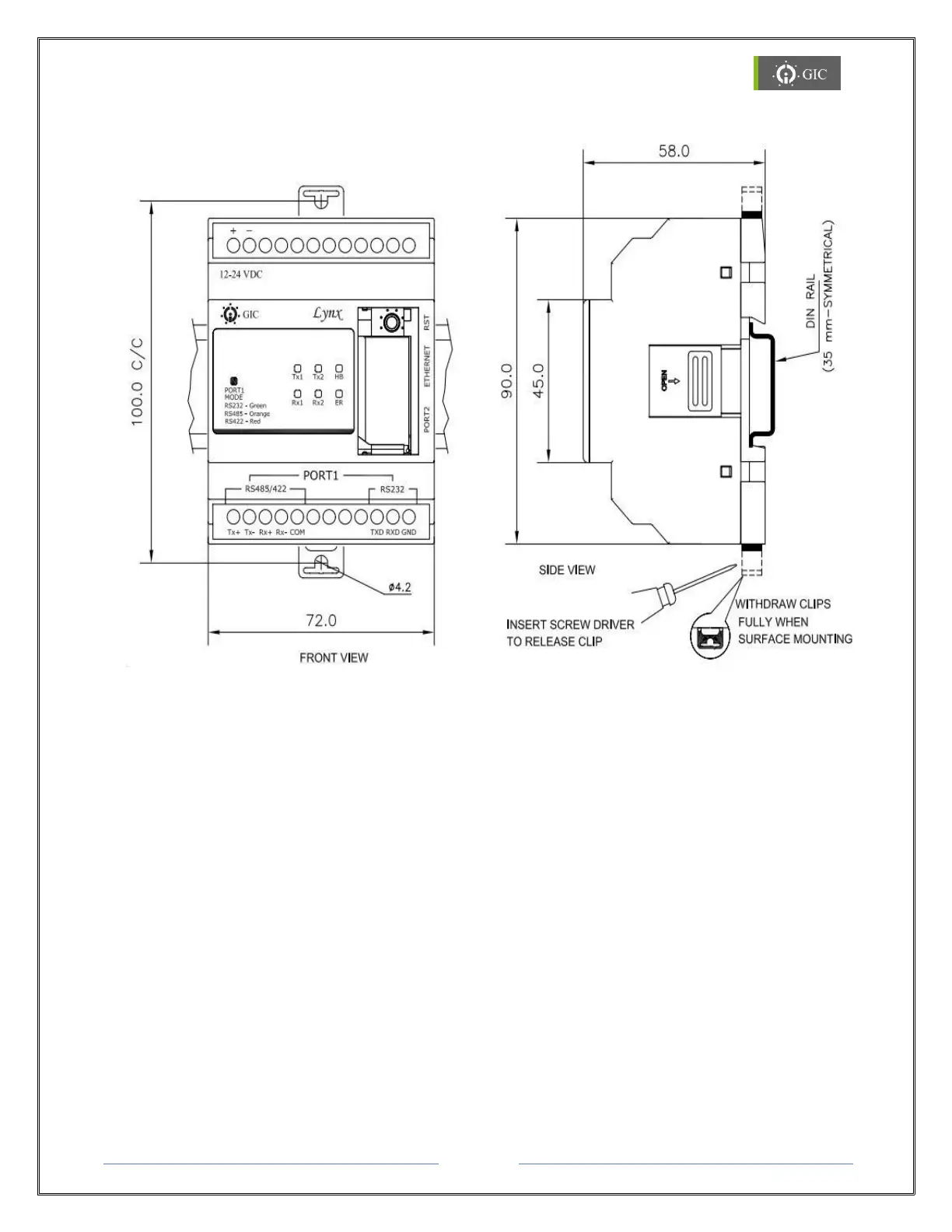
8. Mechanical Dimensions
8.1 Din Rail Mounting
Lynx Gateway can be mounted on a Din Rail. Din Rail locking connectors are provided with
each unit for proper installation. Module must be mounted in an upright position on a
vertical surface or horizontal DIN Rail.
Mounting on Din Rail
1. Pull the Din Rail clips in outward direction from the unit.
2. Mount the unit on the Din Rail and then press the Din Rail Clips to snap fit the device
on the Din Rail.
Removing from Din Rail
1. To remove the unit, pull out the Din Rail clips in outward direction from the unit.
2. Detach the unit from the Din Rail.


 To Next Page