Placing and installing your roaster
Giesen W6A Coffee Roaster - Version 1.0 18
7.5 Connecting the roaster
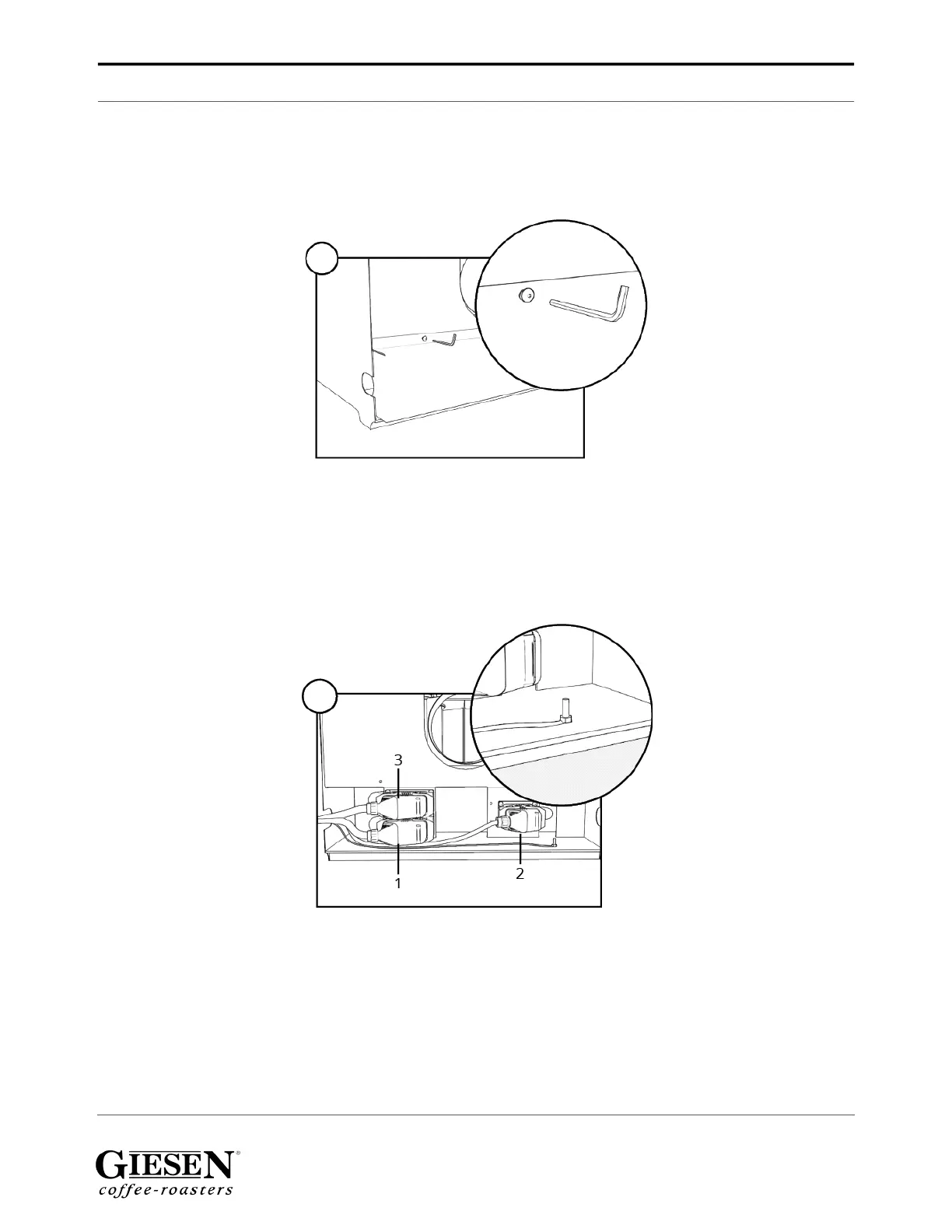
1. Remove the two screws from the backplate with Allen key nr. 3 and remove the
backplate.
First connect the smallest connector on the right. Connect the two other connectors.
Please make sure the connectors are tightly plugged in and locked.
ST3: Upper left
ST2: Upper right
ST1: Bottom left
As highlighted in the circle, connect the earthing to the location as shown.


 To Next Page