Operating console
Giesen W6A Coffee Roaster - Version 1.0 24
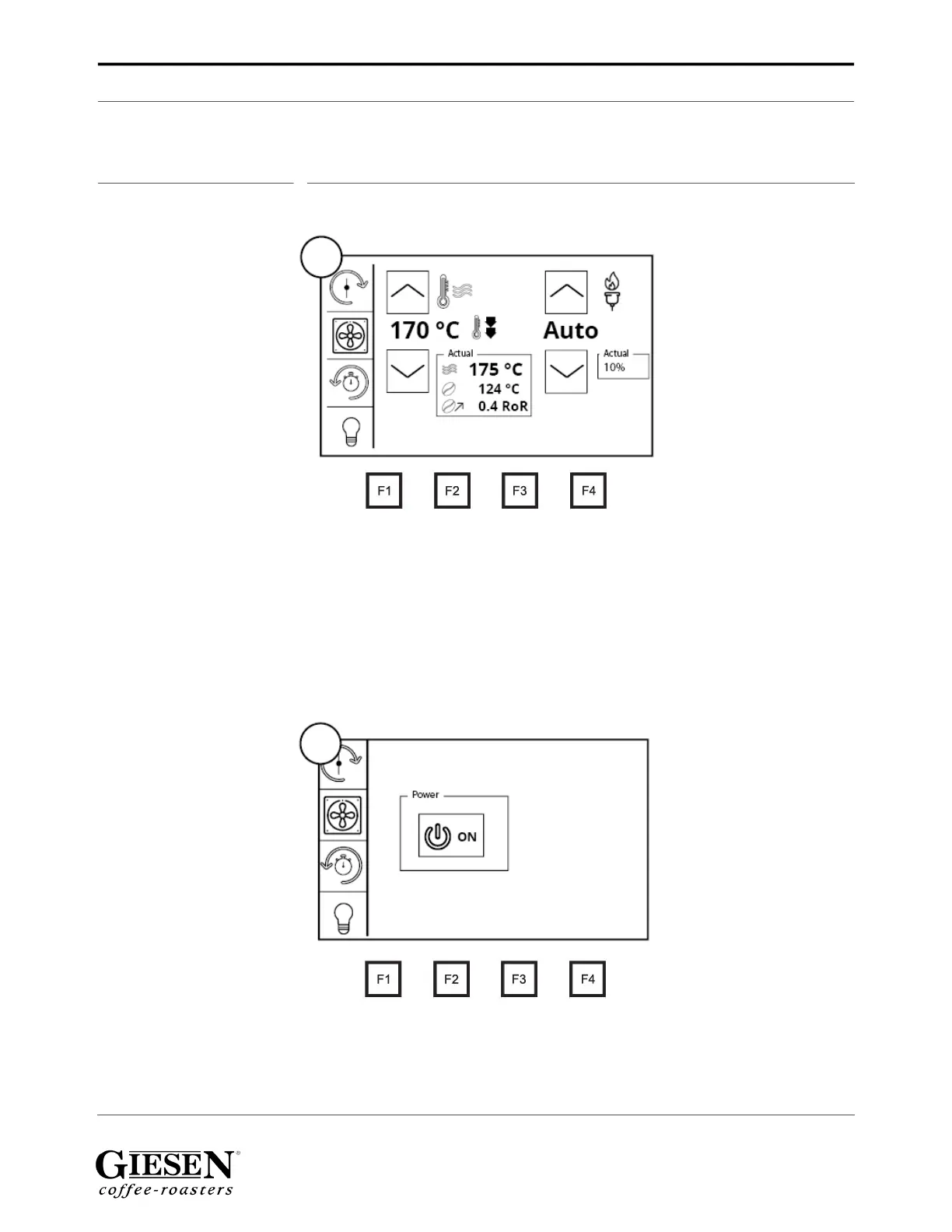
10.0 Operating console
10.1 F1 screen
1. Adjust the air temperature up or down with the arrows on the left. One click
means one degree up or down. Click and hold to change the air temperature
faster.
2. Adjust the burner power up or down with the arrows. One click means one
degree up or down. Click and hold to change the burner power faster. NOTE: The
burner percentage is an upper limit, the machine will continue to regulate by
itself. To switch off the auto burner adjustment, push the arrow up (OFF) and
push the arrow again to change the burner percentage.
10.2 F2 screen
1. With this button you can turn your roaster on and off.
NOTE: In versions 7.54 and above there will be an additional button called the
‘Cleaning mode’. With this button you can clean our the chaff in-between roasts. For
more information on this subject, refer to the paragraph ’Cleaning mode’.
1.
2.
1.


 To Next Page