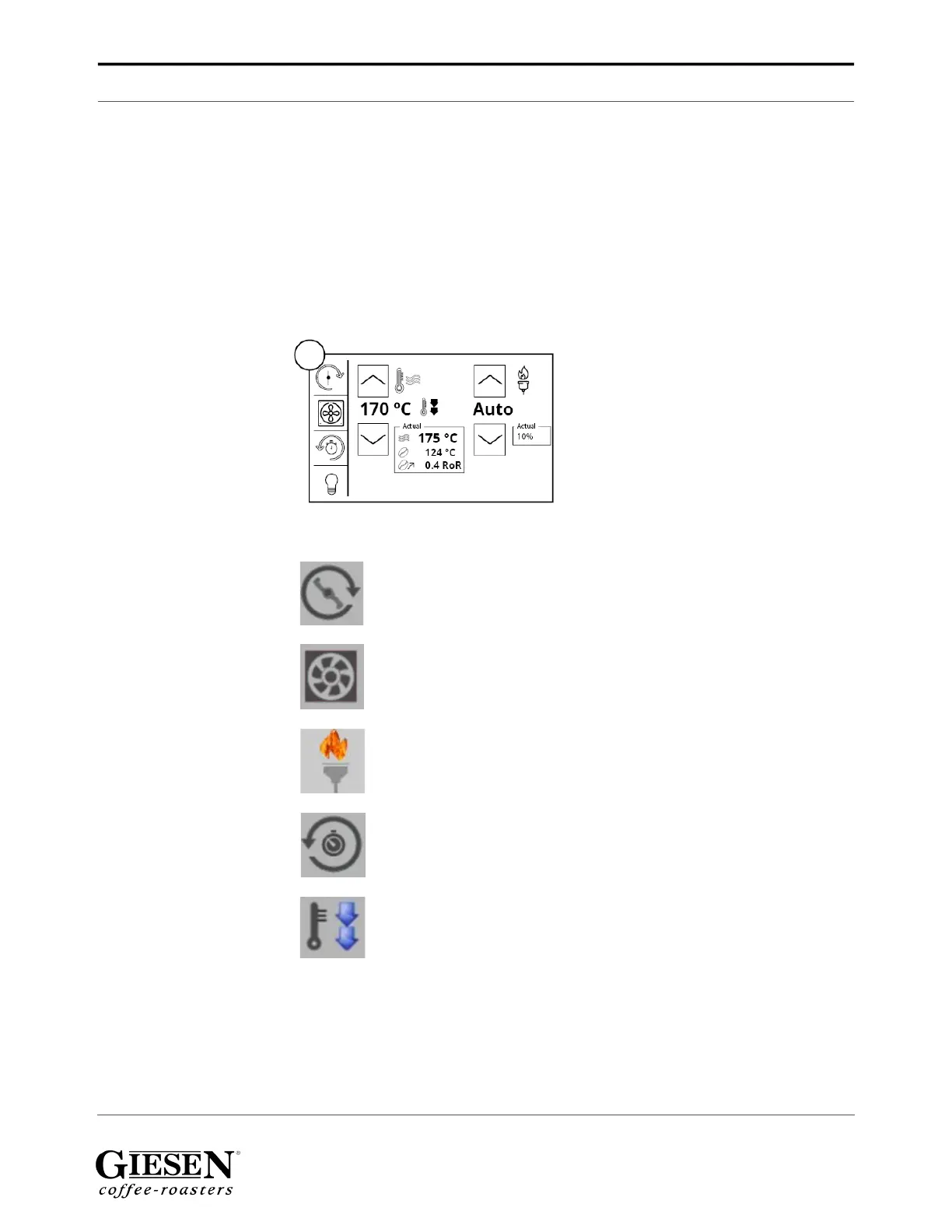
Operating console
Giesen W6A Coffee Roaster - Version 1.0 27
10.5 In-depth operating buttons
The operation console has a lot of advanced features. With these features, you can
view and set advanced values for your roaster. Below we will explain each screen of
this console.
Display explanation
1. Set point (T-set)
2. Actual bean temperature
3. Actual power
Icons explanation
1. Turns on / off the stirrer
2. Turns on cooling fan on / off
3. Roaster is turned on
4. Enters the timer menu
5. Roaster is cooling down, the drum and fan keep running during cooling
1.
2.
3.


 To Next Page