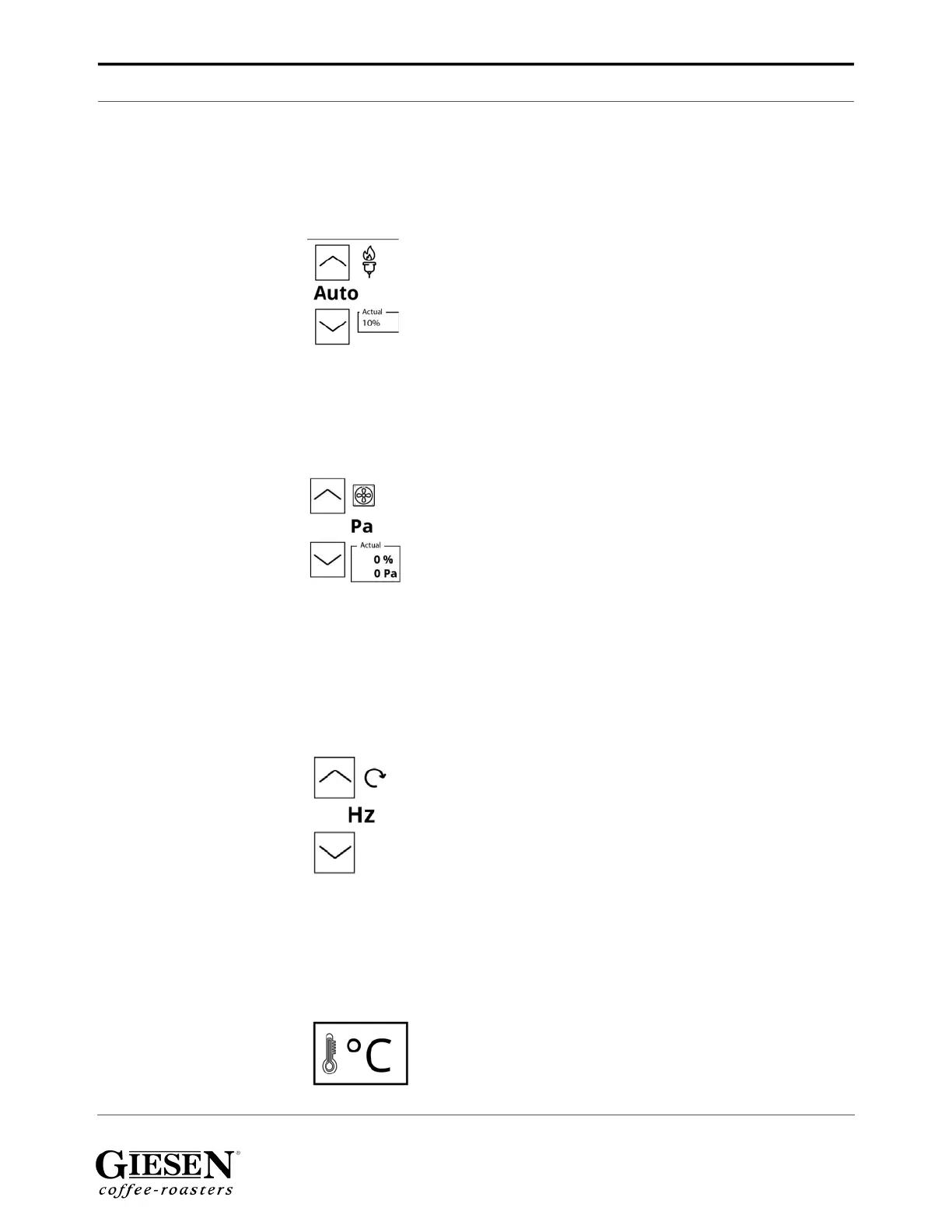
Operating console
Giesen W6A Coffee Roaster - Version 1.0 28
Burner settings explanation
1. Up / down to select the burner power. Select ‘Auto’ for the automatic power
option (use T-set from the first screen)
2. Options: Auto, Off, 1%...100%’
Drum (under)pressure
1. Use the up / down buttons to increase / decrease the drum pressure. Please
refer to the technical specifications when you need more information on the
default Pa settings.
Drum rotation speed
Drum rotation settings explanation
1. Use the up / down buttons to increase / decrease the drum rotation speed.
Please refer to the technical specifications when you need more information on
the default Hz settings.
Temperature units
Temperature unit settings explanation
1. Use the buttons to select Celsius or Fahrenheit.


 To Next Page