Template Module, Elderly, Version 1.1, 01.04.2019,
Operating the handset
Gigaset E290-E290A / LUG-Kombi CH en / A31008-M2901-F101-1-2X19 / operating.fm / 5/5/20
20
Display
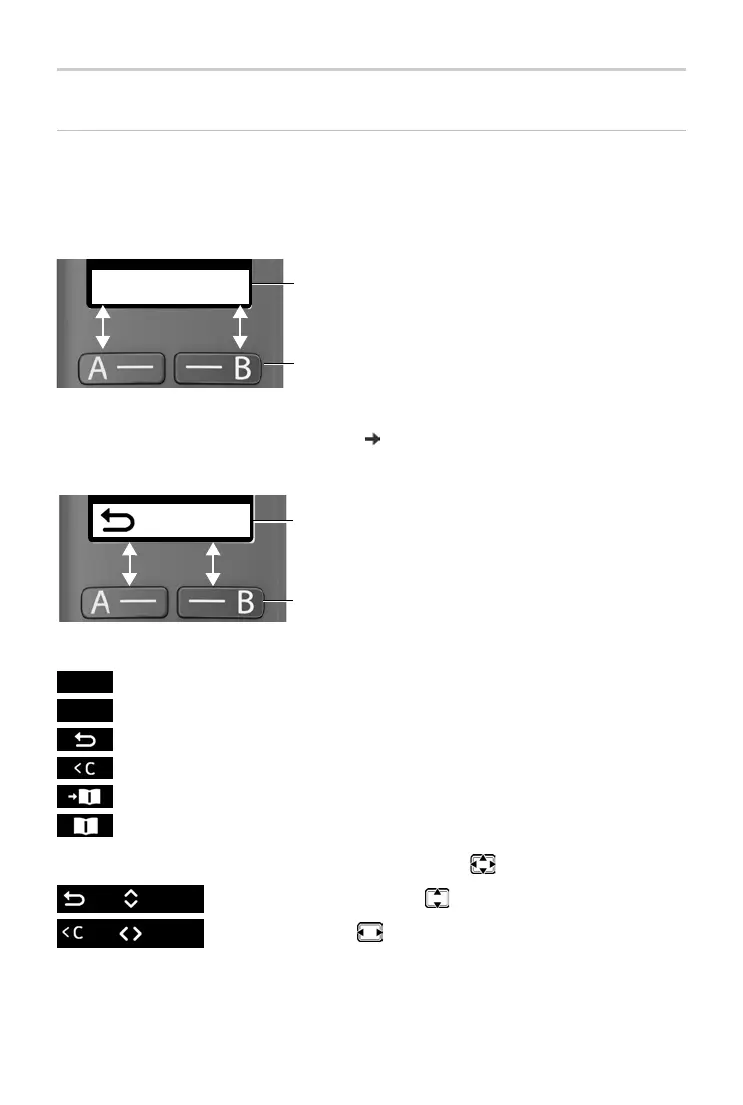
Display keys / Quick access function
The keys under the display perform a range of functions depending on the
situation.
In idle mode
¤ Press the display key . . . the number saved is dialled.
Setting up the quick access function: p. 45
From the menu
¤ Press the display key . . . Function shown in display above
Display functions accessed from the control key
Open the submenu
Confirm menu function / Save entry
Back one menu level
Delete character by character to the left
Copy a number to the directory
Use a number from the directory
Scroll up and down with
Move the cursor to the left/right
Current assignment of display keys A and B for
quick access
Display keys with quick access function
Peter
Mia
Current display key functions
Display keys
OK
Menu
OK



 To Next Page