Gigaset E290-E290A / LUG-Kombi CH en / A31008-M2901-F101-1-2X19 / settings.fm / 5/5/20
Template Module, Elderly, Version 1.0, 20.02.2019
Phone settings
49
Phone settings
Date and time
Setting
Set the date/time so that the correct date and time can be assigned to
incoming calls and to enable the alarm to be used.
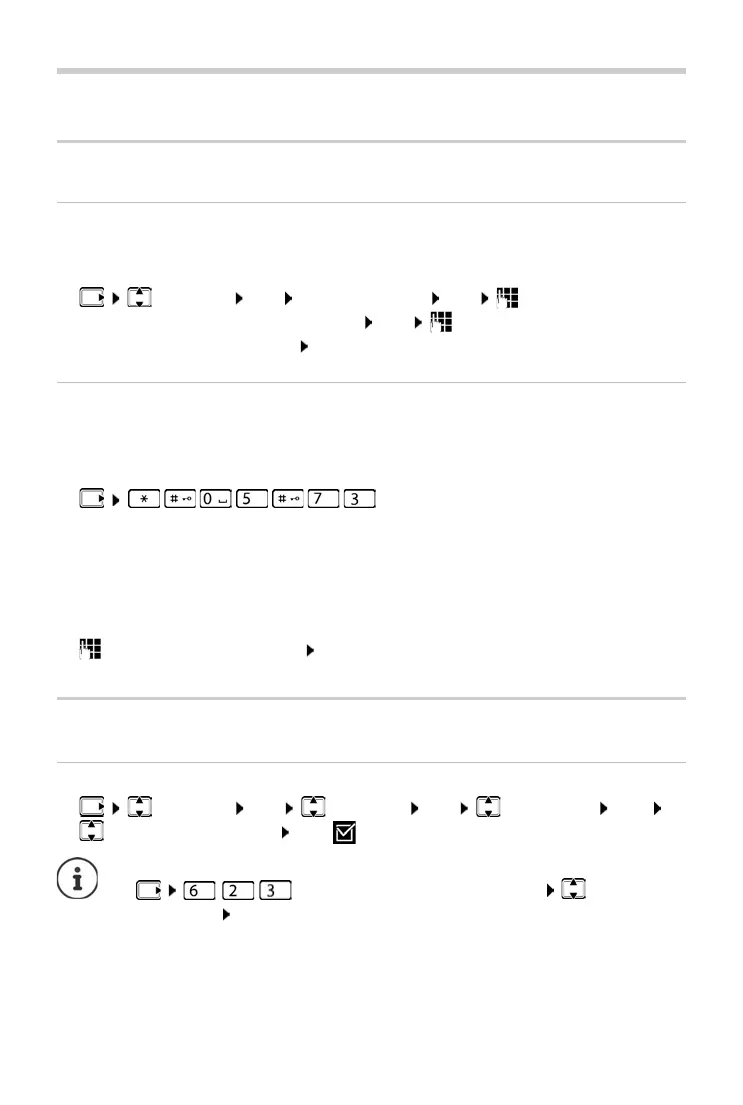
¤ Settings OK Date and Time OK Enter the date (day,
month and year) in 8-digit format OK Enter the time (hours and
minutes) in 4-digit format OK
Accept
If date and time are also to be sent to your phone by your network operator
(or a router/PABX) during calling line identification, you can specify whether
and when these are accepted:
¤ . . . The digit for the current setting
flashes:
¤ Enter the required digit OK
Country and language (if available)
Display language
¤ Settings OK Handset OK Language OK
Select the language OK ( = enabled)
1 = Never
2 = Once, if the
date and time are not set on your phone or
3 = Always
If you accidentally choose a language you do not understand:
¤ Press keys one after the other Select the
language OK



 To Next Page