Gigaset E290-E290A / LUG-Kombi CH en / A31008-M2901-F101-1-2X19 / starting.fm / 5/5/20
Template Module, Elderly, Version 1.1, 01.04.2019
Getting started
13
Base
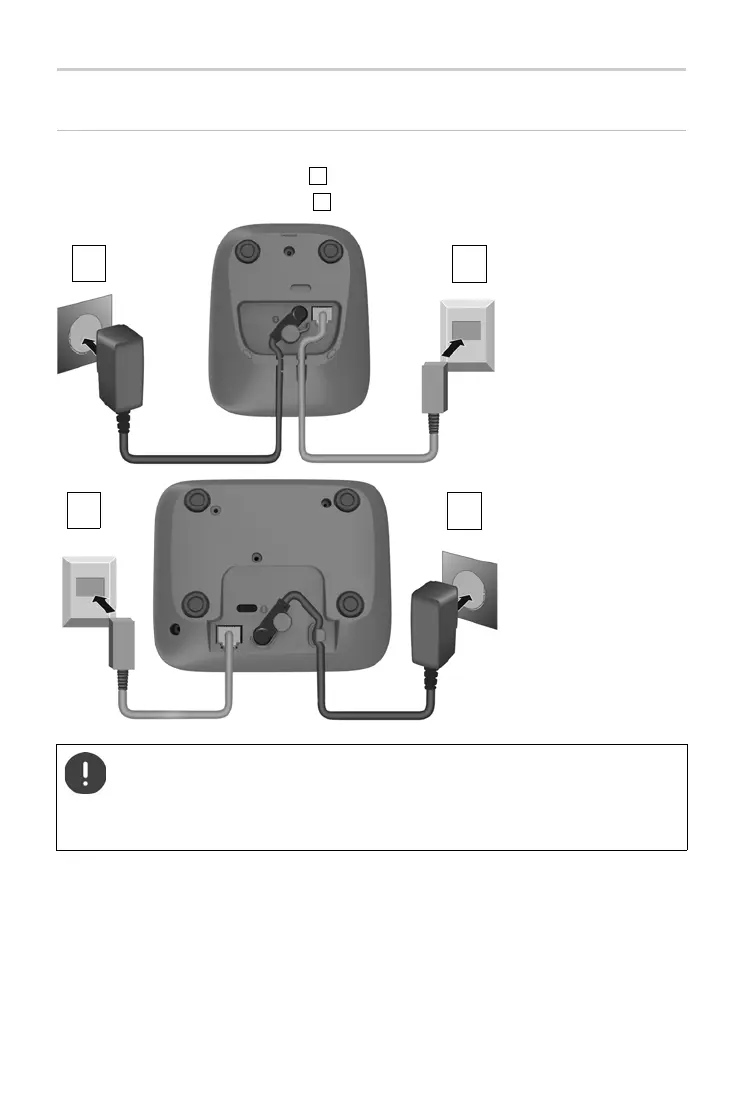
Connecting the base to power supply and telephone network
¤ Connecting the phone jack .
¤ Connect the power adapter and insert the cables into the cable ducts.
The power adapter must alw
ays be connected as the phone does
not work without a power supply.
The local answer machine (if available) is not ready until about
30 seconds after the base has been connected.
1
2
Device
without
answer
machine
2
1
Device with
answer
machine



 To Next Page