Gigaset E290-E290A / LUG-Kombi CH en / A31008-M2901-F101-1-2X19 / applications.fm / 5/5/20
Template Module, Elderly, Version 1.1, 01.04.2019
Additional functions
45
Protection from undesired calls
Black list
You can enter up to 32 numbers in a black list. When the black list is enabled,
calls from black list numbers are not signalled acoustically. These settings
apply to all registered handsets.
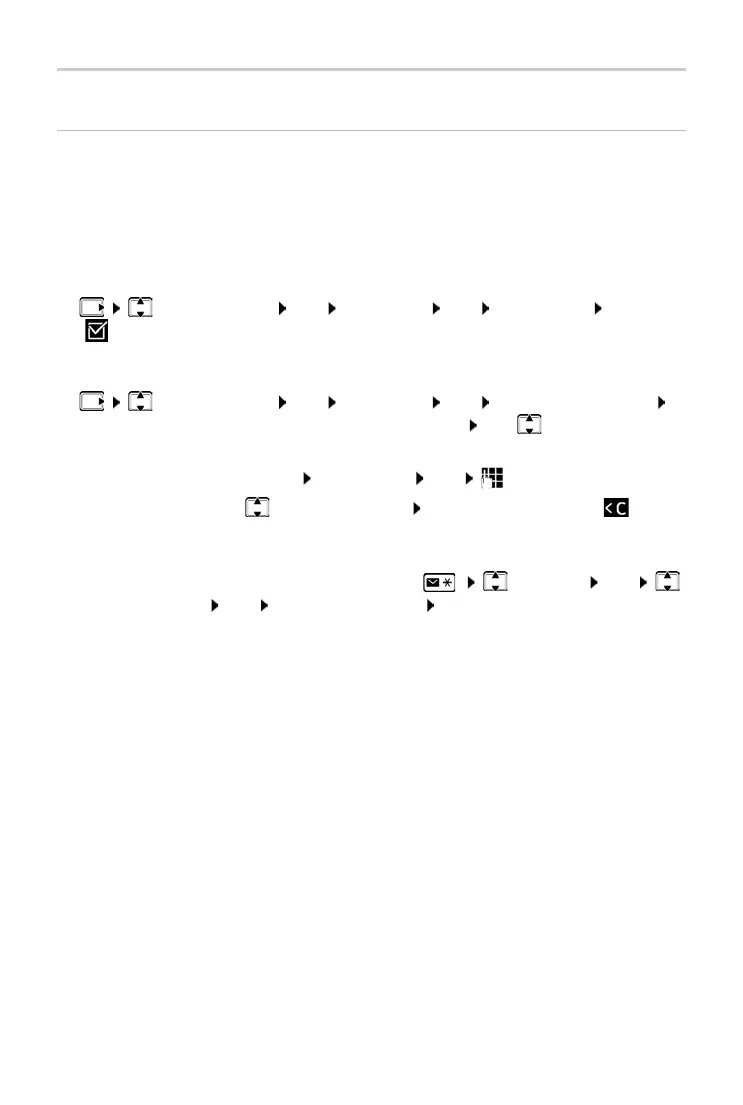
Enabling/disabling the black list
¤ Call Manager OK Black List OK Activation OK
( = enabled)
Displaying/editing the black list
Transferring a number from a call list to the black list
¤ Call Manager OK Black List OK Blocked Numbers
OK . . . the list of blocked numbers is displayed use to scroll through
the list
Create an entry:
¤ Menu New Entry OK enter the number
Delete entry:
¤ Select the entry Press the display key
¤ Open the call list: Press the Messages key Call List OK
Select an entry OK Co
py to Blacklist OK



 To Next Page